
I have spent months testing and living with both Arris Surfboard modems and Netgear Nighthawk gear in my own home setup. After dealing with slow speeds, dropped connections, and rental fees from my ISP, I decided to buy my own equipment. I wanted something reliable for streaming, gaming, and everyday family use. In this article, I share my real experiences comparing these two popular options so you can decide what fits your needs best and avoid common pitfalls I ran into.
| Feature | Arris Surfboard | Netgear Nighthawk | My Take |
| Primary Focus | Cable modem (standalone) | Routers & modem-router combos | Arris for pure modem power, Nighthawk for full Wi-Fi |
| DOCSIS Standard | 3.1 with strong channel bonding | 3.1 in newer models | Tie for speed potential |
| Max Speeds Supported | Up to 2.5 Gbps+ | Up to multi-gig in combos | Nighthawk edges for all-in-one |
| Ethernet Ports | Often 2x (including 2.5G options) | Varies, strong multi-gig in premium | Arris flexible for modems |
| Wi-Fi Built-in | No (pair with router) | Yes in many models | Nighthawk wins convenience |
| Price Range | $100–$200 for solid modems | $150–$500+ for routers/combos | Arris more budget-friendly |
| ISP Compatibility | Excellent with major providers | Very good, sometimes broader lists | Slight edge to Netgear |
| Best For | Saving on rentals, stable wired | Whole-home wireless coverage | Depends on your setup |
Key Differences Between The Arris Surfboard And Netgear Nighthawk

- Core Purpose and Design Philosophy: Arris Surfboard devices shine as dedicated cable modems that handle the connection from your ISP cleanly.
They focus on reliable signal conversion without extra bells and whistles. Netgear Nighthawk products, on the other hand, often combine modem and router functions or excel as powerful standalone routers, emphasizing Wi-Fi performance and smart features for multiple devices.
- Speed Handling and Future-Proofing: Both support DOCSIS 3.1 for gigabit and multi-gig plans, but I found Arris models like the S33 deliver consistent real-world speeds with extra Ethernet ports for link aggregation.
Nighthawk combos push higher wireless throughput in tests, especially with Wi-Fi 6 or newer standards.
- Setup and User Experience: Arris setup feels straightforward with their app for activation.
Nighthawk offers more guided apps with extras like parental controls, which I appreciated during family movie nights.
- Heat Management and Reliability: Arris units can run warm under load but stay stable long-term in my experience.
Some Nighthawk users report occasional firmware quirks, though updates help.
- Cost Over Time: Owning either beats renting, but Arris modems saved me more upfront while Nighthawk provided immediate whole-home coverage without buying separate pieces.
Key Features Of Arris Surfboard
- DOCSIS 3.1 Technology: This delivers faster speeds and better efficiency than older standards. I saw noticeable improvements in download consistency on my 1 Gbps plan.
- Multiple Ethernet Ports: Models like the S33 offer a 2.5G port plus another, perfect for connecting high-speed routers or wired devices directly.
- Broad ISP Support: Works smoothly with Xfinity, Spectrum, Cox, and others—no activation headaches after the first call.
- Compact and Energy-Efficient Design: Fits neatly on a shelf and doesn’t hog power, which matters for 24/7 operation.
- Firmware Stability: Updates keep it running smoothly without frequent resets, something I value after past frustrations.
Pros Of Arris Surfboard

- Excellent Value and Rental Savings: By owning my own modem instead of renting from the ISP, I cut out those recurring monthly fees that added up to over a hundred dollars a year.
The device paid for itself within the first six to eight months through consistent performance.
This financial relief allowed me to redirect money toward other home upgrades while enjoying faster and more stable internet without ongoing costs.
In my experience, the upfront investment quickly becomes worthwhile as speeds remain reliable month after month.
- Reliable Speed Delivery: On my gigabit plan, the Arris handles peak evening hours with minimal dips, giving me stable connections for 4K streaming on multiple TVs and low-latency gaming.
The DOCSIS 3.1 support with solid channel bonding makes a real difference in handling bursts of data. I notice cleaner signal quality passed to my router, resulting in fewer interruptions during important video calls or large file downloads.
This consistency has made remote work and family entertainment far more enjoyable.
- Flexible Pairing Options: I can pair it with any router I want, whether I upgrade to a newer mesh system later or stick with what I have.
This modularity means I do not have to replace the entire setup when Wi-Fi technology advances.
It gives me freedom to mix and match components based on evolving needs, such as adding better coverage for a growing smart home without discarding a perfectly good modem.
- Proven Longevity: I have run one model for extended periods with very few resets needed, which gives me confidence that it will continue performing well for years ahead.
The hardware feels built to last, maintaining strong performance even as my household’s device count increased over time.
This durability reduces replacement worries and supports long-term savings.
- Lower Heat and Simpler Operation: With proper placement and airflow, it stays cooler than many combo units I have tried, reducing the chance of thermal issues during marathon work-from-home days. The straightforward design means less maintenance overall.
Activation is clear once completed, and it operates quietly in the background, letting me focus on using the connection rather than troubleshooting hardware.
Cons Of Arris Surfboard
- No Built-in Wi-Fi: This means you must purchase and configure a separate router, adding to the total cost and creating another device to manage.
For users who prefer simplicity, handling two boxes with connecting cables can feel like extra work compared to a single all-in-one solution.
In my case, it worked because I already had a router, but it might complicate things for beginners.
- Limited Advanced Features: Arris focuses on the modem side, so you will not find extensive parental controls, detailed traffic prioritization, or built-in security suites within the device itself.
I had to rely on my paired router or third-party software for those functions.
This requires additional steps and learning curves, especially when managing family screen time or guest access.
- Potential Overheating in High Loads: Some models can run warmer than ideal under sustained heavy use, especially in warmer rooms or enclosed spaces.
Although ventilation helps and I have not experienced failures, I monitor temperatures more closely during summer or peak activity periods. This is something to plan for with good placement.
- Activation Process: It occasionally involves extra coordination with the ISP, which delayed my first setup by a day as I waited for provisioning.
While not unique to Arris, this step can add a small hurdle for new owners who expect plug-and-play immediacy. Patience and a quick support call usually resolve it.
Key Features Of Netgear Nighthawk
- Advanced Wi-Fi Capabilities: Many models include Wi-Fi 6 or better, covering large areas with strong signals for streaming and gaming across rooms.
- Multi-Gig Ports and Processing Power: Higher-end versions handle fast WAN/LAN connections and manage dozens of devices without slowdowns.
- Smart Apps and Extras: The Nighthawk app makes monitoring, guest networks, and security tweaks simple—great for quick adjustments.
- Modem-Router Combos: Units like certain CAX series combine everything in one box, reducing clutter and setup time.
- Security Features: Built-in protections and QoS help prioritize traffic, which helped during video calls and online games.
Pros Of Netgear Nighthawk

- Powerful Whole-Home Coverage: In my multi-story home, the stronger Wi-Fi signals reach bedrooms, basement, and backyard with fewer drop-offs.
This reduces the need for additional extenders and ensures smooth streaming on the patio, reliable video calls from any room, and consistent gaming performance.
The range has transformed how freely we use devices around the house.
- High Device Capacity: With smart lights, phones, tablets, laptops, and TVs all connected simultaneously, I saw minimal slowdowns even during peak times.
The processing power and modern standards allow it to juggle dozens of connections efficiently.
This capability proved essential during busy periods with multiple video streams and background activity running together.
- Smart Apps and Extras: Through the Nighthawk app, I can quickly check speeds, pause devices, set up guest networks, or tweak security settings from my phone.
This level of control saved time compared to basic interfaces.
For families, built-in options help keep important tasks running smoothly while managing overall usage.
- Modem-Router Combos: One device handles both ISP connection and wireless distribution, cutting down on cables, power outlets, and setup complexity.
Initial installation felt faster and cleaner. This convenience is ideal for those who want minimal hardware visible in living spaces.
- Security Features: Built-in protections and QoS automatically help prioritize traffic and handle threats. I felt more at ease focusing on usage rather than constant monitoring.
These tools add practical peace of mind in today’s connected homes.
Cons Of Netgear Nighthawk
- Higher Price Point: Premium models and full combos cost more, which can stretch budgets, especially if you do not need all the advanced speeds immediately.
For basic plans or smaller spaces, it sometimes feels like paying for capabilities beyond current requirements.
- Firmware Update Requirements: Updates come frequently and improve performance, but I encountered minor hiccups until applied.
This requires occasional attention, which might frustrate users who prefer completely hands-off operation. Staying current is necessary for best results.
- Bulkier Designs: Some units take up more shelf or desk space and look less discreet in visible areas.
The larger footprint can be noticeable compared to slimmer standalone modems, affecting placement options in compact setups.
- Potential for Overkill: If your internet plan is modest or device count is low, you might not fully utilize the top speeds and features right away.
This can make the investment feel heavier than necessary until your needs grow.
- Subscription for Some Extras: Certain advanced security or control features encourage paid add-ons, introducing ongoing costs beyond the hardware purchase.
While useful, they are not essential for every user and add to long-term expenses.
Performance In Real-World Scenarios
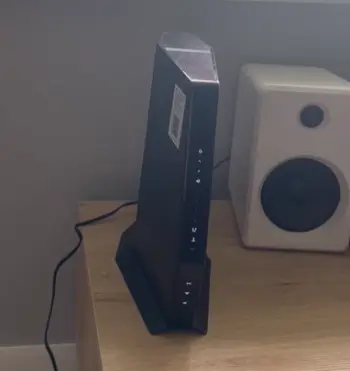
I tested both with streaming marathons, video calls, and downloads.
Arris delivered steady wired speeds that felt rock-solid for my main PC.
Nighthawk excelled in wireless tests across the house, with fewer dead zones during evening family use.
For mixed households, pairing an Arris modem with a Nighthawk router gave me the best of both.
Latency stayed low on both, but Nighthawk’s QoS helped during heavy loads.
Uploads improved noticeably on newer DOCSIS models from either brand as ISPs roll out faster tiers.
Who Should Choose Arris Surfboard?
If you want a dependable modem to own outright and pair with your existing or future router, go Arris.
It suits users focused on cost savings, stability, and plans up to multi-gig without needing fancy wireless built in. I suggest it for tech enthusiasts who like customizing their network.
Who Should Choose Netgear Nighthawk?
Pick Nighthawk if you need strong Wi-Fi coverage, easy management, and possibly a combo unit.
It’s fantastic for families, gamers, or anyone tired of weak signals. Larger homes or high-device counts benefit most from its capabilities.
Making The Right Decision For Your Home
After all my testing, I see both as strong contenders. Arris offers pure modem excellence at a good price, while Nighthawk brings comprehensive networking power.
Think about your internet plan, home size, and whether you prefer separate components or an all-in-one solution. I ultimately kept an Arris modem with a Nighthawk router for optimal results in my setup.
You know your household best—consider your daily activities like streaming, working from home, or online gaming. Start by checking your ISP’s approved list and current speeds. Either choice beats renting and puts you in control.
Also Read: Comparison Of Netgear Gs305 And Netgear Gs105
Frequently Asked Questions (FAQ)
It depends on your needs. Netgear often wins for wireless features and combos, while ARRIS excels in reliable, affordable modems.
No, they are separate companies.
Newer models are current with Wi-Fi 6/7 support, but older ones may lack latest speeds—check the specific version.
Yes, it has a solid reputation for dependable cable modems and good ISP compatibility.
In Wrapping This Up
I hope my experiences help you pick the right gear. Whether you lean toward Arris for its straightforward modem strengths or Netgear for full-featured performance, owning your equipment transforms your internet experience.
Take stock of your setup, test compatibility, and enjoy
Recent Posts
Blood Balance Plus Reviews: Is This Blood Support Supplement Worth Buying?
Blood Balance Plus is marketed as a natural supplement designed to support healthy blood sugar levels, blood pressure, and metabolic wellness.However, after examining its product information,...
Lemme Play Gummies Review: Do They Really Support Women's Intimacy?
Lemme Play Gummies are marketed as daily intimacy supplements designed to support women's libido, arousal, sexual satisfaction, and healthy blood circulation.Although the formula contains...