
I have spent years printing labels for home offices, small e-commerce setups, and busy workspaces.
The choice between the Dymo LabelWriter 450 and 550 kept coming up in my own decisions.
My goal here is to give you a clear practical side-by-side look at both machines. You can decide which one actually fits your daily labeling volume.
You can also match it to your budget. You can match it to your preference for label flexibility.
| Feature | Dymo LabelWriter 450 | Dymo LabelWriter 550 |
| Print Speed | Up to 51 labels per minute | Up to 62 labels per minute |
| Resolution | 600 x 300 dpi | 300 dpi |
| Label Compatibility | Genuine Dymo + third-party/compatible labels | Authentic Dymo labels only (RFID locked) |
| Automatic Label Recognition | No | Yes – size, type, and remaining count |
| Connectivity | USB | USB |
| Software | Older Dymo Label software + many third-party apps | DYMO Connect for Desktop |
| Status | Discontinued (still available used/refurb) | Current model |
| Best For | Cost-focused users who want label flexibility | Users who value speed, auto-detection, and jam reduction |
Key Differences Between The Dymo 450 And 550
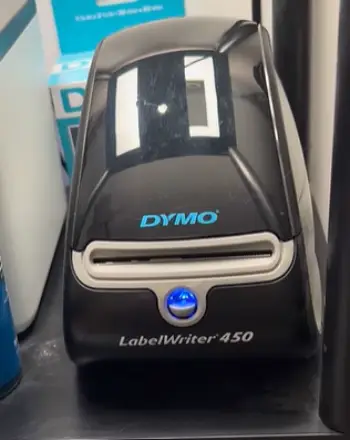
- Print speed and daily throughput: The 450 handles about 51 standard address labels a minute. The 550 reaches roughly 62 labels a minute.
The difference becomes clear once you move past a few dozen labels at a time.
High volume days show the gap more clearly.
- Label lock-in versus flexibility: The 450 accepts both official Dymo rolls. It also accepts a wide range of compatible or custom third-party labels.
The 550 uses RFID chips. It will simply refuse to print anything that is not authentic Dymo stock.
This single change affects long-term cost more than any other factor.
- Automatic recognition and waste reduction: Only the 550 reads the roll automatically.
It shows remaining label count. It sets the correct template. The 450 requires manual selection every time you change sizes.
That extra step becomes annoying if you switch between address labels. It becomes annoying if you switch between file-folder labels often.
- Software experience: The 450 works with older Dymo software. It still plays nicely with many third-party label programs.
The 550 is tied to the newer DYMO Connect application. The software feels cleaner. It supports precise quantity printing.
It offers fewer work-arounds if you rely on niche tools.
- Availability and support horizon: The 450 series has been discontinued. You can still find working units.
You can still find plenty of compatible labels. Official driver updates will eventually stop.
The 550 is the current mainstream model. It receives ongoing software attention.
Key Features Of The Dymo Labelwriter 450
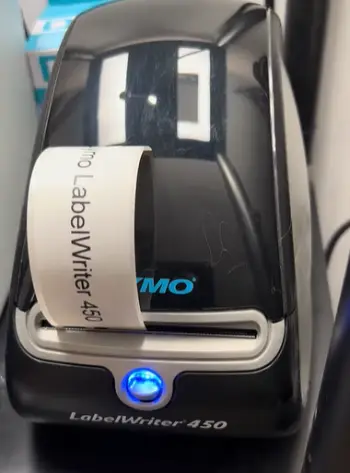
- Direct thermal printing with no ink or toner: Heat activates the special coating on the labels. You never buy cartridges.
The print stays crisp for normal office use. Labels must be stored away from extreme heat.
- Wide range of supported sizes: Address labels fit well. Shipping labels fit well. File-folder labels fit well.
Name-badge labels fit well. Barcode labels fit well.
The print head covers up to roughly 2.3 inches wide. This covers most everyday needs.
- Compact USB-only design: It sits quietly on a desk.
It draws power from a simple adapter. It connects with a single cable. Setup is straightforward on both Windows systems.
Setup is straightforward on Mac systems.
- Compatible with older workflows: Many users still run mail-merge scripts.
Many users still run older label software.
Those tools talk directly to the 450 driver. That legacy support remains useful in established offices.
- Affordable Long-Term Supply Chain: Third-party labels work without issue.
The cost per label stays lower than locked systems.
This holds true especially at higher volumes.
Pros Of The Dymo Labelwriter 450
- Lower ongoing label expense: You can buy genuine Dymo rolls when quality matters most. You can switch to reliable compatibles for bulk address work. You can switch to reliable compatibles for inventory work. Over a year the savings add up quickly.
- Proven reliability in real offices: Thousands of these units still run daily without drama. The mechanism is simple. Common issues such as jams are usually fixed by reloading the roll correctly.
- Flexible software ecosystem: Your business may already use custom label templates. Your business may already use third-party programs. The 450 rarely forces you to change your process.
- Easy to find second-hand or refurbished: Discontinued status means competitive prices on used machines. Those machines still have years of life left.
- No forced upgrade cycle for supplies: You keep control over which labels you buy. You keep control over the supplier you choose.
Cons Of The Dymo Labelwriter 450
- Slower than current models: Fifty-one labels a minute feels adequate for light use. The pace slows when you face a sudden batch of two hundred shipping labels. The extra seconds per label start to matter then.
- Manual label selection every time: Switching rolls means opening the software. You must pick the correct size. Forget once. You waste a few labels. You get misaligned prints.
- Diminishing official support: Drivers still exist today. Future operating-system updates may eventually break compatibility. You accept that risk when you buy a discontinued machine.
- Slightly older industrial design: The 450 lacks the refined power buttons found on the newer series. It lacks the refined feed buttons found on the newer series. Small convenience features are simply missing.
Key Features Of The Dymo LabelWriter 550
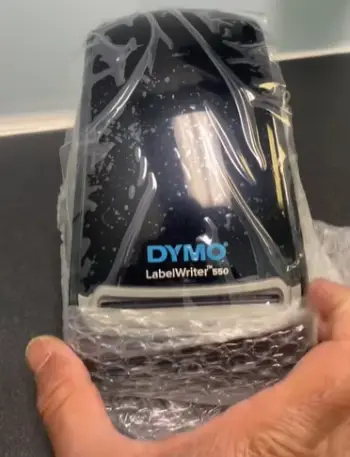
- Automatic Label Recognition: The printer reads the RFID chip on authentic Dymo rolls. It sets the correct template.
It displays how many labels remain. You never guess what size is loaded.
- Noticeably faster output: It runs roughly 20 percent quicker than the 450 on standard address labels.
High-volume days finish sooner.
Waiting time drops.
- Cleaner software experience: DYMO Connect feels modern. It supports bulk printing from Excel lists.
It supports bulk printing from contact lists. It reduces the chance of printing the wrong quantity.
- Direct thermal technology with improved alignment: It uses the same no-ink approach as the 450.
The auto-recognition system cuts down on jams. It cuts down on wasted labels caused by incorrect settings.
- Compact footprint and quiet operation: It still fits easily on a crowded desk.
It stays quiet enough for shared offices.
Pros Of The Dymo LabelWriter 550
- Reduced user error and label waste: Automatic detection almost eliminates the classic wrong size selected mistake. Remaining-count warnings stop you from starting a big job. They stop you when only a few labels remain.
- Faster daily workflow: The extra speed helps. The smart features help. Batch jobs become less of a chore. Offices that print labels throughout the day notice the difference.
- Current model with ongoing software updates: You buy with confidence. Drivers will continue to receive attention. The Connect application will continue to receive attention.
- Consistent print quality on official labels: You stay inside the authentic Dymo ecosystem. The results stay uniform across rolls.
- Simple setup for new users: First-time owners spend less time troubleshooting. The printer tells the software exactly what is loaded.
Cons Of The Dymo LabelWriter 550
- Locked to authentic Dymo labels only: Third-party rolls will not work. Custom rolls will not work. Long-term supply cost is higher. Specialty sizes may be harder to source. Specialty materials may be harder to source.
- Higher total cost of ownership for heavy users: The printer itself is reasonably priced. The premium on official labels adds up. This happens when you print thousands of labels each month.
- Less flexibility for niche applications: You may need unusual materials. You may need unusual colors. You may need pre-printed custom labels. The 550 simply cannot accept them.
- Software is more closed: Some older third-party tools worked with the 450. Those tools no longer function as smoothly.
Real-World Performance And Daily Use
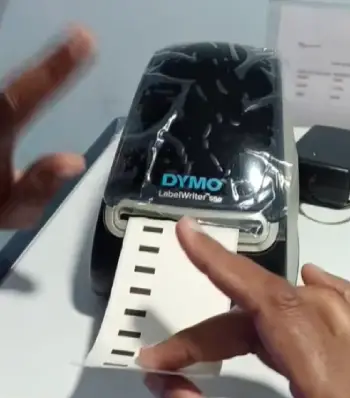
I ran both printers side by side for several weeks. The workloads mixed daily address labels. The workloads mixed weekly shipping batches.
The workloads mixed occasional file-folder labeling. The 450 felt familiar. It felt economical.
I kept a box of compatible address labels. I kept a few genuine rolls for important client packages.
Print quality was sharp enough for barcodes. Print quality was sharp enough for small text. The machine never complained about the third-party stock.
The 550 felt smarter from the first roll. I loaded an authentic Dymo address roll. The software instantly showed the correct size.
It showed the remaining count. Switching to a larger shipping size required no manual adjustment.
The speed difference was real. It was not dramatic until I printed a 150-label batch. The 550 finished noticeably sooner.
The only frustration came when I tried an older compatible roll. The 550 refused to print. It displayed a clear message. Only authentic labels were allowed.
Noise levels were similar. Both stay quiet enough for an open office. Neither requires ink. Neither requires toner.
The only recurring cost is the labels themselves. Heat-sensitive thermal labels will fade if left in a hot car.
They will fade if left in direct sunlight for long periods. That limitation applies equally to both machines.
Who Should Choose The 450?
Your monthly volume may be moderate. You may already own compatible label stock. You may simply prefer lower ongoing costs.
The 450 remains a practical choice in those cases. Small home offices often stay happier with the older model.
Craft sellers often stay happier with the older model. Budget-conscious teams often stay happier with the older model.
Just accept that you are buying a discontinued product. Plan for eventual software changes years down the road. Plan for eventual driver changes years down the road.
Who Should Choose The 550?
You may value convenience. You may want fewer mistakes. You may print enough labels that the speed saves real time.
The auto-recognition may save real time. The 550 is the better daily tool in those cases. Offices that share the printer among several people also benefit.
The automatic detection reduces training. It reduces errors. The higher label cost is the trade-off you accept for that smoother experience.
Long-Term Cost Considerations
Label price is the largest variable. Genuine Dymo rolls cost more than good third-party equivalents. On the 450 you can mix sources.
On the 550 you cannot. Calculate your average monthly label count. Multiply by the price difference per roll.
Decide whether the convenience features of the 550 justify the extra expense. For many light users the gap is small.
For high-volume shippers it becomes significant within a year.
Frequently Asked Questions (FAQ)
It depends on your priorities. The 550 wins on speed. It wins on convenience. The 450 wins on label cost. It wins on flexibility.
No. The 550 requires authentic Dymo labels with RFID chips. Older 450 labels will not work in the 550.
Yes. The 450 series was discontinued around 2022. Units remain available on the secondary market. Compatible labels remain available on the secondary market.
There is no single best model. The 550 suits most new buyers who want current features. The 450 still serves users who need third-party label freedom.
Final Thoughts
I started this comparison wanting a simple answer. The right choice always comes back to how you actually use the machine.
You may want the lowest long-term cost. You may want the freedom to buy labels from multiple suppliers.
The 450 still serves you well in those cases. You may prefer a modern lower-hassle experience.
You may feel comfortable paying a premium for official labels. The 550 is the clearer upgrade in those cases.
Look at your average monthly volume. Look at the importance of speed. Look at how much you value flexibility.
That combination will point you to the printer that fits your desk. It will point you to the printer that fits your budget. Whatever you pick both machines deliver clean thermal prints. They do so without the ongoing expense of ink.
They do so without the ongoing expense of toner. That remains the real strength of the LabelWriter line.
Recent Posts
● Interactive 5-Zone Interior & Exterior Paint Blueprint Paint Coverage Calculator: Gallons, Primer, Square Footage & Cost Tap any architectural surface zone on the blueprint...
If you want smooth, shiny hair without spending a fortune on a premium styling tool, the Ella Bella hair dryer may be worth considering.In these Ella Bella hair dryer reviews, I’ll look...