
I’ve spent months testing Linkind and Govee smart lights in my home.
I swapped bulbs. I tried strips. I set up outdoor runs. This showed clear performance gaps.
My goal is a clear hands-on breakdown. You can pick the right option for your space. You avoid wasting money on unused features.
| Feature | Linkind | Govee |
| Typical Brightness | 800 lumens (A19 bulbs) | Often higher, up to 1300+ lux in tests |
| Color Technology | RGBTW, 16 million colors | RGBIC / RGBWWIC with segmented control |
| Connectivity | Wi-Fi + Bluetooth, Matter support | Wi-Fi + Bluetooth, growing Matter options |
| App | AiDot | Govee Home |
| Price Range (bulbs) | Very low, ~$5 per bulb in packs | Moderate, higher for advanced models |
| Outdoor Options | Affordable permanent and solar | Premium permanent lights, more effects |
| Music Sync | Yes, via phone mic | Yes, strong and responsive |
| Voice Assistants | Alexa, Google, Apple Home, SmartThings | Alexa, Google, Matter ecosystems |
| Best For | Budget Matter setups, basic rooms | Vibrant effects, outdoor shows, strips |
I treated both brands as everyday tools. I placed Linkind bulbs in bedrooms. I used them in living areas. I added Govee strips near the TV. I ran outdoor lights on the patio. Differences appeared during normal routines. They showed during parties. They appeared in quiet evenings.
Key Differences Between Linkind And Govee
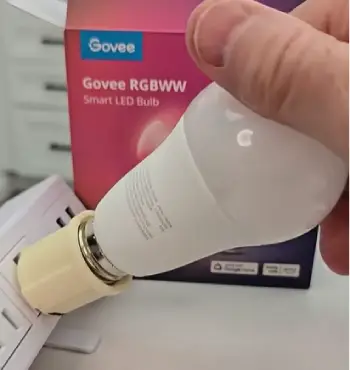
- Pricing and overall value: Linkind wins on pure cost. A four-pack of Matter-enabled A19 bulbs often costs under twenty dollars.
You fill an entire house easily. Govee sits higher. Advanced outdoor lights raise the total. Linkind suits volume needs.
Govee suits statement pieces.
- Color technology and effects: Linkind uses solid RGBTW. It covers a wide white range. Colors stay clean. Transitions remain smooth.
Govee uses RGBIC. Different sections show separate colors at once. Rainbows flow. Patterns chase. Dynamic shows favor Govee.
- Smart home compatibility: Both work with Alexa. Both work with Google Assistant. Linkind adds strong Matter support over Wi-Fi.
It pairs with Apple Home. It pairs with SmartThings. Fewer hubs are needed. Govee expands Matter options.
Full scenes still rely on its own app in many cases.
- Brightness and light quality: Govee often delivers higher raw output. Many bulbs clear 1300 lux in tests.
Linkind standard A19 stays near 800 lumens. It works for most rooms. Larger spaces need more.
Linkind reaches CRI 90 or better. Whites look natural. Govee prioritizes saturation.
- Product range focus: Linkind covers bulbs. It covers affordable panels. It covers TV backlights. It covers budget outdoor gear.
Govee leads in LED strips. It leads in neon ropes. It leads in permanent outdoor systems. Everyday fixtures favor Linkind.
Creative wall or exterior work favors Govee.
- Setup time and learning curve: Linkind bulbs install in seconds. Pairing stays simple for basic use.
Govee outdoor systems need more planning. Mounting clips take extra time. First scenes load faster on Linkind.
- Long-term maintenance needs: Linkind requires few resets after initial setup. Firmware updates stay light.
Govee benefits from regular app checks. Some strips need adhesive refresh after months.
Key Features Of Linkind
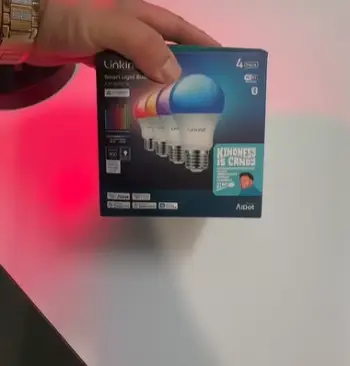
- Matter over Wi-Fi support: Bulbs connect to 2.4 GHz networks. They pair with Matter hubs. I scanned one QR code.
They appeared in Apple Home within minutes. Basic controls work across platforms. Advanced scenes stay in the AiDot app.
- Wide white temperature and color range: Range starts at 1800K. It reaches 6500K. Full 16 million colors are available.
Dimming drops to 1 percent. No flicker appears. Night use stays comfortable.
- Music sync and preset scenes: The app uses the phone microphone. Lights pulse with the music. Synchronized modes exist.
Independent modes exist. Over one hundred presets cover holidays. They cover nature themes. Custom builds are possible.
- Energy monitoring: The AiDot app tracks power by day. It tracks power by week. I checked after one month.
Real usage numbers appeared clearly. Extra hardware is not required.
- Cross-device grouping and automations: Bulbs group with strips. They group with panels. Geofencing triggers lights.
Weather triggers shift colors. Arrival home turns lights on. Evening routines warm the tone.
- Lifespan rating: Many bulbs claim 25,000 hours. Daily use of three hours supports over twenty years.
Heat management keeps performance steady.
- Bluetooth fallback option: Wi-Fi drops do not stop basic control. Bluetooth keeps brightness and color available. Local commands stay reliable.
Pros Of Linkind
- Exceptional price-to-feature ratio: Matter support is included. Full color is included. Music sync is included. Energy tracking is included. Cost stays under premium single bulbs. Whole-home coverage becomes realistic.
- Solid Matter integration: Major platforms work. One ecosystem is not forced. Mixed assistants in a household stay flexible.
- Clean color and smooth dimming: Whites appear natural. Low dim levels stay usable. Bedrooms benefit. Living rooms benefit.
- Growing ecosystem at accessible prices: Hexagon panels expand the system. TV backlights expand it. Outdoor options expand it. Premium jumps are avoided.
- Reliable daily performance: Setup finishes once. Reconnects happen fast after outages. Voice commands respond without drama under normal conditions.
- Low power draw: Standard bulbs use about 9 watts. Equivalent output matches older 60-watt bulbs. Monthly bills stay controlled.
- Easy multi-room expansion: Extra bulbs join existing groups quickly. No new hubs are required for basic setups.
Cons Of Linkind
- Limited maximum brightness on standard models: 800 lumens covers most spaces. Large open rooms feel soft. Strong task lighting needs more.
- App quirks and setup steps: The AiDot app can feel busy. First-time Matter pairing adds each bulb separately at times. Firmware hiccups need resets. Network hiccups need resets.
- Full features locked to the brand app: Basic controls work everywhere. Music modes stay inside AiDot. Detailed scenes stay inside AiDot. Energy graphs stay inside AiDot.
- Fewer advanced outdoor effects: Permanent outdoor options exist. Costs stay lower. Multi-segment RGBIC depth is missing.
- Adhesive and mounting limitations on some accessories: Panels leave residue at times. Strips need careful corner placement.
- Occasional email volume during setup: First pairing can trigger multiple account messages. Inbox clutter appears briefly.
- White-only models lag in effects: Color versions shine. Pure white options lack the same scene variety.
Key Features Of Govee
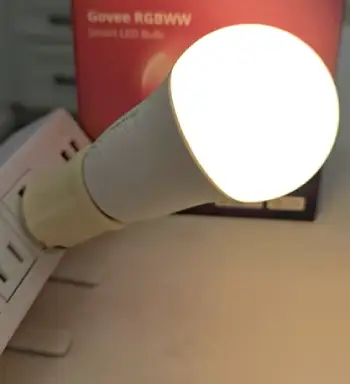
- RGBIC segmented control: Sections of a strip display different colors. Outdoor strings do the same. Light shows look professional.
Rainbows move smoothly. Patterns feel alive. Solid-color bulbs cannot match this.
- Strong music and entertainment sync: The Govee Home app handles music with low lag. Camera kits exist. HDMI kits exist.
Lights mirror the screen. Movie nights gain depth. Game sessions gain immersion.
- Permanent outdoor systems: IP67 ratings protect the lights. Strings stay up year-round. App changes handle holidays.
App changes handle everyday looks. Ladder climbs become rare. Multiple lengths fit different homes.
- Extensive scene library and DIY tools: Hundreds of ready scenes exist. Community uploads add more.
Finger-draw modes work fast. AI prompts create custom looks. Exploration reveals depth.
- Bright output and robust connectivity: Many models deliver high lumen levels. Color intensity holds outdoors.
Dual Wi-Fi helps. Bluetooth keeps control alive during network drops.
- Weather sealing details: Outdoor kits resist rain. They resist dust.
Temperature swings from cold nights to hot days stay handled. Year-round use remains practical.
- Community scene sharing: Users upload custom effects.
Downloads happen inside the app. Fresh looks appear often without extra work.
Pros Of Govee
- Vibrant multi-zone effects: RGBIC turns strips into shows. Outdoor strings become dynamic. Visual impact hits immediately. Fun levels rise.
- Higher brightness in many products: Ambient light is cut better. Larger areas gain intensity. Usable output holds at lower dim settings on some models.
- Mature outdoor permanent lighting: Weather sealing is strong. Seasonal scene libraries are large. Exterior lighting stays practical. Exterior lighting stays dramatic.
- Deep entertainment features: Music sync works well. TV sync works well. Game sync works well. Rooms feel designed. Rooms feel immersive.
- Large and active product lineup: Floor lamps are available. Curtain lights are available. Modular panels are available. Creative ideas find matching tools.
- Quick scene switching: App presets change in under a second. Holiday modes load without delay. Party transitions stay smooth.
- Strong group control range: Multiple devices respond together. Outdoor runs stay synchronized across longer distances.
Cons Of Govee
- Higher cost for advanced models: Permanent outdoor kits add up. High-end strips add up. The gap versus Linkind grows with scale.
- App can feel crowded: Many options pack the Govee Home app. Simple tasks slow at times. Updates create occasional glitches.
- Durability varies by product: Some LEDs fail after one or two years. Indoor strip adhesive is not always permanent.
- Feature depth often requires the brand app: Matter support improves. Richest effects still live inside Govee Home.
- Installation complexity on larger outdoor runs: Long systems need careful planning. Mounting takes time. A weekend project is common.
- Power supply bulk on some kits: Controllers take extra space. Outdoor boxes need sheltered placement.
- Learning curve for advanced DIY: Basic use is fast. Custom segment painting takes practice. First complex effects need trial time.
App Experience And Daily Control
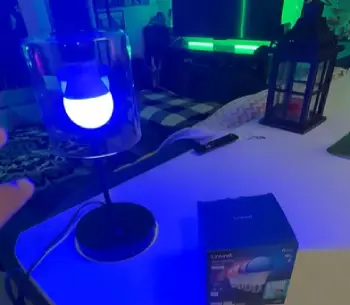
I used both apps for weeks. AiDot on Linkind feels lighter after the first days. Color wheels sit where expected.
Brightness sliders sit where expected. Scene categories are clear. Music sync uses the phone mic. Response stays quick for casual listening.
Room grouping is straightforward. Energy graphs became a quiet favorite. Real usage showed without extra gear.
Govee Home digs deeper. Segment editing works on RGBIC products. Zones receive individual colors.
The scene library is massive. Community uploads keep it fresh. Music modes feel polished. TV sync kits deliver good results with matching content. Option density slows simple tasks at times.
Voice control worked with both. Alexa handled on commands. Alexa handled off commands. Alexa handled brightness.
Alexa handled color names. Google did the same. Apple Home treated Linkind Matter bulbs as native. Govee needed more patience on some models.
Installation And Real-World Use
Screw-in bulbs take seconds from either brand. Linkind A19 shape fits nearly every fixture. Govee bulbs fit the same way. Strips need clean surfaces.
Adhesive requires patience. Outdoor permanent lights need more planning. Runs must be measured.
Clips must be secured. Power must be routed. Govee systems feel engineered for long exterior use. Linkind outdoor options keep costs lower. Weather handling remains solid.
Daily life made Linkind bulbs disappear into the background. They followed routines. They warmed in the evening.
They never demanded attention. Govee products invited more interaction. New outdoor scenes appeared often. Living-room strips synced to playlists. Personality difference is clear.
Value Over Time
Linkind delivers stronger long-term value for multi-room coverage. Low entry price helps. Matter support reduces lock-in risk.
Govee rewards when lights form part of the entertainment. Extra money buys lasting effects. Extra money buys lasting brightness. Hardware longevity still matters.
Energy use stays low on both. Linkind monitoring makes savings visible. Lifespan claims reach 25,000 hours on many Linkind bulbs.
Years of normal use follow. Govee outdoor systems claim longer ratings under proper care.
Who Should Choose Which?
Affordable smart bulbs that work across platforms favor Linkind. Basic needs are covered. Moderate needs are covered.
Dramatic outdoor lighting favors Govee. Multi-color strip shows favor Govee. Immersive entertainment favors Govee. Higher spend is accepted.
Many users combine both. Linkind handles everyday fixtures. Govee handles statement pieces.
Frequently Asked Questions (FAQ)
Philips Hue leads in ecosystem polish. It leads in reliability for many users. Price is higher. Nanoleaf offers stronger modular design for creative wall layouts.
Yes. Solid color is delivered. Matter support is delivered. Useful features arrive at a price that makes whole-home upgrades realistic.
Needs decide. Hue suits premium integration. Govee suits effects. Govee suits outdoor impact. Linkind suits budget Matter setups.
They rank high for vibrant effects. They rank high for outdoor permanent lighting. Not every category is led. Brightness excels. Features excel. Pure long-term reliability varies by model.
Wrapping Up
I lived with both systems side by side. Linkind is reached for dependable affordable coverage. Govee is reached for entertainment needs.
You will likely land in the same place. Match products to actual rooms. Match products to habits. Start with the fixtures used most. Test the app experience. Expand only where extra features justify the cost. The upgrade stays useful. The upgrade avoids pure decoration.
Recent Posts
● Interactive 5-Zone Interior & Exterior Paint Blueprint Paint Coverage Calculator: Gallons, Primer, Square Footage & Cost Tap any architectural surface zone on the blueprint...
If you want smooth, shiny hair without spending a fortune on a premium styling tool, the Ella Bella hair dryer may be worth considering.In these Ella Bella hair dryer reviews, I’ll look...