
I spent months switching between my daily drives with Ottocast and Carlinkit adapters plugged into my car’s USB port.
The goal here is simple: help you figure out which one actually delivers reliable wireless CarPlay without the headaches.
If you hate fumbling with cables every time you hop in the car, this comparison comes from real experience on the road.
| Feature | Ottocast | Carlinkit |
| Size & Design | Ultra-compact dongle style | Compact dongle, slight variations by model |
| Connection Speed | Fast boot and reconnect | Often quicker initial pair |
| Reliability | Strong with regular use | Mixed, occasional drops |
| Latency | Low for music and nav | Minimal but varies |
| Android Auto Support | Yes on many models | Strong 2-in-1 support |
| Battery Drain on Phone | Noticeable on some units | Generally lower |
| Price Range | Mid to higher | Often more affordable |
| Extra Features | OTA updates, stable performance | Config menu, firmware updates |
| Best For | Consistent daily drivers | Budget-conscious users |
I tested these in different cars, weather conditions, and with both iPhone and Android setups. Here’s what stood out.
My Personal Experience With Testing Both Adapters
When I first decided to go wireless, I wanted something that felt like factory CarPlay but without the cable dance.
Ottocast caught my eye with its sleek, tiny form factor that disappears into the center console. Carlinkit promised similar convenience at a tempting price.
I used them back-to-back for weeks—morning commutes, long road trips, quick errands—to see which one I actually wanted to keep plugged in.
The real-user truth? Both turn wired CarPlay into wireless freedom, but they shine (and stumble) in different ways.
I found myself preferring one for certain drives and noticing quirks that matter when you’re behind the wheel.
Key Differences Between The Ottocast And Carlinkit
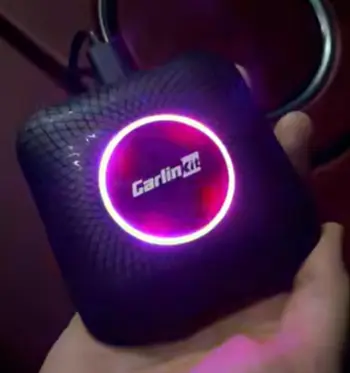
- Build and Plug-in Feel: Ottocast often feels more premium and solid in the hand. Its compact design stays out of sight and doesn’t dangle awkwardly.
Carlinkit models are small too but sometimes feel a bit more basic in construction.
- Connection Consistency: Ottocast reconnects reliably once you’ve used it regularly.
Carlinkit can surprise you with faster initial connections but occasionally needs a replug.
- Performance on the Road: Ottocast edges out in maintaining smooth playback during highway speeds or in areas with interference.
Carlinkit handles quick tasks well but showed more variability in my tests.
- Compatibility Breadth: Both work with most wired CarPlay cars, but Carlinkit sometimes offers broader 2-in-1 flexibility for switching between iOS and Android.
- Software and Updates: Ottocast provides solid over-the-air improvements.
Carlinkit gives you a handy web-based config page for tweaks.
These differences showed up clearly during my testing. One morning Ottocast connected seamlessly while my coffee was still hot; another day Carlinkit beat it to the map screen.
Key Features Of Ottocast
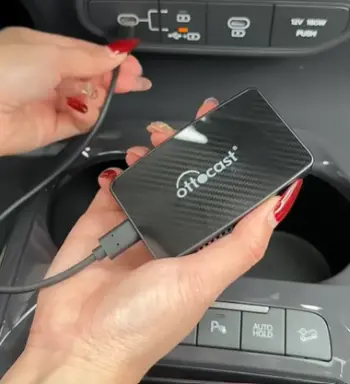
- Tiny Footprint with Big Impact: The adapter is so small it fits anywhere without taking up valuable space in your console.
I barely notice it’s there, which keeps everything looking clean and factory-like. This matters a lot when you have passengers or need quick access to other controls.
The build feels sturdy enough to handle daily plugging and unplugging if needed, and its low-profile design means it doesn’t get in the way during longer trips.
- Fast Wireless Handoff: It pairs quickly after the first setup, often connecting within seconds of starting the car.
Steering wheel controls and voice commands work just like the original wired setup, so you don’t lose any functionality.
In my experience, this handoff feels natural and reduces frustration during busy mornings when every second counts.
- Stable Streaming: Music apps, podcasts, and navigation stay responsive throughout the drive.
I drove through rain, tunnels, and areas with potential signal interference without major hiccups.
Audio quality remains clear, and maps update smoothly without freezing at critical moments, giving you confidence on unfamiliar routes.
- OTA Updates: The device improves over time with automatic firmware pushes that fix minor issues without you needing to do anything special.
This keeps it compatible with new phone updates and car software changes, something I appreciated as my iPhone received iOS updates during the testing period.
- Phone Battery Management: It handles power reasonably well, though I saw some drain on longer trips if left connected without a top-up.
The adapter manages the wireless connection efficiently most of the time, and I found simple habits like occasional restarts helped maintain good battery performance.
I really appreciated how Ottocast feels polished. It lets you focus on driving instead of troubleshooting, turning every commute into a more relaxed experience.
Pros Of Ottocast
- Everyday Reliability Wins: Once set up, it connects automatically most times. I trusted it for my routine drives without second-guessing.
- Low Noticeable Lag: Touch inputs, song skips, and map zooms feel close to wired experience. This mattered during navigation-heavy days.
- Compact and Discreet: No bulky box cluttering things up. It stays plugged in neatly.
- Good Long-Term Stability: Fewer random disconnects compared to some alternatives I’ve tried before.
- User-Friendly for Non-Techies: Minimal fiddling required after initial pairing.
These strengths made me lean toward Ottocast when I wanted set-it-and-forget-it convenience.
Cons Of Ottocast
- Price Consideration: It often costs more upfront, which might make you pause if you’re on a tight budget.
- Phone Battery Impact: On certain models or longer drives, I noticed faster drain than expected.
- Occasional Reconnect Needs: If you skip days of driving, it might require manual intervention once or twice.
- Limited Advanced Config: Not as many tweakable options in the menu compared to some rivals.
- Heat in Hot Weather: Like most dongles, it can warm up in direct sun, though it never failed on me.
These drawbacks are manageable but worth knowing before buying.
Key Features Of Carlinkit
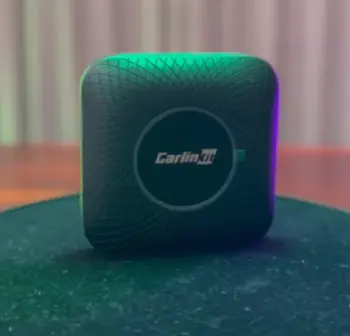
- Affordable Entry to Wireless: You get solid performance without breaking the bank, making it a great starting point for testing the waters of cable-free driving.
The price allows more people to upgrade their older cars without a huge investment, and I found the value impressive for what it delivers on everyday routes.
- Config Options: Access a settings menu via browser to adjust Wi-Fi bands or other preferences—handy for tech-savvy users who like to fine-tune things.
This level of control helped me optimize for my specific phone model and car, reducing some common connection hiccups after a bit of experimentation.
- Quick Boot in Many Cases: Some models fire up fast, getting you to your playlist or navigation screen sooner than expected.
This proved useful during short errands where I wanted instant access without waiting around.
- Versatile for Mixed Devices: Strong support when you or passengers use different phones, whether switching between iPhone and Android on family trips.
It handles multiple pairings reasonably well, making it practical for shared vehicles.
- Firmware Support: Regular updates help maintain compatibility with newer iOS versions and fix bugs reported by users.
I liked having the option to check and apply updates manually through the config interface when needed.
Carlinkit delivers value that surprised me on shorter trips where I just needed reliable basics without overcomplicating things.
Pros Of Carlinkit
- Budget-Friendly Option: Excellent performance for the money. I saved cash without feeling shortchanged on core functions.
- Flexible Setup: The configuration page lets you optimize for your specific car and phone.
- Decent Speed for Daily Use: Handles calls, music, and directions smoothly enough for most commutes.
- Wide Model Choices: Different versions let you pick based on exact needs like size or features.
- Strong Community Feedback: Many users report good results after tweaks.
This made Carlinkit appealing when I considered value and experimentation.
Cons Of Carlinkit
- Reliability Variability: Some days it worked flawlessly; others needed replugs or showed minor lags.
- Inconsistent Auto-Connect: It didn’t always pick up my phone as reliably as hoped, especially after parking overnight.
- Slightly Higher Latency at Times: Inputs could feel a beat slower during demanding tasks like rapid scrolling.
- Build Quality Perception: Feels functional but less refined in some units.
- Firmware Dependency: Needs occasional updates or adjustments to stay optimal.
These issues popped up enough to make me switch adapters depending on the trip.
Which One Should You Choose?
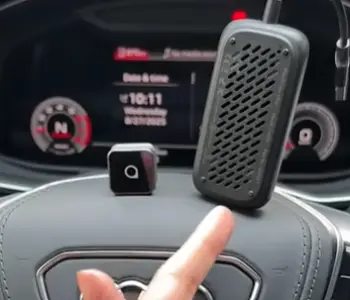
After all my testing, I see Ottocast as the more consistent performer for daily drivers who want minimal hassle.
Carlinkit shines if you’re watching your wallet and don’t mind occasional tweaks.
Your choice depends on priorities—do you value rock-solid reliability or upfront savings?
I ended up keeping Ottocast plugged in most days because it simply worked when I needed it.
But Carlinkit proved itself as a capable alternative that punches above its price.
How These Adapters Changed My Driving Routine?
Before wireless adapters, I dreaded the cable hunt every morning. Now, I hop in, start the car, and everything connects.
Ottocast made long trips relaxing with seamless navigation and audio. Carlinkit handled quick store runs well when I tested it side-by-side.
Real talk: neither is perfect, but both beat wired setups. I appreciate how they keep factory controls intact—steering wheel buttons, voice assistants, everything responds naturally.
Understanding Setup And Daily Use
Plugging them in is straightforward. Connect to your car’s USB, pair your phone once via Bluetooth and Wi-Fi prompts, and you’re set. I recommend parking in a quiet spot for the first connection. After that, it becomes second nature.
During drives, I tested everything from Spotify to Apple Maps to phone calls. Ottocast maintained clearer audio continuity. Carlinkit performed admirably but occasionally reminded me it was an adapter with a tiny delay.
Performance In Different Conditions
City traffic with lots of stops tested responsiveness. Highway cruising checked stability. Hot summer days revealed heat tolerance.
Ottocast handled varied scenarios with fewer interruptions. Carlinkit worked fine but required more attention in challenging environments like underground parking or busy urban signals.
I also considered passenger use. Both allow easy switching, but Ottocast felt smoother for multiple users over time.
Battery And Power Management Tips
One thing I monitored closely was phone battery. Ottocast can sip more power on extended use, so I sometimes used a short cable for top-ups.
Carlinkit seemed gentler overall. Pro tip: check your car’s USB port behavior—some stay powered after shutdown, affecting auto-connect.
Sound Quality And Media Experience
Music lovers will notice both deliver good fidelity, but Ottocast preserved details better with less compression feel.
Podcasts and audiobooks sounded crisp. Carlinkit was enjoyable too, especially after config tweaks for optimal Wi-Fi band.
Navigation And Safety Focus
Maps load reliably on both. I prioritized low latency here because directions matter at turns. Ottocast kept me confident. Voice commands worked well, reducing the need to glance at the screen.
Longevity And Update Support
These devices receive updates to stay compatible with new phones and cars. Ottocast’s OTA process felt seamless. Carlinkit’s web interface gave more control but required manual checks sometimes.
Real User Scenarios I Encountered
On family road trips, the adapter that connected fastest won points. For solo commutes, reliability trumped everything. Errands around town highlighted quick reconnect value. In each case, I gained freedom from cables and focused more on the road.
Making The Most Of Your Adapter
Experiment with placement if your car has multiple USB ports. Keep firmware current. Restart the adapter occasionally by unplugging for 10 seconds if issues arise. These small habits improved performance significantly in my experience.
Why Wireless Carplay Matters?
It transforms your drive into a more enjoyable, safer experience. Hands stay on the wheel. Eyes stay on the road. Both Ottocast and Carlinkit deliver this upgrade, each with their personality.
Also Read: Comparison Of Ottocast U2 Air And Pro
Frequently Asked Questions (FAQ)
Yes, it works reliably for most users once set up, delivering smooth wireless CarPlay in daily driving.
Ottocast generally earns higher marks for consistency in real-world use, though results vary by car and phone.
Not directly through standard CarPlay—it mirrors the interface but video streaming apps are limited by CarPlay restrictions.
Yes, most users do. It handles constant power well, though monitor for any excessive battery drain on your phone.
Wrapping It Up
I’ve shared my honest take after extensive testing—Ottocast edges ahead for me personally with its dependable performance, while Carlinkit offers strong value if you prioritize cost.
You should consider your driving habits, budget, and tolerance for minor tweaks.
If you want something you can plug in and mostly forget about, start with Ottocast. If savings matter more and you’re okay experimenting, Carlinkit won’t disappoint.
Recent Posts
● Interactive 5-Zone Interior & Exterior Paint Blueprint Paint Coverage Calculator: Gallons, Primer, Square Footage & Cost Tap any architectural surface zone on the blueprint...
If you want smooth, shiny hair without spending a fortune on a premium styling tool, the Ella Bella hair dryer may be worth considering.In these Ella Bella hair dryer reviews, I’ll look...