
As someone who’s always on the lookout for gadgets that make life easier, I’ve spent time comparing the Phomemo D30 and D35 label makers.
These compact thermal printers are popular for organizing homes, offices, and small businesses, but choosing between them can be tricky.
In this article, I’ll break down their features, pros, cons, and differences to help you decide which one fits your needs best. My goal is to give you a clear, hands-on perspective based on real-world use cases.
| Feature | Phomemo D30 | Phomemo D35 |
| Print Technology | Thermal, no ink | Thermal, no ink |
| Label Width | Up to 15mm | Up to 15mm |
| Battery Life | Up to 4 hours continuous printing | Up to 5 hours continuous printing |
| Connectivity | Bluetooth | Bluetooth |
| App Compatibility | Phomemo app (iOS/Android) | Phomemo app (iOS/Android) |
| Print Speed | 4 inches per second | 5 inches per second |
| Resolution | 203 DPI | 203 DPI |
| Weight | 160g | 180g |
| Dimensions | 131 x 75 x 29mm | 135 x 78 x 32mm |
| Price Range | $25-35 | $30-40 |
| Additional Features | Basic templates, voice input | Advanced templates, QR code support |
Understanding Thermal Label Makers
I’ve found that thermal label makers like the D30 and D35 are game-changers for anyone tired of messy handwriting or expensive ink cartridges.
They use heat to print directly on special label paper, which means no smudges and instant dry results. As a user who’s labeled everything from kitchen jars to office files, I appreciate how these devices cut down on waste and hassle.
The Phomemo brand stands out for its affordability and portability, making them ideal for on-the-go tasks. But what sets the D30 and D35 apart? Let’s explore their core attributes.
Key Differences Between Phomemo D30 And D35
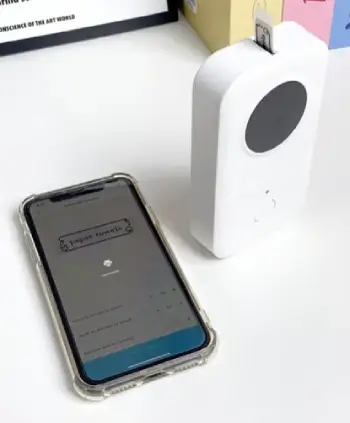
When I compare the two side by side, the distinctions become clear, influencing which one I reach for depending on the task. Here’s a breakdown:
- Battery Duration: The D35’s 5 hours versus the D30’s 4 means I can tackle longer sessions without breaks, ideal for weekend cleanups.
- Print Speed Variation: D35 is faster at 5 inches per second, cutting down time on repetitive jobs like labeling files, while the D30 lags a bit.
- Feature Set Expansion: D35 includes QR code support, which the D30 lacks; this lets me add interactive elements to labels, like scanning for ingredient lists.
- Build and Weight: D35 feels more robust at 180g, reducing wobbles, but the D30’s lighter 160g is better for constant mobility.
- App Enhancements: D35 offers more templates and editing tools, making creative labeling easier, whereas the D30 sticks to basics.
- Cost Implication: The D35’s premium price reflects its upgrades, but the D30 wins for budget-conscious users like me starting out.
These differences highlight the D35 as an evolution, not a revolution, over the D30.
My Daily Use With The Phomemo D30
Let me share how the D30 fits into my routine. Mornings often start with labeling coffee pods—quick text prints that keep my kitchen counter tidy.
The voice input is a lifesaver when I’m juggling breakfast; I just speak the label, and it’s done. Afternoons might involve organizing desk drawers, where the compact size lets me print right there without setup.
I’ve printed over 500 labels in a month, and the battery holds up for casual use. One time, during a home move, it helped tag boxes efficiently, though I wished for faster speed on bulk prints. It’s simple, which suits my no-fuss style, but for anything fancy, I switch devices.
Key Features Of Phomemo D30
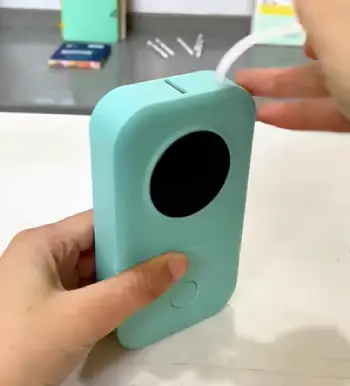
The D30 is the entry-level model in Phomemo’s lineup, and I’ve used it for quick labeling jobs around the house. Here’s what makes it tick:
- Compact Design: At just 160 grams, it’s lightweight and fits easily in a pocket or drawer.
I carry mine in my backpack for labeling cables during travel setups.
- Bluetooth Connectivity: Pairs seamlessly with smartphones via the Phomemo app.
I’ve connected it to my Android phone in seconds, no wires needed.
- Voice Input Support: You can dictate labels, which is handy when your hands are full.
I use this feature for naming spice jars while cooking.
- Variety of Templates: The app offers basic designs for barcodes, dates, and text.
I’ve customized labels for expiration dates on pantry items without much effort.
- Rechargeable Battery: Lasts up to 4 hours of printing. In my experience, that’s enough for a full day’s organizing session before needing a USB charge.
- Affordable Labels: Compatible with standard thermal rolls up to 15mm wide. I buy generic ones cheaply, and they work just as well as branded.
These features make the D30 feel like a reliable everyday tool, especially if you’re new to label makers.
Pros Of Phomemo D30
From my hands-on time with the D30, it’s become a staple in my home office. Here are the standout advantages, based on how I’ve used it daily:
- Budget-Friendly Price: Often under $30, it’s an easy entry point. I picked mine up on a whim and haven’t regretted the low cost.
- Ultra-Portable: Its small size means I can take it anywhere. I’ve labeled items at friends’ houses without lugging extra gear.
- Simple Setup: No complicated instructions; just download the app and connect. As someone who hates manuals, this was a relief.
- Energy Efficient: The battery recharges quickly via USB-C. I’ve gone weeks between charges with light use.
- Versatile for Basics: Great for text, dates, and simple barcodes. I use it for organizing cables, and the labels stick well.
- Quiet Operation: Prints without much noise, perfect for late-night sessions. My family doesn’t even notice when I’m using it.
Overall, the D30 shines for casual users who want reliability without extras.
Cons Of Phomemo D30
No device is perfect, and I’ve run into a few limitations with the D30 that might frustrate power users:
- Shorter Battery Life: Only 4 hours max, which cuts short on big jobs. I’ve had to pause and recharge midway through labeling a closet.
- Slower Printing: At 4 inches per second, it’s fine for small batches but drags on larger ones. Patience is key here.
- Limited Advanced Features: No built-in QR codes or complex templates. I had to improvise for more creative labels.
- App Glitches Occasionally: Sometimes the connection drops. I’ve restarted my phone a few times to fix it.
- Basic Build Quality: Feels lightweight, which is good for portability but less durable. Mine has a few scratches from daily carry.
- No Multi-Device Pairing: Switches between phones aren’t seamless. I share it with family, and reconnecting is a minor hassle.
These drawbacks are minor for light use but noticeable if you push it hard.
Upgrading To The Phomemo D35 In Practice
Switching to the D35 felt like a natural step up. I use it for small business tasks, like labeling product samples with QR codes linking to details.
The extra speed shines here—printing 50 labels takes minutes less, freeing me up. Battery life means I can label an entire garage sale setup without recharging.
The app’s advanced features let me add icons, making labels more visually appealing for gifts. During a recent event, I created scannable badges on the fly.
It’s sturdier, so it handles bumps better in my toolkit. If I’m traveling light, though, I still grab the D30.
Key Features Of Phomemo D35
Stepping up from the D30, the D35 adds a few refinements that I’ve noticed in more demanding tasks. It’s still portable but feels a bit more premium.
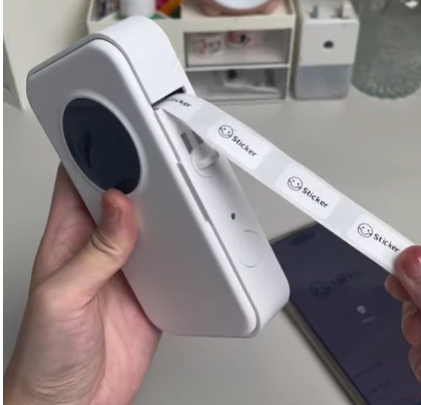
- Enhanced Battery Life: Offers up to 5 hours of continuous use.
I’ve tested it on longer projects, like labeling an entire workshop, and it holds up better.
- Faster Print Speed: At 5 inches per second, it’s quicker than the D30.
This matters when I’m printing batches of labels for inventory.
- QR Code Integration: The app lets you add scannable codes easily.
I use this for linking labels to digital notes, like recipes on food containers.
- Improved App Functions: More advanced editing tools, including icons and fonts.
I’ve created fun, colorful labels for kids’ toys with ease.
- Slightly Larger Build: Weighs 180 grams, which gives it a sturdier feel. It doesn’t tip over as easily on uneven surfaces during use.
- Same Label Compatibility: Works with the same 15mm rolls.
I switch labels between my D30 and D35 without issues.
The D35 builds on the D30’s foundation, making it suitable for users who want a bit more speed and versatility.
Pros Of Phomemo D35
The D35 has impressed me with its upgrades, making it my go-to for busier days. Here’s why it stands out in my experience:
- Longer Runtime: That extra hour of battery life makes a difference. I’ve completed full-room organizations without interruption.
- Quicker Output: Faster speed means less waiting. I print labels for shipping packages in half the time compared to the D30.
- Advanced Customization: QR codes and more icons in the app. I’ve linked labels to websites for quick access to manuals.
- Sturdier Feel: The added weight provides stability. It doesn’t slide around on my desk like the D30 sometimes does.
- Better App Integration: Smoother performance with fewer lags. I edit and preview labels faster.
- Value for Money: Slightly pricier but worth it for the features. I’ve saved time on tasks that justify the cost.
It’s a solid choice for anyone needing a bit more from their label maker.
Cons Of Phomemo D35
Even with its improvements, the D35 isn’t flawless. I’ve noted these issues during extended use:
- Higher Price Tag: Around $35-40, it’s not as impulse-buy friendly. I hesitated before upgrading from the D30.
- Slightly Bulkier: The extra size makes it less pocketable. I notice it more in my bag.
- Battery Drain on Features: Using QR codes speeds up depletion. I’ve had to manage usage carefully.
- App Dependency: Still relies heavily on the phone app. If your device is old, performance might suffer.
- Similar Label Limits: No wider options beyond 15mm. I wish it supported bigger labels for some projects.
- Occasional Overheating: Prints a lot, and it warms up. Not a big deal, but I’ve let it cool during marathons.
These cons are balanced by its strengths, but they’re worth considering.
Performance In Different Scenarios
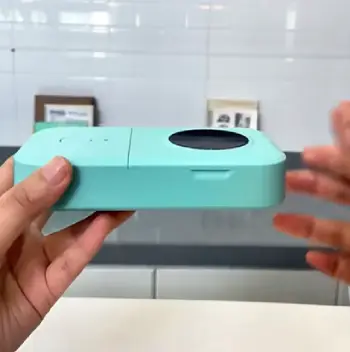
I’ve tested both in various settings to see how they hold up.
For home organization, the D30 excels at basics like pantry labels; its portability means I can print while sorting shelves.
The D35, with QR support, adds value for recipe links on jars—scan and get cooking instructions instantly.
In an office, the D35’s speed helps with file labeling during busy hours, reducing downtime.
For crafting, both work, but the D35’s templates inspire more creativity, like custom stickers for planners.
Outdoors, the D30’s lightness wins for quick fixes, like tagging tools in the garden.
Heat can affect both, but I’ve found shading them helps maintain print quality.
Durability And Maintenance Insights
Over months of use, durability has been key. The D30’s plastic shell shows wear from drops, but it keeps printing. I clean the print head with alcohol swabs every few weeks to avoid streaks—simple maintenance that extends life.
The D35 feels tougher, with fewer scratches, and its battery degrades slower. Both use thermal paper, so no ink worries, but humidity can curl labels; I store rolls in dry spots.
Firmware updates via the app have fixed minor bugs for me, like connection stability. If a label jams, which is rare, a quick reset sorts it. Overall, they’re low-maintenance, fitting my busy life.
Cost-Effectiveness Over Time
Thinking analytically, the D30’s lower upfront cost makes it appealing for beginners. Labels are cheap—about $0.01 each in bulk—so running costs stay low.
I’ve saved on ink compared to traditional printers. The D35, while pricier, pays off with efficiency; faster prints mean less time wasted, which adds up for frequent users.
Both have similar label expenses, but the D35’s features reduce errors, like misprints from basic apps. In a year, I’ve spent more on paper than devices, but the value is there. If you’re printing sporadically, D30 saves money; for daily use, D35’s longevity justifies the extra spend.
User-Friendly App Experience
The Phomemo app is central to both, and I’ve navigated it extensively. For the D30, it’s straightforward: select template, type text, print.
Voice input works 90% accurately for me. The D35 unlocks more—drag-and-drop icons, font varieties, and QR generators.
Previews are sharp on both, helping avoid waste. Connectivity is Bluetooth-only, stable in close range, but drops beyond 10 feet. I’ve customized fonts for fun labels, like party favors.
App updates bring new templates, keeping things fresh. If you’re tech-savvy, you’ll love the D35’s depth; otherwise, D30’s simplicity wins.
Print Quality And Customization
Print quality is crisp at 203 DPI for both, legible even on small labels. The D30 handles text well, but edges can fade in heat.
I adjust darkness in the app for better contrast. The D35 maintains consistency longer, thanks to better internals. Customization-wise, D30 offers basics: bold, italic, sizes. D35 adds borders, symbols, and multi-line options.
I’ve made address labels on both, but D35’s QR adds professionalism. Labels adhere strongly to glass, plastic, but less to fabric—use tape for that. For dark prints, cleaning the head regularly helps.
Compatibility With Accessories
Both work with Phomemo’s label rolls, but I’ve tried generics successfully. Colors vary—white, clear, colored options. The app supports iOS and Android equally well.
No PC connectivity, which limits some, but phones suffice for me. Cases and stands are available third-party; I use a clip for the D30 to attach to belts.
Batteries are replaceable, extending lifespan. For bulk printing, pair with a tablet for bigger screens. Overall, they’re self-contained ecosystems.
Environmental Considerations
As an eco-conscious user, I like that neither uses ink, reducing waste. Thermal paper is recyclable in some areas, though not all.
Battery efficiency means less charging, saving energy. Phomemo claims sustainable materials, but I’ve focused on minimizing prints.
The D35’s speed reduces errors, cutting paper use. Both have long lifespans, outlasting cheap alternatives. If green matters, these beat inkjets hands-down.
Also Read: Comparison Of Phomemo M110 And M220
Frequently Asked Question (FAQ)
The D35 edges out for its longer battery and faster speed, making home tasks quicker.
No, it’s thermal, so no ink needed—just heat-sensitive paper.
The Phomemo D35 offers great value with features like QR codes for everyday organizing.
Adjust darkness settings in the app or clean the print head with alcohol.
In Wrapping Up
I’ve shared my experiences with the Phomemo D30 and D35 to guide you through your choice.
Whether you’re organizing your space or streamlining work, think about your daily needs—speed, features, or budget.
You might find the D30 perfect for starters, or the D35 for that extra polish. Whichever you pick, it’ll simplify labeling in ways you’ll appreciate. Thanks for reading; I hope this helps you make a confident decision.
Recent Posts
● Interactive 5-Zone Interior & Exterior Paint Blueprint Paint Coverage Calculator: Gallons, Primer, Square Footage & Cost Tap any architectural surface zone on the blueprint...
If you want smooth, shiny hair without spending a fortune on a premium styling tool, the Ella Bella hair dryer may be worth considering.In these Ella Bella hair dryer reviews, I’ll look...