
I set out to settle the Segway Ninebot C2 versus C2 Lite question for parents looking at kids’ electric scooters.
My goal here is simple: give you a clear, real-world comparison of features, performance, weight, battery, and everyday usability so you can decide which model fits your child without the usual guesswork.
| Feature | Segway Ninebot C2 | Segway Ninebot C2 Lite |
| Recommended Age | 6–12 years | 6–10 years |
| Recommended Height | Approx. 120–160 cm | 115–145 cm |
| Max Rider Weight | 50 kg (110 lbs) | 50 kg (110 lbs) |
| Top Speed | Up to 16 km/h (9.9 mph) | Up to 16 km/h (9.9 mph) |
| Theoretical Range | Approx. 11 km | Up to 14 km |
| Range at Max Speed | Approx. 8–10 km | 9 km |
| Motor (Nominal / Peak) | 130 W / 160 W | 120 W / 130 W |
| Battery Capacity | 54 Wh (some units 56 Wh) | 56 Wh |
| Charge Time | Approx. 3.5 hours | Approx. 5.5 hours |
| Scooter Weight | 10.4 kg (22.9 lbs) | 7.8 kg (17.2 lbs) |
| Foldable | Yes (one-step) | No |
| App Connectivity | Yes | No |
| Tires | 7-inch hollow / airless | 7-inch solid rubber |
| Riding Modes | 3 (Standard, Sport, Power Assist) | 3 (Standard, Sport, Power Assist) |
| Brake | Rear drum with hand lever | Rear drum with hand lever |
| Ambient Lights | RGB under footboard | RGB under footboard |
Key Differences Between The Segway Ninebot C2 And C2 Lite
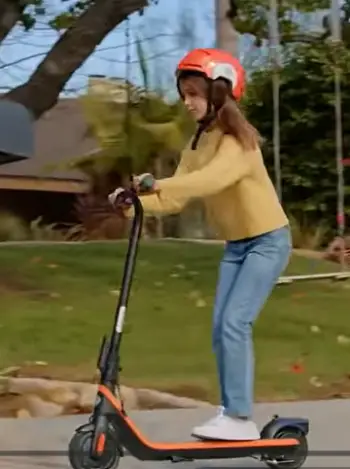
- Weight and portability: The C2 Lite tips the scales at just 7.8 kg, and that lower mass makes it easier for a smaller child to push or lift into a car.
The C2 sits at 10.4 kg, so the extra weight gives a more planted feel on the road, yet it asks more of the parent who has to move it around often.
- Folding mechanism: The C2 folds in one step and collapses to a compact package that slides into a trunk or closet without much fuss.
The C2 Lite has no folding option at all, and it stays in its full upright shape, which is simpler mechanically yet takes more storage space in daily life.
- Motor power and acceleration: The C2 delivers 130 W nominal and 160 W peak, and that extra punch shows up as stronger take-off when a child leans into the throttle.
The C2 Lite runs 120 W nominal and 130 W peak, so it still moves well for its size class, but it feels a touch softer on hills or when the rider is near the upper weight limit.
- Battery and charging: Capacities sit close at 54 Wh on most C2 units and 56 Wh on the Lite, yet the real difference appears in charge time.
The C2 finishes in about 3.5 hours, while the Lite needs roughly 5.5 hours, and that gap matters if you want the scooter ready again after school or after dinner.
- Connectivity: The C2 pairs with the Segway app for ride stats, mode changes, and basic settings, and some parents like the extra data and parental controls.
The C2 Lite stays offline completely, so others prefer the simpler screen-free experience that comes with it.
- Age and height window: The Lite targets 6–10 year olds and heights up to 145 cm, while the C2 stretches to about 12 years and 160 cm.
A taller or older child will outgrow the Lite sooner, and that difference shapes how long each scooter stays useful.
Key Features Of The Segway Ninebot C2
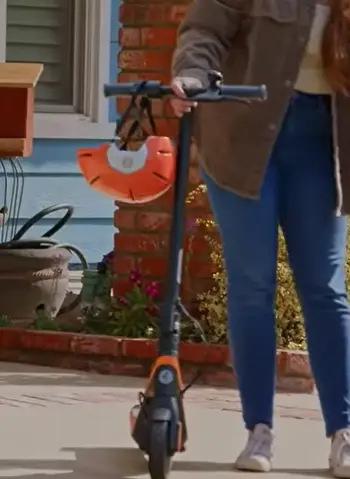
- One-step folding system: You pull a lever and the stem drops, so the scooter packs flat enough for car trips or apartment storage without tools.
This feature turns everyday transport into something quick and practical for busy parents.
- Stronger brushless motor: The 160 W peak output gives noticeable snap when the throttle is engaged, and kids feel the scooter respond right away once they reach the kick-start threshold.
That extra power helps on slight rises and keeps rides lively.
- App support: Through the companion app you can check remaining range, switch modes, and lock basic settings, and it adds a layer of oversight without complicating the ride itself.
Parents who want simple tracking find this useful every day.
- 7-inch hollow tires: These airless tires absorb small bumps better than pure solid rubber and never need air, so they stay puncture-free on typical sidewalk and park paths.
The design keeps maintenance low while improving comfort a bit.
- Three riding modes: Standard keeps speed around 12 km/h for learning, and Sport and Power Assist both reach the full 16 km/h, one with throttle and one that helps after each push.
The options let riders grow into higher speeds at their own pace.
- RGB ambient lighting: Lights under the deck create a soft glow that makes the scooter easier to see at dusk, and they add a bit of fun for the rider at the same time.
Visibility and style come together in one simple feature.
Rear drum brake: The hand lever operates a drum that stops the scooter cleanly, and combined with the natural resistance of the motor it gives reliable control for young riders.
Stopping feels steady even when a child is still learning.
Pros Of The Segway Ninebot C2
- Faster charging cycle: A 3.5-hour charge means the scooter can be ready for an afternoon ride after a morning session, and that shorter downtime is useful for busy households. You spend less time waiting and more time riding.
- Better power delivery: The higher peak motor output helps on slight inclines and when a child wants quicker acceleration, so the scooter feels more responsive overall. Rides stay engaging even as skills improve.
- Folding convenience: Being able to collapse the stem turns the C2 into something that stores easily in a garage, hallway, or car trunk, and this flexibility simplifies daily life. Parents notice the difference every time they put it away.
- App connectivity: Parents who like tracking distance, battery health, or locking certain modes will find the app practical, and the data stays available without extra effort. It supports oversight in a quiet way.
- Longer potential use window: The slightly higher height range and stronger motor let the same scooter stay useful for a year or two longer as the child grows, and that stretches the value of the purchase. One scooter covers more of childhood.
Cons Of The Segway Ninebot C2
- Heavier to carry: At 10.4 kg the scooter asks more of a smaller child or a parent who has to lift it repeatedly, and the extra mass becomes noticeable over time. Daily handling takes a bit more effort.
- Slightly lower claimed range in some tests: While real-world numbers vary, the official figures sit a bit below the Lite’s theoretical maximum, so some rides may end a little sooner than expected. Planning around charge levels becomes more important.
- Extra complexity: Folding hinges and app pairing add parts and steps that the simpler Lite avoids, and those extras introduce more things that could need occasional attention. Simplicity is traded for convenience.
Key Features Of The Segway Ninebot C2 Lite
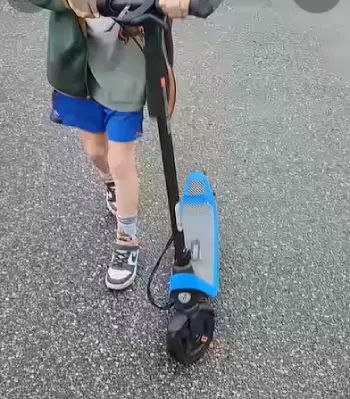
- Ultra-light frame: At 7.8 kg the whole scooter is easy for a six- or seven-year-old to handle, and parents also appreciate the lighter lift when loading or unloading.
The low weight removes a common barrier for the youngest riders.
- Solid 7-inch rubber tires: These tires need zero maintenance, and they roll quietly on smooth surfaces while resisting flats completely.
You can focus on riding instead of checking pressure or fixing punctures.
- Three speed modes tuned for beginners: Standard mode caps at about 7.5 mph with gentler acceleration, while Sport and Power Assist climb to 9.9 mph.
The progression feels natural for kids who are still building confidence on an electric scooter.
- LED battery display: A clear indicator sits on the stem so both child and parent can see remaining charge at a glance, and this simple readout removes the guesswork from every ride.
You always know when it is time to plug in.
- RGB ambient lights under the footboard: The same colorful under-deck lighting as the C2 appears here, giving visibility and a playful look without extra bulk.
Kids enjoy the glow, and the scooter stays easier to spot in low light.
- Rear drum brake with hand lever: Consistent stopping power matches the scooter’s modest top speed and low weight, and the lever is easy for small hands to reach and use. Control stays predictable from the first ride onward.
- Compact overall dimensions: The shorter deck and fixed stem keep the scooter feeling small and manageable for younger riders, so it matches their size rather than overwhelming them.
Everything stays in proportion for the intended age group.
Pros Of The Segway Ninebot C2 Lite
- Noticeably lighter weight: The 7.8 kg frame is the standout advantage for young riders and for parents who move the scooter often, and the difference is clear the moment you pick it up. Handling stays easy for everyone involved.
- Longer theoretical range on a similar battery: Official numbers reach 14 km under ideal conditions, and this gives a bit more playtime between charges for lighter riders. Sessions can stretch further on a full battery.
- Simpler design: No folding mechanism means fewer moving parts and less that can loosen over time, so the scooter stays reliable with minimal upkeep. Fewer features keep things straightforward.
- Ideal size for the youngest riders: The lower height recommendation and compact stance match children just starting out with electric scooters, and the proportions feel right from the first try. Confidence builds faster in a well-sized machine.
- Solid tires that never need attention: You will not spend time checking pressure or fixing flats, and that freedom lets the focus stay on riding instead of maintenance. The tires simply work.
Cons Of The Segway Ninebot C2 Lite
- Longer charge time: Waiting 5.5 hours can feel slow if the scooter is used more than once a day, and the wait interrupts the rhythm of frequent short rides. Planning ahead becomes necessary.
- Lower peak power: Acceleration feels softer, and small hills demand more effort from the rider, so the scooter does not surge forward as readily. Some children notice the difference right away.
- No folding option: Storage takes more room and car transport is less flexible, and the fixed shape limits where the scooter can go easily. Space planning matters more with this model.
- No app: You lose the ability to monitor rides or adjust settings from a phone, and the experience stays completely offline. Some parents miss the extra information.
- Narrower age and height window: Many kids will need a larger scooter sooner than they would with the C2, and the growth window closes earlier. The Lite serves a shorter stage of childhood.
Real-World Riding Feel And Everyday Use
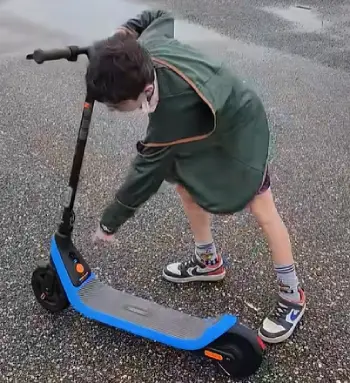
I spent time comparing how each scooter behaves on typical neighborhood paths. The C2 Lite feels almost toy-like in the best sense. A six-year-old can maneuver it without struggle.
The solid tires roll smoothly on pavement and give predictable grip. The three modes let a parent start a new rider in the gentlest setting and gradually open up speed as confidence grows.
The ambient lights look playful and also help with evening visibility.
The C2 carries a more substantial presence. The hollow tires soften small cracks and expansion joints a little better.
The stronger motor makes the scooter feel eager when the throttle is applied. Folding it after a ride becomes second nature after a couple of tries.
App data is useful if you want to know exact distance ridden or remaining battery percentage without guessing from the LED bars.
Both scooters share the same safety basics: rear drum brake, IPX4 water resistance, and a design free of sharp edges.
Neither has suspension, so rough surfaces still transmit some vibration. Neither is meant for public roads in most places; they belong on private property, parks, or designated paths.
Battery performance in real conditions lands lower than the optimistic theoretical numbers. A lighter child on flat ground will see the better end of the range figures.
Heavier riders, colder weather, or frequent stops shorten the distance. The C2’s faster recharge helps offset any shortfall because you can top it up more quickly between sessions.
Who Should Choose Which Model?
If your child is six to eight years old, still on the shorter side, and you value easy lifting and simple storage, the C2 Lite makes strong sense. Its light weight and straightforward design match that stage of riding.
If your child is closer to nine or ten, already taller, or you expect the scooter to last through several growth spurts, the C2 becomes the smarter long-term pick. The folding feature and stronger motor keep it useful longer, and the quicker charge cycle fits family schedules better.
Budget often plays a role. Street prices fluctuate, but the Lite typically sits at a lower entry point. Factor in how many seasons you expect the scooter to last before deciding whether the C2’s extra features justify the difference.
Maintenance And Longevity Notes
Both models use maintenance-free tires and a sealed battery system. Keep the scooters clean, store them indoors when possible, and charge them after each longer ride.
Avoid leaving a fully depleted battery for weeks. The drum brake needs occasional inspection for pad wear, though kids’ scooters rarely demand frequent service under normal use.
The C2’s folding hinge benefits from a light check now and then to confirm it still locks solidly.
Also Read: Is Varun Electric Bike Worth It?
Frequently Asked Questions (FAQ)
The C2 Lite is lighter, non-folding, aimed at ages 6–10, and uses a smaller motor and battery. The C2 Pro is heavier, folds, supports older and taller kids, offers higher top speed and roughly double the battery capacity.
Yes for younger beginners. It is light, simple, and safe within its age and weight limits. It suits kids just learning electric scooters
It reaches approximately 16 km/h or 9.9 mph in Sport and Power Assist modes.
It depends on the child’s age, height, and your storage needs. The C2 Lite suits smaller, younger riders who need maximum portability. The C2 or C2 Pro better serve older kids who want more power and folding convenience.
.
Wrapping Up
I wrote this comparison from the perspective of someone who has looked at the numbers, handled both scooters, and watched how kids actually use them.
The main intent remains the same as when I started: help you match the right scooter to your child so the rides stay fun, safe, and frustration-free for as long as possible.
You now have the side-by-side details, the practical trade-offs, and the real-world feel.
Choose the model that fits your rider’s current size and your family’s daily routine, and both of you will get more enjoyment out of every trip around the block.
Recent Posts
If you're looking for a convenient way to support skin health, muscle recovery, and everyday wellness, Lifepro red light therapy devices may be worth considering.I like the idea of having a...
If you want longer, fuller-looking eyelashes without extensions or daily mascara, Babe Lash Essential Serum is worth considering. I like its appeal as an easy addition to a beauty...