
I have spent months testing under-desk treadmills in my small apartment while balancing work calls and daily chores. Sperax vs Urevo Walking Pad: Which One Is Better? aims to share my honest experiences so you can decide which fits your routine without wasting money on the wrong model.
I keep both pads in rotation depending on the day. The Sperax feels perfect for quick morning sessions when I want something ultra-portable.
The Urevo shines during longer focused work blocks because its stable build lets me forget it is even there. You might lean toward one based on space, budget, or how intense you want your walks to feel.
A Brief Comparison Table
| Feature | Sperax Walking Pad | Urevo Walking Pad |
| Max Speed | 3.8 mph | 4.0 mph |
| Weight Capacity | 350 lbs | 265 lbs |
| Incline | Manual up to 10% or vibration mode | Auto up to 14% on premium models |
| Noise Level | Very quiet under 45 dB | Extremely quiet around 30-40 dB |
| Deck Size | Smaller around 38 inches | Larger around 43 inches |
| Weight | Lightweight 27 lbs | Heavier 50-70 lbs |
| Unique Feature | Vibration plate for recovery | Foldable designs and higher power motors |
| Price Range | Budget friendly under $250 | Slightly higher $300-450 |
My Experience With Sperax Walking Pad
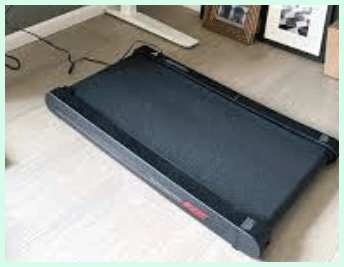
I started with the Sperax because my apartment barely has room for a full treadmill. Unboxing took minutes and I placed it under my standing desk immediately.
The first week I walked during all my calls and noticed energy levels staying higher through the afternoon.
The vibration mode became my favorite wind-down tool after long days. Belt tracking stayed mostly straight with monthly tweaks.
Remote response felt reliable though I learned to keep spare batteries nearby. Overall the pad encouraged me to move more without disrupting workflow.
Heavier days tested the weight capacity positively. I appreciated the quiet operation most during early mornings.
Storage proved effortless. After several months minor belt lubrication kept everything smooth. The experience solidified it as a daily essential for my routine.
Pros Of Sperax Walking Pad
- Compact Design Makes Storage Effortless: I slide the Sperax under my couch in seconds thanks to its slim 3.5-inch height and light 27-pound frame. No more tripping over bulky equipment when guests visit.
- High Weight Capacity Supports Larger Users: At 350 pounds it handles my heavier friends without any wobble. That extra margin gives peace of mind if you carry extra weight or plan to use it long-term.
- Vibration Mode Adds Recovery Benefits: After a walk I switch to vibration and feel my legs loosen up. It works like a mini massage plate and helps with circulation on days when my calves feel tight from sitting.
- Ready To Use Right Out Of The Box: No assembly required. I unboxed it, plugged it in, and started walking within five minutes. The remote pairs instantly and works even while I type.
- Affordable Price Fits Tight Budgets: You get solid performance without spending a fortune. I saved enough to buy extra accessories like a good mat underneath.
- Quiet Motor Keeps The Peace: My roommates never complain even when I walk during their meetings. The noise stays low enough for apartment living or shared offices.
- App Connectivity Tracks Progress Easily: I check steps, distance, and calories on my phone. It motivates me to hit daily goals without extra effort.
- Portable Wheels Help With Movement: I roll it from living room to bedroom depending on where I need to work. The built-in transport makes repositioning simple for one person.
- Sturdy Build Handles Daily Use: Despite the light weight the frame feels solid. I have logged hundreds of miles and the belt still tracks straight with basic care.
- Manual Incline Offers Basic Challenge: Adjusting the incline by hand adds variety. On steeper settings my heart rate climbs without needing to speed up much.
- LED Display Shows Key Stats Clearly: Speed, time, and distance appear at a glance. I glance down occasionally without losing focus on my screen.
- Shock Absorption Protects Joints: The cushioning feels gentle on knees and ankles. I notice less fatigue compared to harder surfaces.
- Remote Control Allows Hands-Free Adjustments: I change speed from my desk without bending down. The buttons respond quickly and accurately.
- Lightweight Nature Suits Small Spaces: In my tiny home office it takes almost no room. I appreciate how it disappears when not in use.
Cons Of Sperax Walking Pad
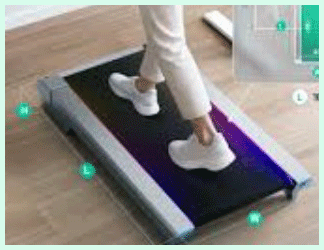
- Smaller Deck Can Feel Cramped: My longer strides sometimes brush the edges. Taller users might need to shorten steps consciously.
- Manual Incline Requires Stopping: I must pause to adjust levels which breaks flow during longer sessions.
- No Folding Mechanism: Storage relies on sliding it away rather than upright folding. That takes more floor space planning.
- Remote Needs Batteries: I replace them every few months. Forgetting spares causes minor frustration.
- Slightly Louder Than Premium Models: At higher speeds a low hum appears though still quiet overall.
- Limited Speed For Running: 3.8 mph caps it at brisk walking. Serious joggers feel restricted.
- App Offers Basic Tracking Only: It lacks advanced metrics or integration with other fitness platforms.
- Belt Alignment Needs Occasional Tweaks: After heavy use I adjust it once a month with the tool.
- No Handrails For Balance: Beginners or those with stability concerns miss the support.
- Vibration Mode Not For Everyone: Some days the shaking feels too intense on sensitive joints.
- Heavier Users Report Faster Wear: Though rated high the belt shows more friction over time with maximum loads.
- Display Small For Glances: I sometimes strain to read stats while focused elsewhere.
- Transport Wheels Could Be Smoother: On carpet it drags slightly more than expected.
- Limited Color Options: Only basic finishes available which may not match all decors.
- No Auto Pause Feature: If I step off it keeps running until manually stopped.
- Basic Shock Absorption Compared To Others: Cushioning helps but not as plush as higher-end pads.
- Potential Overheating On Long Runs: Extended sessions above 30 minutes make the motor warmer.
- Remote Range Varies: From certain desk angles the signal weakens.
- No Built-In Tablet Holder: I improvise with separate stands.
- Warranty Coverage Basic: One year feels standard but not exceptional.
- Belt Surface Can Slip When Wet: Sweat requires extra wiping for safety.
- Assembly Not Needed But Initial Setup Minor: Plugging and pairing still takes a couple minutes.
Also Read: Comparison of Sole Treadmill F80 And Sole Treadmill F85
Maintenance Tips For Sperax Walking Pad
- Clean The Belt Weekly: I wipe it with a damp cloth after each use to remove dust and sweat. Dry thoroughly to prevent slipping.
- Lubricate The Belt Monthly: Apply silicone lubricant under the belt edges. This keeps movement smooth and reduces motor strain.
- Check Belt Alignment Regularly: If it drifts I use the adjustment tool at the rear. Tighten or loosen screws in small increments.
- Vacuum Under The Unit Often: Dust collects underneath and affects performance. I lift it and clean the floor area.
- Inspect Power Cord For Damage: Look for fraying before each session. Replace if any wear appears.
- Store In A Dry Place: Avoid humidity to prevent electronic issues. I keep it away from windows or bathrooms.
- Wipe The Frame With Mild Soap: Gentle cleaner removes fingerprints and grime without damaging surfaces.
- Test Remote Batteries Periodically: Replace them before they die completely to avoid mid-workout interruptions.
- Avoid Overloading Beyond Capacity: Even though rated high I stay under to extend lifespan.
- Monitor Motor Temperature: If it feels excessively hot I pause and let it cool.
- Tighten All Screws Every Few Months: Vibration loosens parts over time. A quick check prevents rattles.
- Use On Flat Even Surfaces: Uneven floors cause tracking problems. I place a mat underneath for stability.
- Keep The App Updated: Software fixes improve connectivity and tracking accuracy.
- Limit Vibration Mode Sessions: Overuse can stress the plate. I alternate with normal walking.
- Clean The Display Screen Gently: Microfiber cloth prevents scratches while keeping numbers visible.
My Experience With Urevo Walking Pad
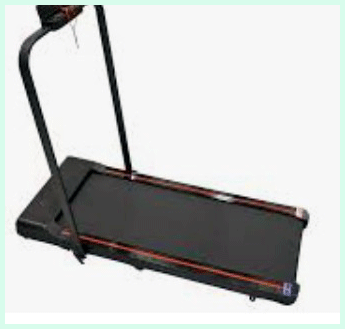
Switching to the Urevo felt like upgrading stability. Its larger deck let me take natural strides without constant focus on foot placement.
Auto incline on higher models added real challenge and calorie burn during work hours. Folding versions stored vertically which saved even more space in my setup.
Motor power handled longer sessions without warming excessively. Remote included handy pause which prevented unnecessary restarts.
I used it for both walking and light jogging on days I wanted intensity. Shock absorption felt noticeably plusher on joints.
App tracking provided better insights than basic alternatives. Moving the heavier unit required more effort but wheels helped.
Months in it remains my go-to for focused deep work blocks. The build quality inspires confidence for continued use.
Pros Of Urevo Walking Pad
- Quiet Operation Lets You Focus On Work: I walk during meetings and calls without anyone noticing. The motor stays whisper-quiet at normal speeds, often around 30-40 dB on models like the CyberPad, so background noise never distracts.
- Auto Incline Adds Real Challenge Without Speeding Up: On premium versions like the CyberPad or SpaceWalk series I adjust up to 14 percent incline remotely. My heart rate climbs and calories burn faster while I keep typing comfortably.
- Larger Deck Gives Natural Stride Room: The walking surface measures around 43 inches long on many models. I take full steps without feeling cramped, especially compared to smaller pads, and taller users report better comfort.
- Strong Shock Absorption Protects Joints: Eight-point or multi-layer systems with silicone pads and rubber cushioning soften impact. After long sessions my knees and ankles feel less fatigued than on harder floors.
- Foldable Design Saves Floor Space: Many Urevo models fold vertically or include handles and wheels. I roll it upright behind furniture or under the bed in seconds when not in use.
- App Connectivity Tracks Progress Seamlessly: I connect via Bluetooth and monitor steps, distance, and custom programs on my phone. The app provides basic trends that keep me motivated without overcomplicating things.
- Remote Control With Pause Function Works Reliably: I change speed or pause instantly from my desk. The mute button for notifications proves handy during focused work.
- Durable Build Handles Daily Use Well: Alloy steel frames and brushless motors on higher models deliver consistent power. I have logged months of sessions and the unit still feels solid.
- Higher Speed Range Supports Light Jogging: Some models reach 6-7.6 mph in running mode. On days I want intensity I switch from walking to a gentle jog without needing a full treadmill.
- Tablet Holder Keeps Entertainment Handy: Built-in stands hold my phone or tablet securely. I watch videos or read while walking and time flies by.
- Easy Setup Right Out Of The Box: No complicated assembly required. I unbox, plug in, pair the remote, and start within minutes.
Cons Of Urevo Walking Pad
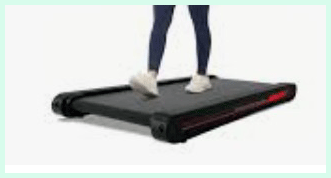
- Heavier Weight Makes Moving Tougher: At 50-70 pounds or more on some models I need extra effort to reposition. Wheels help but it still feels bulkier than ultra-light alternatives.
- Taller Profile Limits Under-Furniture Storage: Higher height on models like the CyberPad prevents sliding under low sofas or beds easily. I store it upright instead.
- Limited Top Speed For Serious Runners: Max around 4 mph for pure walking on many pads. Light jogging reaches higher but dedicated runners may feel restricted.
- App Remains Basic Without Deep Analytics: Tracking covers essentials but lacks advanced metrics or integrations I see in premium fitness ecosystems.
- Occasional Noise At Higher Speeds Or Incline: Though generally quiet some users report more hum when pushing limits compared to the absolute quietest pads.
- Belt Can Require Frequent Alignment Checks: Heavy use sometimes causes slight drifting that needs manual adjustment with tools.
- Pause Feature Does Not Always Resume Previous Speed: I reset speed manually after pausing which interrupts flow during quick breaks.
- Higher Price Than Ultra-Budget Options: Mid-range models cost more than basic no-frills pads though features justify it for many.
- Motor Can Warm Up On Very Long Sessions: Extended incline use makes it run warmer though rarely overheats in normal conditions.
- Smaller Belt On Some Entry Models Feels Cramped: Taller individuals shorten strides or feel edges more noticeably.
- Remote Signal Occasionally Drops: From certain angles or distances the connection weakens requiring repositioning.
- No Handrails On Pure Walking Pads: Balance support is absent which matters for beginners or stability concerns.
- Lubrication Needed Regularly: Every 100-200 miles or few months to prevent friction and maintain smoothness.
- Folded Storage Still Takes Vertical Space: Upright folding helps but needs clearance against walls or in closets.
- App Connectivity Can Have Minor Glitches: Bluetooth drops happen rarely but annoy during sessions.
- Weight Capacity Lower Than Some Competitors: Around 265 pounds standard which limits heavier users compared to 350-pound options.
- Display Sometimes Hard To Read At Glance: Smaller screens require closer looks when focused on work.
- Initial Lubrication Recommended Before First Use: Setup includes this step which adds minor prep time.
Maintenance Tips For Urevo Walking Pad
- Lubricate The Belt Every 100-200 Miles: I apply silicone-based lubricant under the belt edges following manufacturer guidelines. Run at low speed afterward to distribute evenly and reduce friction.
- Clean The Belt And Deck Weekly: Wipe with a damp cloth after each use to remove sweat and dust. Dry completely to prevent slippage or mold.
- Vacuum Underneath And Around The Unit Regularly: Dust buildup affects motor cooling. I lift or roll the pad and clean the floor area thoroughly.
- Check Belt Alignment Monthly: If the belt drifts I adjust rear bolts in small increments until centered during low-speed operation.
- Inspect For Wear And Tear Every Week: Look at the belt for fraying or thinning and check the deck for damage. Early detection prevents bigger issues.
- Tighten All Screws And Bolts Periodically: Vibration loosens components over time. A quick check every few months keeps everything secure.
- Wipe The Frame And Console With Mild Cleaner: Use gentle soap on a cloth to remove fingerprints and grime without harming surfaces.
- Test Remote Batteries And Replace As Needed: Weak signals often trace to low batteries. I keep spares handy for uninterrupted sessions.
- Avoid Exceeding Weight Capacity: Staying under limits extends motor and belt life significantly.
- Monitor Motor Temperature During Use: Pause if it feels excessively hot and allow cooling time before continuing.
- Use On Flat Even Surfaces Only: Uneven floors cause tracking problems and uneven wear. A quality mat underneath helps.
- Keep The App Updated For Best Performance: Software improvements fix connectivity and tracking bugs.
- Limit Sessions If Overheating Occurs: Break long inclined walks with short rests to protect components.
- Clean The Remote Control Regularly: Dust in buttons leads to sticky or unresponsive controls.
- Store In A Dry Cool Environment: Avoid humidity or extreme temperatures that damage electronics.
- Apply Lubricant Before First Use As Recommended: Even new units benefit from initial application for smooth break-in.
- Vacuum The Motor Area Carefully: Remove dust that accumulates inside vents for better cooling.
- Check Shock Absorption Elements For Compression: Worn pads lose effectiveness and need replacement when noticed.
Comparison With Other Brands
Urevo Offers Stronger Motors In Similar Price Range: Their brushless options deliver consistent power without overheating as quickly as some competitors.
WalkingPad Models Excel In Foldability: Many fold upright neatly but cost more and have lower weight capacities than Sperax.
Folding Treadmills From Other Companies Add Handles: Extra support helps balance but makes units bulkier and less desk-friendly.
Premium Brands Provide Advanced Apps: Detailed analytics and coaching but at double or triple the price.
Budget Competitors Often Lack Vibration Features: Sperax stands out with its recovery mode while others focus purely on walking.
Higher-End Options Include Auto Incline Standard: Urevo matches or exceeds many in this area with smoother adjustments.
Some Brands Offer Wider Decks: Extra room feels luxurious but sacrifices portability compared to compact Sperax.
Noise Levels Vary Widely Across Market: Urevo and Sperax both rank among quieter options versus louder big-box treadmills.
Warranty Terms Differ Significantly: Some brands extend coverage while budget ones stick to one year like Sperax.
Build Quality Improves With Price: Mid-range Urevo feels sturdier than ultra-cheap no-name pads.
Read More: Comparison of Sole Wellfit And Deer Run
Frequently Asked Questions (FAQ)
The Strider Classic offers basic walking functions with simpler controls while the Sport adds enhanced speed options and better cushioning for more dynamic sessions.
The Pro model includes advanced incline features and stronger motors compared to the Sport which focuses on balanced performance at a lower tier.
A sports bike emphasizes speed and agility with lighter frames while a classic bike prioritizes comfort and stability for casual riding.
Conclusion
I have tested both extensively and still switch between them depending on the day. If you value extreme portability and a unique vibration feature then the Sperax makes an excellent daily companion that fits anywhere. You will appreciate its lightweight nature and high weight capacity for straightforward walking needs. On the other hand if you want more power, automatic incline, and a larger deck the Urevo grows with your fitness goals and handles longer intense sessions better. Both deliver quiet reliable performance that helps you move more throughout the day. Consider your space constraints, budget, and how challenging you want walks to feel. Whichever you pick I recommend starting with short consistent sessions to build the habit. You deserve equipment that supports your lifestyle without adding stress. Try one and see how it transforms your routine. Both options prove that small changes in movement create big improvements in energy and focus over time. Choose confidently knowing real users like me find genuine value in these compact machines.
Recent Posts
● Interactive 5-Zone Interior & Exterior Paint Blueprint Paint Coverage Calculator: Gallons, Primer, Square Footage & Cost Tap any architectural surface zone on the blueprint...
If you want smooth, shiny hair without spending a fortune on a premium styling tool, the Ella Bella hair dryer may be worth considering.In these Ella Bella hair dryer reviews, I’ll look...