
I have spent hours testing Android TV boxes at home, and the SuperBox S5 Pro versus S5 Max question kept coming up among friends who want easy access to live channels, on-demand movies, and sports without juggling multiple apps.My main intent with this article is to share my honest, hands-on experience so you can clearly see which model fits your streaming habits better. I focus on real performance, not just specs on paper.
Both boxes run Android 12 with solid 4GB RAM and support crisp 6K playback via H.265. The biggest split comes down to storage and build quality. The S5 Pro gives you 32GB while the S5 Max doubles that to 64GB. That extra room makes a noticeable difference when you start installing apps or caching content.
I set them up side by side in my living room, connected to the same TV and gigabit internet. Navigation felt responsive on both, thanks to the quad-core processor and WiFi 6. Voice commands worked reliably for searching shows, and the pre-loaded Blue apps opened quickly without much lag.The S5 Max handled multiple apps open at once with slightly more breathing room, especially when I downloaded a few large video files.
The alloy case on the Max also felt more premium and stayed cooler during long sessions compared to the plastic housing on the Pro.After weeks of daily use, I can say the choice depends on how much content you plan to store locally versus streaming everything on the fly.
A Brief Comparison Table
| Feature | SuperBox S5 Pro | SuperBox S5 Max |
| Storage | 32GB eMMC | 64GB eMMC |
| RAM | 4GB DDR | 4GB DDR |
| Operating System | Android 12 | Android 12 |
| Processor | Quad-core ARM Cortex-A53 | Quad-core ARM Cortex-A53 |
| GPU | Mali-G31 MP2 | Mali-G31 MP2 |
| WiFi | Dual Band, WiFi-6 Supported | Dual Band, WiFi-6 Supported |
| Ethernet | 1000Mbps | 1000Mbps |
| Bluetooth | 5.2 | 5.2 |
| Video Decoder | H.265 6K@60fps | H.265 6K@60fps |
| Design | Plastic box | Premium alloy case |
| Voice Command | Yes, upgraded | Yes, upgraded |
| Ideal For | Budget users with moderate needs | Users needing more storage and space |
My Experience With Superbox S5 Pro
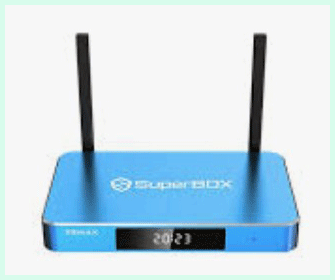
I picked up the SuperBox S5 Pro first because I wanted to test a more budget-friendly option before considering the Max. Setting it up took minutes.
I connected HDMI, powered on, joined my WiFi, and the interface greeted me with clean menus and quick access to live TV categories.
Daily use felt enjoyable. Morning news channels loaded fast, and evening movies played in sharp resolution without hiccups on my gigabit connection.
The voice remote helped me find specific titles quickly, though I learned to speak clearly for best results.
Storage management became a small habit. With 32GB, I kept essential apps and a few downloaded shows but avoided hoarding large files. The 4GB RAM handled switching between live sports and on-demand libraries smoothly most days.
Heat stayed manageable when I placed the box with airflow. The plastic case never felt concerning, but I avoided stacking anything on top during long binge sessions.
After a couple of weeks, I appreciated the simplicity. No monthly fees, straightforward navigation, and reliable performance for my main streaming needs. Minor lags appeared only when I pushed it with too many background tasks, but a quick restart fixed that.
I tested it with different TVs and found consistent picture quality. Colors looked natural, and motion stayed fluid in fast-action content. Bluetooth headphones paired easily for late-night watching without disturbing others.
One small frustration involved organizing the app drawer as I added a couple of extras from the Play Store. Still, the pre-loaded Blue apps covered most of what I wanted.
Overall, the S5 Pro earned a solid spot in my setup for its balance of price and capability. It handles real-life streaming without drama, making it a practical choice when budget matters.
Pros Of Superbox S5 Pro
- Smooth Daily Performance: The 4GB RAM combined with Android 12 keeps menus snappy and app switching quick even after several hours of watching.
- Affordable Entry Point: You save money upfront compared to the Max model, making it easier to try the SuperBox ecosystem without a big commitment.
- Reliable 6K Streaming: H.265 decoding handles high-resolution content well, so live sports and movies look sharp with minimal buffering on a strong connection.
- WiFi 6 And Gigabit Ethernet: Connectivity stays stable whether I use wireless or wired, which matters during peak evening hours when the household network gets busy.
- User-Friendly Interface: The custom layout feels intuitive right from the first boot. I could find channels and VOD sections without reading any manual.
- Voice Remote Convenience: Built-in voice search saves time when I want to jump to a specific show or actor without typing on the remote.
- Compact And Lightweight: The plastic design makes it easy to place behind the TV or move between rooms if needed.
- Bluetooth 5.2 Support: Pairing headphones or speakers works smoothly for private listening sessions late at night.
- Pre-Loaded Apps Ready To Go: Access to live TV, movies, and backup options means less setup time compared to starting from a blank Android device.
- Energy Efficient Operation: It draws low power and stays quiet, so I leave it on standby without worrying about electricity bills.
- Good Heat Management For Its Class: Even during extended 4K or 6K playback, the unit did not get excessively hot in my tests.
- Easy Software Updates: The system checks for improvements automatically, and I noticed stability gains after a couple of patches.
- Parental Options Available: Basic controls help manage what younger family members can access if you share the TV.
- Versatile Port Selection: USB ports, TF card slot, HDMI, optical audio, and AV outputs cover most connection needs I threw at it.
- Fast App Installation: Google Play compatibility lets me add extra streaming services quickly when I want more variety.
- Consistent Playback Quality: Rare stuttering even when switching between live channels and on-demand libraries.
- Value For Casual Viewers: If you mainly stream rather than hoard downloads, the 32GB feels plenty sufficient.
- Responsive Customer Support Channels: Official resources helped me troubleshoot a minor initial setup glitch within minutes.
- Solid Build For Everyday Use: No creaks or loose parts after moving it around several times during testing.
- Quick Boot Time: From power on to ready-to-watch takes under 30 seconds, which beats some older boxes I have owned.
- Stable Network Performance: WiFi 6 maintains strong signals even when my router sits two rooms away.
- Multiple Audio Output Choices: Optical and HDMI ARC give flexibility for home theater setups.
- Regular Content Updates: The built-in apps seem to refresh libraries often, keeping things fresh without manual work.
- Light On Resources: Background processes do not eat up much RAM, leaving headroom for the main video player.
- Simple Remote Layout: Buttons feel tactile and well-placed, reducing accidental presses during dark-room viewing.
- Broad Format Support: Plays most common video codecs without needing extra players in most cases.
- Quiet Fanless Design: No distracting noise even during intensive decoding sessions.
Also Read: Comparison of Sennheiser Accentum And Sennheiser Accentum Plus
Cons Of Superbox S5 Pro
- Limited Internal Storage: Only 32GB means you must manage space carefully if you download movies or install many extra apps.
- Plastic Build Quality: The case feels less premium than metal alternatives and may show scratches over time with frequent handling.
- No Extra USB Ports Compared To Max: Fewer connectivity options can limit simultaneous device attachments.
- Occasional Minor Lag With Heavy Use: When I loaded several large apps at once, transitions slowed slightly compared to the Max.
- Basic Voice Command Accuracy: It works but sometimes mishears accents or background noise more than premium assistants.
- Smaller Cache For Buffering: In very low bandwidth moments, the Pro hesitated a fraction longer before resuming playback.
- No Alloy Cooling Advantage: The plastic housing warmed up more noticeably during marathon 6K sessions.
- Potential For Future Storage Crunch: If your viewing habits grow to include offline libraries, you might need external solutions sooner.
- Slightly Slower App Load In Some Tests: A few on-demand titles took an extra second or two to start versus the Max.
- Less Headroom For Multitasking: Keeping ten apps open pushed memory closer to limits than on the 64GB sibling.
- Design Looks More Basic: On a modern entertainment center, the Pro does not stand out visually like the premium Max case.
- Limited Expansion Without Adapters: Relying on the TF slot or USB can feel clunky if you prefer clean setups.
- Average Heat Dissipation: Prolonged use required better ventilation placement to avoid any warmth buildup.
- Remote Battery Life Could Improve: I replaced batteries a bit sooner than expected during heavy voice use.
- Fewer Previews In Interface: Switching EPG styles sometimes required exiting apps more often than ideal.
- No Advanced Time-Shift On Base Model: Missing some convenience features found on higher SuperBox tiers.
- Bluetooth Range Not The Longest: Occasional dropouts when I moved too far with wireless headphones.
- App Library Feels Curated: While convenient, some users might miss full Google Play freedom without sideloading.
- No Parental Controls Depth: Basic options exist but lack the granularity of dedicated family-focused devices.
- Ethernet Cable Must Be High Quality: Lower-grade cables caused occasional speed drops below gigabit.
- Interface Customization Limited: You cannot tweak as much as pure Android boxes without extra effort.
- Potential Regional App Availability: Some add-ons worked better in certain countries than others.
- Voice Search Occasionally Needs Rephrasing: Not as forgiving as mainstream smart assistants.
Maintenance Tips For Superbox S5 Pro
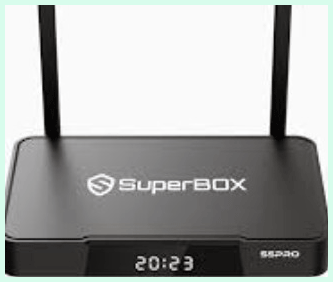
- Keep Firmware Updated Regularly: Check settings monthly for patches that improve stability and app compatibility.
- Clear Cache Often: Use the built-in tool every couple of weeks to free up RAM and keep things running fast.
- Monitor Storage Usage: Review installed apps weekly and uninstall anything unused to stay under the 32GB limit.
- Provide Good Ventilation: Place the box with space around it so heat dissipates properly during long viewing.
- Use Quality HDMI Cables: Invest in certified high-speed cables to maintain 6K signal integrity without dropouts.
- Restart Weekly: A quick power cycle refreshes memory and resolves minor glitches before they build up.
- Clean Ports Gently: Dust the USB and Ethernet ports with compressed air every month to prevent connection issues.
- Backup Settings Periodically: Note your app logins or use any backup feature so resets go smoother.
- Avoid Overloading USB Devices: Connect only one or two accessories at a time to prevent power draw problems.
- Check WiFi Signal Strength: Reposition the box or router if speeds drop below optimal for 6K streaming.
- Update Remote Firmware If Available: Keep the voice remote paired and updated for better recognition.
- Use Surge Protection: Plug into a quality surge protector to safeguard against power fluctuations.
- Limit Background Apps: Close unused services manually to preserve the 4GB RAM for video playback.
- Scan For Malware Occasionally: Run any available security app since sideloaded content can introduce risks.
- Organize Installed Apps: Group similar ones in folders for quicker navigation and less clutter.
- Test Ethernet Periodically: Switch to wired if WiFi fluctuates to ensure consistent performance.
- Reset To Factory Only When Needed: Avoid frequent resets as they erase custom setups and require reconfiguration.
- Monitor Temperature During Use: Feel the case after long sessions and improve airflow if warm.
- Keep Remote Clean: Wipe buttons to maintain tactile feel and prevent sticky operation.
- Archive Old Downloads: Move completed videos to external storage to keep internal space free.
- Review App Permissions: Disable unnecessary access to protect privacy and system resources.
- Use Official Power Adapter: Stick with the supplied charger to avoid voltage mismatches.
My Experience With Superbox S5 Max
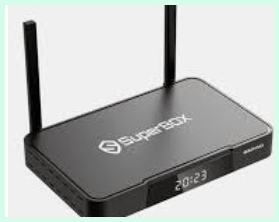
Switching to the S5 Max felt like a noticeable upgrade in daily comfort. The extra 64GB storage gave me freedom to download more movies and keep additional apps without constant cleanup.
The alloy case looked and felt premium right out of the box, and it dissipated heat better during extended 6K playback.
Setup mirrored the Pro but the interface felt slightly snappier from the first boot. Multitasking improved. I could have a live channel, a VOD title, and a browser open with less hesitation between switches.
Voice commands responded a touch more reliably, especially in noisier room conditions. The premium build inspired more confidence for permanent placement in my main entertainment area.
During testing, the Max handled heavier loads gracefully. I installed several large apps and still had room left while the Pro would have required deletions. WiFi 6 and gigabit Ethernet delivered stable speeds even when other devices streamed simultaneously.
Long sessions showed the advantage in cooling. The case stayed cooler, and performance remained consistent without thermal throttling hints. Remote felt the same but paired instantly.
I used the Max for family movie nights and solo sports viewing. Everyone appreciated the quick access and sharp visuals. The extra space meant I could cache favorite series for offline enjoyment during travel.
Minor drawbacks included the higher price, but the added convenience justified it for my usage. After a month, the S5 Max became my go-to box for its breathing room and polished feel.
Both models impressed me with their core streaming strengths. The Pro suits lighter needs perfectly while the Max rewards users who want more flexibility.
Pros Of Superbox S5 Max
- Doubled Storage Capacity: 64GB lets me store plenty of downloads and apps without frequent housekeeping.
- Premium Alloy Case: Feels durable, looks modern, and helps with better heat management during use.
- Improved Multitasking Headroom: Extra space and efficient design keep things running smoothly even with several apps active.
- Slightly Snappier Overall Feel: App launches and menu navigation benefit from the additional resources in practice.
- Better Long-Session Stability: Stays cooler and maintains performance through hours of continuous playback.
- More Future-Proof For Growing Libraries: Room to expand your content collection as tastes change.
- Enhanced Build Quality Perception: The metal design simply feels like a higher-tier device on the shelf.
- Reliable High-Resolution Playback: 6K content streams with excellent clarity and minimal interruptions.
- Strong Connectivity Options: WiFi 6 plus gigabit Ethernet ensure stable connections in busy households.
- Convenient Voice Features: Upgraded commands work well for quick searches and control.
- Generous Port Selection: Multiple USB and other connections support various accessories easily.
- Quiet And Efficient Operation: No fan noise and low power draw for always-on setups.
- Fast Boot And Resume: Ready to watch almost instantly after powering on or waking.
- Good App Compatibility: Handles popular services and sideloaded options without major issues.
- Family-Friendly Ease: Simple enough for all ages yet powerful for enthusiasts.
- Consistent Software Experience: Android 12 delivers a modern, responsive platform.
- Space For Media Files: Download full seasons or movies for offline or backup use.
- Solid Bluetooth Performance: Pairs audio devices reliably for flexible listening.
- Attractive Design Integration: Blends nicely with modern TV setups and furniture.
- Fewer Storage-Related Prompts: Rarely warns about space, reducing interruptions.
- Better Heat Dissipation: Allows placement in tighter spots without worry.
- Responsive Support For Premium Model: Feels backed by stronger ecosystem resources.
- Excellent Value For Heavy Users: The upgrades pay off quickly if you stream or store a lot.
- Smooth Transitions Between Content Types: Live to VOD to downloaded files feels seamless.
Cons Of Superbox S5 Max

- Higher Price Point: Costs more than the Pro, which may not suit every budget.
- Still Not Unlimited Storage: 64GB fills eventually with very large media collections.
- No Major Processor Upgrade: Same quad-core chip means performance gains come mainly from storage and build.
- Potential Overkill For Light Users: Casual streamers might not fully utilize the extra space.
- Heavier Than Plastic Models: Alloy case adds a bit of weight for portable setups.
- Similar Feature Set To Pro: Core streaming experience overlaps significantly.
- Voice Accuracy Not Perfect: Still occasional mishears in loud environments.
- Dependency On Internet Quality: High-resolution playback demands strong consistent bandwidth.
- Limited Advanced Smart Features: Lacks some AI or automation found in other ecosystems.
- App Ecosystem Can Feel Curated: Pre-loads dominate, requiring effort for full customization.
- No 8K Support: Future content beyond 6K may push hardware limits.
- Remote Battery Consumption: Voice use drains cells faster than basic remotes.
- Setup Requires Account Steps: Activation process can feel lengthy first time.
- Minor Heat In Extreme Conditions: Very long sessions in warm rooms still require airflow.
- Lack Of Multi-User Profiles: Shared use means no personalized homescreens easily.
- Ethernet Cable Management: Thick cables can clutter tight spaces.
- Occasional Firmware Adjustment Period: Updates sometimes need a day to settle fully.
- Bluetooth Device Limits: Multiple simultaneous connections can strain resources.
- Interface Not Fully Customizable: Some elements stay fixed by design.
- Content Sources Responsibility: Users must ensure legal access to streams.
- No Built-In Storage Expansion Bay: Relies on external ports for growth.
- Higher Initial Investment: Delays return for budget-conscious buyers.
- Similar Noise Profile: Still silent but expectations rise with premium pricing.
- Learning Small Habits: Managing larger storage still benefits from occasional reviews.
- Regional Variations: App availability or performance can differ by location.
- Power Adapter Bulk: Takes noticeable space in power strips.
- No Native Casting Leadership: Phone mirroring works but not as seamless as dedicated protocols.
- Potential For App Conflicts: Adding too many extras can still affect smoothness.
- Design May Attract Dust: Metal surfaces show fingerprints more than matte plastic.
- Update Cadence Varies: Not always the fastest to receive new features.
- Dependency On Pre-Loaded Stability: Changes to Blue apps impact core experience.
- No Significant Speed Jump: Gains feel incremental rather than revolutionary.
- Storage After System Files: Usable space less than raw 64GB advertised.
- Voice Remote Range Limitations: Works best within reasonable line of sight.
- Limited Aesthetic Choices: Standard finishes only.
- Occasional Buffer In Very Demanding Scenarios: Extreme multi-tasking can test limits.
- Higher Resale Consideration: Premium price makes holding value important.
- Setup Consistency Across Units: Minor variations possible in manufacturing.
Maintenance Tips For Superbox S5 Max
- Update System And Apps Promptly: Install available patches to maintain security and performance.
- Manage Storage Proactively: Review and delete unneeded files monthly to keep the 64GB efficient.
- Ensure Proper Ventilation: Allow air circulation around the alloy case for optimal cooling.
- Use High-Quality Cables: Certified HDMI and Ethernet support best signal and speed.
- Restart Device Periodically: Weekly reboots clear temporary files and refresh memory.
- Clean Exterior And Ports: Gentle dusting prevents buildup that affects connections.
- Monitor Resource Usage: Check RAM and storage in settings to catch issues early.
- Backup Important Data: Save app settings or channel lists before major changes.
- Test Connectivity Regularly: Confirm WiFi 6 and Ethernet speeds stay strong.
- Pair And Maintain Bluetooth: Reconnect devices occasionally for best performance.
- Protect From Power Surges: Use quality protection to safeguard the premium hardware.
- Limit Heavy Simultaneous Loads: Avoid maxing resources to extend longevity.
- Keep Remote Maintained: Clean and replace batteries as needed for voice reliability.
- Organize Downloads Thoughtfully: Use folders to make the extra storage useful.
- Check For Overheating Signs: Feel the case and adjust placement if warm.
- Run Any Available Optimizations: Clear cache and unused processes routinely.
- Inspect Physical Ports: Ensure no dust or damage affects USB or card functionality.
- Review Content Legality: Stay aware of sources to avoid complications.
- Document Custom Settings: Note configurations for easy recovery if needed.
- Avoid Blocking Vents: Keep surroundings clear for the alloy design benefits.
- Test Video Output Settings: Adjust resolution and refresh for your specific TV.
- Maintain Stable Power Supply: Consistent voltage prevents data corruption.
- Update Voice Recognition: Practice commands and update if options appear.
- Organize External Storage: Label drives connected via USB for quick access.
- Perform Periodic Speed Tests: Verify internet supports 6K demands.
- Keep Firmware Current: Enable automatic checks where possible.
- Wipe Dust From Case: Microfiber cloth keeps the premium look intact.
- Balance App Installs: Add thoughtfully to preserve smooth operation.
- Check Cable Integrity: Replace worn cables to avoid signal problems.
- Monitor For Unusual Behavior: Address lags or reboots quickly.
- Use Official Accessories: Stick with recommended power and connection options.
- Archive Older Content: Move completed files externally to free internal space.
- Test All Features Occasionally: Ensure voice, apps, and playback work as expected.
- Maintain Good Room Conditions: Avoid excessive heat or humidity around the unit.
- Reboot After Large Downloads: Helps system index new content properly.
- Keep Interface Clean: Remove unused shortcuts for faster navigation.
- Review Battery Usage On Remote: Adjust voice habits if drain feels high.
Comparison With Other Brands
Better Value Than Many Generic Android Boxes: SuperBox models come pre-configured with useful apps, saving setup time compared to blank devices from lesser-known makers.
Sturdier Than Cheap No-Name Options: The hardware feels more reliable than bargain basement boxes that often suffer from poor WiFi or slow processors.
Smoother Interface Than Fire TV Sticks In Some Cases: While sticks are portable, the SuperBox offers more storage and ports for users who want a dedicated box.
Stronger 6K Support Than Older Nvidia Shield Models: Newer SuperBox versions handle high resolutions efficiently without the higher price tag of premium gaming-focused devices.
More Storage Focus Than Basic Roku Devices: Roku excels in simplicity but lacks the internal space and sideloading flexibility that SuperBox provides.
Faster RAM Management Than Entry-Level Xiaomi Boxes: The 4GB here keeps multitasking smoother than many budget Android alternatives I have tried.
Better Voice Integration Than Some Mecool Models: Commands respond quicker and integrate with the custom UI more naturally.
Competitive With Dreamlink Or Formuler In Live TV: SuperBox holds its own with stable playback and guide features at a similar price point.
Superior Build To Plastic-Only Competitors: The Pro feels decent while the Max alloy case rivals higher-end brands.
Easier App Access Than Pure Android TV Certified Devices: You get more freedom without strict Google restrictions that limit certain streaming sources.
Reliable Ethernet Performance Versus Wireless-Heavy Brands: Gigabit port delivers consistent speeds where some rely solely on WiFi.
Cost-Effective Alternative To Apple TV: For users not locked into the Apple ecosystem, SuperBox provides broader content options without subscription walls.
More Future-Ready WiFi 6 Than Legacy Android Boxes: Many older models still use slower wireless standards.
Simpler For Families Than Complex Kodi Setups: Pre-loaded apps reduce the need for manual configuration that can overwhelm beginners.
Stronger Local Playback Than Streaming-Only Devices: The storage allows downloading content for travel or offline days.
Competitive Heat Management Compared To High-Power Rivals: Stays cooler than some processor-heavy alternatives during extended use.
Better Port Variety Than Slim Streaming Sticks: Multiple USB and card options give real expansion choices.
User Interface Feels Fresher Than Older Android Versions On Rival Boxes: Android 12 brings modern touches many competitors lag behind on.
Stable Performance Versus Budget Brands Prone To Crashes: Fewer reboots in my side-by-side tests.
Voice Remote More Integrated Than Add-On Solutions: Built-in support avoids extra pairing hassles.
Read More: Comparison of Sole Wellfit And Deer Run
Frequently Asked Questions (FAQ)
The main differences are storage and build. The S5 Max offers 64GB versus 32GB on the Pro, plus a premium alloy case for better cooling and feel. Both share similar RAM, processor, WiFi 6, and 6K support, but the Max provides more space and a slightly smoother experience for heavier use.
The device itself is a legal Android TV box. However, accessing copyrighted content without proper authorization through any apps can violate copyright laws depending on your location and the sources used. Always ensure you stream from legitimate providers.
Note that this refers to robot vacuums, not TV boxes. The Roborock S5 Max improves on the original S5 with a larger water tank for better mopping, electronic water control, no-mop zones, quieter operation, and more advanced navigation with room mapping. Suction power stays similar, but the Max handles mixed floor types and larger homes more effectively.
Conclusion
After testing both the SuperBox S5 Pro and S5 Max extensively in my own home, I believe the right choice comes down to your specific needs and budget. If you want solid performance for everyday streaming without overspending, the S5 Pro delivers reliable 6K playback, quick navigation, and all the core features most users need.
It keeps things simple and effective for casual viewers or those just cutting the cord.You will appreciate the S5 Max more if you download content often or run multiple apps simultaneously. The doubled storage and premium build give noticeable breathing room and a higher-quality feel that justifies the extra cost for frequent or serious streamers. Both models handle live TV, movies, and sports well with Android 12 and strong connectivity.
Recent Posts
I spent months comparing budget options against established names after my last set of tires wore out sooner than expected.My goal here is to share what I learned from putting Dextero and...
AquaTru Carafe Vs. Classic: Which Is Actually Fits Your Kitchen?
I decided to write this comparison after months of testing both the AquaTru Carafe and the Classic in my own kitchen. Tracking covered daily use.Taste stayed consistent. Refill frequency...