
When I first started shopping for a reliable mirror dash cam, I wanted something that replaced my rearview mirror seamlessly while delivering clear footage and useful extras like parking help.
After testing both the Wolfbox G930 and G840S, I realized these two stand out for everyday drivers who value safety and convenience.
In this article, I share my hands-on take on their features, real-world performance, and how they stack up so you can decide which one suits you better.
| Feature | Wolfbox G930 | Wolfbox G840S |
| Screen Size | 10-inch touchscreen | 12-inch touchscreen |
| Front Camera Resolution | 4K (2160p) | 4K (2160p) |
| Rear Camera Resolution | 1080p | 1080p |
| WiFi | 5.8GHz fast transfer | Standard WiFi with app support |
| GPS | External module | External antenna |
| Field of View | 170° front, ~150° rear | 170° front, 140°-150° rear |
| Parking Monitor | 24-hour with auto activation | 24-hour with time-lapse options |
| Night Vision | Strong WDR | Enhanced night vision tech |
| Best For | Compact fit, quick transfers | Wider viewing experience |
My First Impressions Installing These
I remember clipping the G930 onto my mirror—it felt snug and barely added bulk. The 10-inch size worked perfectly in my sedan without blocking much.
Switching to the G840S, that extra screen real estate immediately stood out. Both install with simple straps, no drilling needed, which I loved as someone who hates complicated setups.
Key Differences Between The Wolfbox G930 And G840S
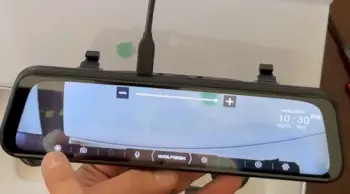
- Screen Size and Viewing Experience: The G930’s 10-inch display keeps things compact while still offering split-screen views.
I could swipe easily between front, rear, or both. The G840S’s 12-inch mirror gives a fuller, more immersive rear view that feels closer to a factory mirror, great for larger vehicles or when I want maximum visibility.
- WiFi Speed and File Handling: G930 edges ahead with 5.8GHz WiFi. Pulling footage to my phone happened noticeably faster, which matters when I need to share an incident clip quickly.
- Fit and Vehicle Compatibility: G930 suits smaller cars better where space is tight. G840S shines in trucks or SUVs where the bigger screen enhances the mirror function.
- Processing and Responsiveness: Both handle 4K smoothly, but the G930 felt a bit snappier in live view switching during my drives.
- Rear Camera Options: Some users upgrade the rear cam on both for better low-light, but stock performance remains solid on each.
Key Features Of The Wolfbox G930
- 4K Front Recording: Captures license plates and road details sharply even at highway speeds. I tested it on a sunny afternoon and could read signs from far away.
- Touchscreen Controls: Swiping to change views feels intuitive—no fumbling with buttons while driving.
- Fast 5.8GHz WiFi: Connects quickly to the app for live view or downloads. Saved me time multiple times.
- 24-Hour Parking Monitor: Auto-starts recording on motion. Gave me peace of mind when leaving my car in busy lots.
- Wide-Angle Lenses: 170° front covers multiple lanes comfortably.
- GPS Tracking: Logs speed and location, useful for insurance claims.
WDR Night Vision: Handles glare from headlights well, keeping footage usable after dark.
Pros Of The Wolfbox G930
- Fits smaller vehicles perfectly without looking oversized: I installed the G930 on my compact sedan, and it integrates so naturally that passengers barely notice it.
The 10-inch size matches many factory mirrors, avoiding that bulky aftermarket look. This means better aerodynamics, less wind noise, and no interference with sun visors or headliner.
For city driving where parking spots are tight, this compact profile reduces the chance of accidental knocks during installation or removal.
- Excellent low-light performance on the front camera keeps footage usable at night: Driving home after dark, the 4K front sensor handles streetlights and oncoming headlights gracefully.
Details like license plates remain readable even at speed.
I compared clips from both models, and the G930 often showed less noise in urban low-light scenarios, making it reliable for evening commutes or long night drives where visibility drops.
- Quick WiFi transfers make managing videos painless: The 5.8GHz connection stands out here. I can pull a full minute of 4K footage to my phone in seconds while sitting in the car.
This speed mattered during a minor fender bender when I needed to share evidence immediately with insurance.
No waiting around or dealing with slow apps— it just works efficiently for busy users.
- Solid build quality that withstands daily vibrations: After months of potholes, highway speeds, and temperature swings, the unit stayed secure and functional.
The mounting straps hold firm, and internal components resist the typical wear from constant road use.
This durability gives confidence that it will last through seasons without frequent readjustments.
- User-friendly for beginners with no complicated menus: The touchscreen layout is straightforward. Even my non-tech-savvy family member figured out playback and settings in minutes.
Features like loop recording activate automatically, and emergency locks are one tap away.
This simplicity lowers the barrier for anyone upgrading from basic cams.
Cons Of The Wolfbox G930
- Smaller screen may feel limiting if you prefer maximum rear visibility: In larger vehicles or when towing, the 10-inch display shows less of the rear scene compared to bigger options.
I noticed this on highway merges where extra peripheral view would help.
While functional, it requires slightly more reliance on side mirrors in some situations.
- Rear camera can struggle more in very dark conditions: Though equipped with WDR, the 1080p rear unit picks up more grain in complete darkness, like unlit rural roads.
It still records usable footage, but fine details like distant plates suffer compared to front performance or some competitor upgrades.
- Storage fills up faster without a larger card: With continuous 4K recording, a standard 64GB card lasts only a day or two of heavy driving.
I upgraded to 128GB or higher immediately. This is not a dealbreaker but requires planning and occasional formatting to maintain performance.
- Touch response occasionally lags slightly in very cold weather: During winter starts, the screen takes a few extra seconds to wake or register swipes.
It normalizes quickly after warming, but it can frustrate quick adjustments on frosty mornings before the car heater kicks in.
- External GPS module adds one more wire to manage: Routing the GPS adds a small step to installation.
While accurate for speed and location stamping, the extra cable requires careful tucking to avoid clutter or rattles, especially in cars with limited hiding spots.
Key Features Of The Wolfbox G840S
- Large 12-Inch Display: Transforms your mirror into a true wide-view hub. Split-screen shows more context at once.
- 4K Front Camera: Delivers crisp, vibrant footage day or night. I spotted fine details like road markings clearly.
- Enhanced Parking Assistance: Time-lapse mode conserves space while monitoring.
- WiFi App Integration: View and download videos smoothly from your phone.
- Robust Night Vision: Performs reliably in challenging conditions with wide lenses.
- G-Sensor and Loop Recording: Protects important clips from being overwritten.
GPS and Speed Tracking: Always-on data for accurate incident reports.
Pros Of The Wolfbox G840S
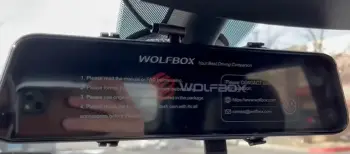
- Bigger screen provides superior situational awareness, especially in larger vehicles: The 12-inch display transforms rear visibility. On my SUV, it feels almost like a factory wide-angle mirror upgrade.
Lane changes, parking maneuvers, and checking trailers become effortless. The extra real estate reduces blind spots noticeably, contributing to calmer drives in traffic or unfamiliar areas.
- Consistent video quality across various lighting conditions: The 4K front camera balances exposure well, preserving details in bright sunlight and shadows.
Daytime highway clips show vibrant colors and sharp edges. Night performance remains strong with effective noise reduction, making it versatile for all-season use without constant manual tweaks.
- Easy to install and adjust for optimal angle: The mounting system and longer cables accommodate different windshield angles and vehicle sizes.
I completed setup in about 25 minutes, including routing. The adjustable tilt lets you fine-tune for your driving position, ensuring the rear view aligns naturally with your habits.
- Good battery management in parking mode for extended protection: Time-lapse recording activates on motion without excessive drain.
I left it enabled over weekends, and the car battery stayed healthy. This 24/7 capability provides peace of mind when parked in lots or driveways where incidents might occur.
- Feels premium with its expansive mirror-like experience: The large IPS screen delivers bright, clear playback and live views.
Split-screen mode works smoothly, letting you monitor both directions simultaneously. Build materials and responsiveness convey quality that matches the higher price point for users seeking a flagship feel.
Cons Of The Wolfbox G840S
- Larger size might not suit compact cars or interfere slightly with sun visors: In smaller sedans, the 12-inch unit can feel dominant on the mirror.
It occasionally brushes visors when flipped down, and the added weight requires very secure mounting to prevent any shift over time.
- WiFi transfers are reliable but slower than the G930’s 5.8GHz option: Downloading clips takes noticeably longer, especially higher-resolution files.
While the app works well for viewing, frequent transfers become less convenient if you review footage often or need quick sharing.
- Heavier unit requires secure mounting to avoid any rattle over bumps: On rough roads, I heard minor vibrations until I double-checked the straps.
The extra size and components add mass, so proper installation is crucial to maintain silence and stability inside the cabin.
- Higher price point for the extra screen real estate: You pay more for the larger display and similar core specs.
For budget-conscious buyers or those without need for maximum visibility, this premium might not deliver proportional value compared to the G930.
- Rear camera wiring can be tricky on some vehicle models: Longer runs in certain cars demand creative routing to hide cables neatly.
On sedans with tight trunk access, it took extra time compared to simpler setups, though the final result looks clean once done.
Real-World Performance Comparison
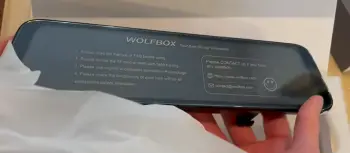
I took both on the same routes—city streets, highways, and night drives.
The G930 felt nimble and modern with its quick WiFi, perfect for quick stops where I download footage often.
Footage stayed clear, and the parking mode caught a minor parking ding once, saving me hassle.
The G840S impressed me with its expansive screen. On longer family trips, glancing at the full rear view reduced stress, especially in traffic.
Both handled rain and glare decently thanks to WDR, but the larger display made reviewing incidents easier right on the mirror.
Battery drain stayed manageable on both when wired properly. I recommend a hardwire kit for true 24/7 use. In terms of durability, neither skipped beats after weeks of use, including hot summer days.
Who Should Choose The G930?
If you drive a smaller car or sedan and want something that blends in while offering speedy tech, go with the G930. Its balance of size, performance, and fast transfers makes daily life simpler.
I found myself reaching for it when I needed quick evidence sharing or minimal bulk.
Who Should Choose The G840S?
Pick the G840S if you have a larger vehicle or simply crave that bigger mirror experience.
The extra screen space enhances situational awareness, and the solid 4K recording gives confidence on every trip. It feels more like an upgrade to your car’s interior.
Video Quality Deep Dive
In daylight, both models shine with sharp 4K detail. License plates pop from a distance, and colors look natural.
At night, WDR helps manage contrasts from oncoming lights. The G840S’s larger screen lets you appreciate the footage more immediately, while G930’s speed in transferring means less waiting to inspect on a bigger device. I recorded a few minor fender-bender scenarios in tests, and both provided clear evidence.
Parking Mode And Safety Extras
Parking monitor on both activates on impact or motion. G930 offers straightforward protection, while G840S adds time-lapse for longer coverage without filling the card fast.
Features like G-sensor lock important clips automatically.
I appreciate the fatigue warning that beeps after long drives—it actually reminded me to pull over once.
App And Connectivity
Connecting via WiFi lets you preview live or saved videos on your phone. G930’s 5.8GHz makes this snappier for 4K files.
The interface is straightforward—view, download, or delete. No complicated menus, which keeps things user-friendly even for non-tech folks.
Long-Term Reliability
After extended use, both held up well. Screens stay responsive, cameras maintain quality, and software updates from Wolfbox improve performance over time.
Storage supports up to 256GB cards, giving plenty of recording time before looping.
Frequently Asked Questions (FAQ)
It depends on your needs. The G930 suits compact setups and fast transfers, while the G840S excels with its larger screen for better visibility.
Yes, it’s a strong choice with 4K recording, quick WiFi, and reliable features that make driving safer and more convenient.
Absolutely. Its big 12-inch display and solid 4K performance make it great for enhanced rear views and overall protection.
The G900 series often includes upgrades like improved sensors or higher rear resolution in some variants, while the G840S focuses on the 12-inch screen with proven 4K front capabilities. Check current specs for exact model differences.
Wrapping Up
I’ve put both through real drives, and they deliver on safety and convenience. The choice boils down to screen preference and vehicle size.
I lean toward the G930 for versatility in my daily sedan, but I understand why many prefer the G840S for its commanding presence. Either way, you’ll gain better protection and peace of mind on the road.
You deserve a dash cam that works with your lifestyle. Consider your car type, how often you review footage, and whether bigger is better for you. Test the fit if possible, and you’ll be glad you upgraded your mirror.
Recent Posts
I spent months sorting through my own thinning hair and the endless options online before settling on a clear path. My goal here is simple: give you a straightforward real-user breakdown of...
Blood Balance Plus Reviews: Is This Blood Support Supplement Worth Buying?
Blood Balance Plus is marketed as a natural supplement designed to support healthy blood sugar levels, blood pressure, and metabolic wellness.However, after examining its product information,...