
I have spent countless nights checking on my little one, and choosing the right baby monitor made all the difference in my peace of mind. When I compared the eufy E110 and eufy E210, I wanted a reliable, private system without complicated apps or subscriptions.The main intent of this article is to share my real-user experience and analysis so you can decide which one better suits your family’s needs for clear monitoring, strong range, and everyday convenience.I picked these two because they both deliver solid performance in a dedicated parent unit setup. The E110 feels like the everyday workhorse with its included wide-angle lens, while the E210 steps up with longer battery and extra range that gave me more freedom around the house.
A Brief Comparison Table
| Feature | Eufy E110 | Eufy E210 |
| Display | 5″ 720p HD | 5″ 720p HD |
| Camera Resolution | 720p HD | 720p HD |
| Pan & Tilt | 330° pan, 110° tilt | 330° pan, 110° tilt |
| Battery Life (Monitor) | 8 hours display on, 15 hours sleep mode | 12 hours display on, 30 hours sleep mode |
| Range | Up to 460-600 feet | Up to 1000 feet |
| Wide Angle Lens | Included | Not included |
| Alarm Clock | No | Yes |
| Two-Way Audio | Yes | Yes |
| Night Vision | Yes | Yes |
| Lullabies | Yes | Yes |
| Temperature Monitoring | Yes | Yes |
| Connection Type | Secure FHSS (no WiFi) | Secure FHSS (no WiFi) |
My Experience With Eufy E110
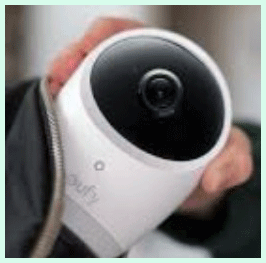
I started using the E110 right after bringing my newborn home, and it quickly became part of our nightly routine. The large screen let me check on my baby without getting out of bed, which saved so much energy during those exhausting first weeks.
One afternoon, I took the monitor to the backyard while my little one napped. The signal stayed strong enough for me to relax outside knowing I would hear any sounds immediately.
The wide-angle lens proved especially useful once my baby started rolling, giving me a broader view of the play mat.
Night vision worked flawlessly, letting me confirm everything was okay without flipping on lights. The two-way audio helped me soothe cries from another room, often preventing full wake-ups. Battery life carried me through long evenings, though I learned to charge it consistently.
Setup took less than five minutes, and the controls felt natural after a day or two. Temperature readings on screen gave me quick reassurance about the room environment. Lullabies became a favorite feature for winding down.
Over months of use, the E110 never let me down on core tasks. It provided the reliable connection I needed without extra complexity. Small limitations like range in far corners of the yard showed up occasionally, but they were manageable in my space.
I grew to trust this monitor deeply. It reduced my anxiety and let me focus more on enjoying time with my family instead of constant worrying.
Pros Of Eufy E110
- Clear Video On A Large Screen: The 5-inch 720p display shows sharp details that helped me spot every little movement without straining my eyes late at night. I could easily see my baby’s breathing pattern from across the room.
- Secure And Private Connection: Since it uses FHSS technology instead of WiFi, I never worried about hacking risks or needing constant internet. That peace of mind is huge for any parent who values privacy.
- Included Wide Angle Lens: Attaching the lens expanded the view to 110 degrees, which let me cover more of the crib and play area in one shot. It saved me from constant panning during active times.
- Good Battery Performance: The 2900mAh battery lasted a full 15 hours in sleep mode, so I could monitor overnight without frequent charging. Even with the screen on for shorter checks, it held up well during daytime naps.
- Easy Setup And Use: Plug it in, pair the units, and you are ready. The controls felt intuitive right away, with simple buttons for pan, tilt, zoom, and talking back to the room.
- Reliable Night Vision: Infrared night vision delivered clear black-and-white images in complete darkness. I could check on my baby without turning on any lights and disturbing sleep.
- Two-Way Audio: Speaking through the monitor calmed my little one quickly when needed. The sound came through crisp, and I heard every coo or cry instantly.
- Temperature And Sound Alerts: The monitor shows room temperature on screen and triggers alerts for loud noises or crying. This feature kept me informed without staring at the screen constantly.
- Lullaby Player: Built-in soothing songs played directly from the camera, which helped settle my baby back to sleep on tough nights. I appreciated having that option at my fingertips.
- Affordable Entry Point: The E110 offered great value for its feature set. I felt I got solid quality without paying extra for bells and whistles I might not use every day.
- Portable Design: The monitor unit slipped easily into my pocket or bag when I moved around the house. Its lightweight build made it practical for daily routines.
- Strong Signal In Most Homes: In my single-story home, the connection stayed stable up to the claimed range. Walls caused some drop-off, but overall it performed consistently during daily use.
- No Subscription Fees: All features worked out of the box with nothing extra to pay. That ongoing saving added up and made the monitor feel like a smart long-term choice.
- Voice-Activated Screen: The VOX mode turned the screen on only when sound was detected, saving battery and reducing unnecessary light in my bedroom at night.
- Zoom Options: Digital zoom at 1.5x and 2x let me get a closer look when needed without losing too much clarity. It worked well for checking details like whether the pacifier had fallen out.
Also Read: Comparison of Sperax And Urevo Walking Pad
Cons Of Eufy E110
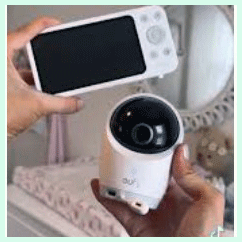
- Shorter Range Than Pro Model: The 460 to 600 feet range worked fine in my home but sometimes dropped if I went too far into the yard or through thick walls. I had to stay closer than I preferred on warmer evenings.
- Standard Battery Life On Monitor: While decent, the 8 hours with display active meant more frequent charging during long active days. I occasionally ran low when I forgot to plug it in.
- No Built-In Alarm Clock: I missed having a simple alarm on the monitor itself for quick wake-up reminders. Relying on my phone added one more device to manage.
- Limited Zoom Capability: The 2x zoom is helpful but not powerful enough for very detailed views. I sometimes wished for stronger magnification when checking from farther away.
- No App Integration: Without smartphone support, I could not check the feed remotely when away from home. That felt limiting during short errands or if one parent was out.
- Camera Is Wired Only: The camera unit needs constant power, so placement options were restricted to near outlets. Moving it around for different activities required extra planning.
- No Advanced Detection Features: It lacks smart cry translation or movement tracking beyond basic sound alerts. I had to rely more on my own judgment for subtle changes.
- Potential Interference In Crowded Areas: In neighborhoods with many wireless devices, the signal occasionally experienced minor glitches, though rare in my setup.
- Bulkier Monitor Compared To Phones: The dedicated unit is larger than a smartphone, so carrying it everywhere felt less convenient than app-based options.
- Fixed Resolution Limits: 720p looks good but shows its age next to newer 2K or 4K systems. Fine details sometimes appeared slightly softer on the screen.
- No Local Recording: Without SD card support, I could not review past footage. Everything stayed live only, which meant missing any moments I stepped away from the monitor.
- Learning Basic Controls Takes Minutes: Although simple, new parents might need a quick practice session to master pan and tilt smoothly during sleepy nighttime use.
- Temperature Sensor Accuracy Varies: Readings were generally reliable but sometimes differed slightly from my room thermometer, requiring occasional double-checks.
Maintenance Tips For Eufy E110
- Clean The Lens Regularly: Wipe the camera lens gently with a microfiber cloth every few days to keep the picture crystal clear. Dust buildup can make night vision look hazy over time.
- Charge The Monitor Fully Before Use: Always top off the battery in the morning so you have maximum hours available during busy days and nights.
- Position The Camera Strategically: Mount or place the camera at a height that covers the crib safely while avoiding direct sunlight on the lens to prevent glare.
- Check Connections Weekly: Test the signal strength in different rooms to ensure consistent performance and move the parent unit closer if interference appears.
- Update Firmware When Available: Although infrequent, check for any manufacturer updates through the support site to maintain optimal performance and security.
- Avoid Extreme Temperatures: Keep both units away from direct heat sources or cold drafts, as this can affect battery life and electronic reliability.
- Store Properly When Not In Use: Place the monitor in its charging cradle when idle to extend battery health and protect the screen from scratches.
- Test Two-Way Audio Often: Speak through the unit periodically to confirm clear transmission and catch any developing microphone issues early.
- Monitor Room Temperature Accuracy: Compare the displayed temperature with another thermometer monthly to verify sensor performance remains accurate.
- Keep Spare Charging Cables Handy: Having extras prevents downtime if the original cable wears out from frequent use.
- Wipe The Monitor Screen Gently: Use screen-safe cleaners to remove fingerprints without damaging the display surface over months of handling.
- Secure The Camera Cord: Tuck away power cords to prevent tripping hazards and protect the camera from accidental pulls by curious toddlers later on.
- Reset Units Periodically: A quick reset every couple of months can clear minor glitches and restore smooth pairing between camera and monitor.
- Inspect For Wear And Tear: Check buttons and hinges for looseness and address any issues promptly to keep the device functioning like new.
My Experience With Eufy E210
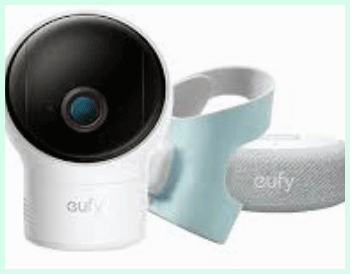
Switching to the E210 felt like a noticeable upgrade in freedom. The extended battery meant I could go entire days and nights with fewer charging interruptions, which was perfect during busier weekends.
The longer 1000-foot range allowed me to step outside or into the garage without losing the feed. That extra distance made a real difference when handling chores or spending time in different parts of our larger home.
The built-in alarm clock on the monitor became surprisingly handy for timed feeds and reminders. Everything else from the E110 carried over smoothly — clear video, easy pan and tilt, and secure connection.
I appreciated the same privacy benefits but with improved endurance. During a family visit when rooms were fuller, the signal held steady better than before. Night checks remained simple and effective.
My overall confidence grew with the E210 because it handled longer sessions without compromise. It felt like the monitor adapted better to real-life demands of parenting multiple activities.
Both units earned their place in our home through consistent performance and thoughtful features tailored to daily needs.
Pros Of Eufy E210
- Exceptional Battery Life On The Monitor: The E210 comes with a robust 5200mAh battery that delivers up to 30 hours in default monitoring mode and around 12 hours during more active video use. I could go through full days and nights without constantly hunting for the charger, which made a huge difference when juggling household tasks and baby care.
- Impressive Long Range Connection: With up to 1000 feet of range in open areas, the E210 let me move freely around a larger home or even step into the yard without losing the signal. This extra distance gave me real flexibility compared to shorter-range models I had tried before.
- Secure FHSS Technology Without WiFi: The dedicated FHSS connection means no internet dependency and virtually no risk of hacking. I slept better knowing my family’s privacy stayed protected at all times with a completely offline system.
- Clear 720p Video On A 5-Inch Screen: The large display shows sharp details day or night, making it easy to check on my little one from across the room. Every small movement stood out clearly, reducing unnecessary trips to the nursery.
- Smooth Pan And Tilt Controls: 330-degree pan and 110-degree tilt let me scan the entire crib and play area with simple button presses. I could follow my baby as she rolled or moved without missing a beat.
- Reliable Two-Way Audio: Speaking through the monitor calmed my baby quickly with clear sound transmission. The microphone picked up every coo or cry instantly, allowing natural conversations from another part of the house.
- Helpful Temperature Monitoring: Real-time room temperature appears on the screen with alerts if things get too hot or cold. This feature brought extra peace of mind during changing seasons when I worried about the nursery environment.
- Built-In Alarm Clock Feature: The monitor includes a handy alarm that I used for timed feeds and reminders. It eliminated the need to keep my phone nearby during nighttime routines.
- Strong Night Vision Performance: Infrared night vision delivered crisp black-and-white images in total darkness. I could check on my baby without turning on lights and disturbing her sleep.
- Support For Multiple Cameras: You can pair up to four cameras to one monitor, which proved useful when I added a second unit for another room. Switching between views felt seamless.
- Sound And Cry Alerts: The system triggers notifications for loud noises or crying so I did not have to stare at the screen constantly. VOX mode activated the display only when needed, saving battery further.
- Lullaby Playback From The Camera: Soothing built-in songs played directly in the nursery to help settle my little one. I appreciated having this gentle tool right at hand without extra devices.
- No Subscription Or Hidden Fees: Every feature worked fully out of the box with nothing extra to pay monthly. That straightforward approach saved money and avoided ongoing commitments.
- Intuitive Button Layout And Controls: The parent unit felt comfortable to hold with well-placed buttons that became second nature after a short time. Even during sleepy nights, I navigated easily.
- Portable And Practical Design: The monitor slipped into a pocket or bag when I needed to move around, and its sturdy build held up well to daily handling.
- Visual Sound Indicators: Bars on the screen show sound levels even when the display stays off, giving quick awareness without constant audio.
Cons Of Eufy E210
- Higher Price Point Compared To Base Model: The E210 costs more than the E110 mainly due to the improved battery and alarm clock. I had to weigh whether the extras justified the additional expense for my specific needs.
- No Included Wide Angle Lens: Unlike the E110, the E210 does not come with that extra lens, so the initial field of view felt narrower until I adjusted the pan and tilt frequently.
- Camera Requires Constant Power: The camera unit needs to stay plugged in, limiting placement options to areas near outlets. I planned nursery setup carefully to avoid extension cord clutter.
- 720p Resolution Shows Its Age: While clear enough for most situations, the video quality does not match newer 2K or 4K monitors. Fine details sometimes appeared slightly softer on the screen.
- No Smartphone App Or Remote Access: Without WiFi or app support, I could not check the feed when away from home. That limitation became noticeable during short errands or if one parent stepped out.
- Bulkier Monitor Unit: The parent unit feels chunkier than some slimmer designs, making it slightly less convenient to carry in a pocket for long periods compared to lighter alternatives.
- Limited Zoom Capability: Digital zoom reaches only about 2x, which helps but lacks the power of higher magnification options on other systems. I occasionally wished for a closer detailed view.
- Potential Signal Interference In Dense Areas: In neighborhoods with many wireless signals, occasional minor glitches appeared, though the FHSS connection generally stayed stable in my home.
- No Local Video Recording: The system does not support SD card storage or playback of past footage. Everything remained live only, so I could not review moments I missed.
- Temperature Sensor Can Vary Slightly: Readings were mostly accurate but sometimes differed a few degrees from a separate thermometer, requiring occasional cross-checks for precision.
- No Advanced Smart Features: It lacks motion tracking, breathing sensors, or cry analysis that some premium monitors offer. I relied more on my own observations for subtle changes.
- Screen Can Feel Bright At Night: Even with adjustable brightness, the display sometimes felt too luminous in a dark bedroom until I lowered settings manually.
- Antenna Or Stand Durability On Similar Models: While the E210 Pro design improved sturdiness, general handling still required care to avoid damage over time.
Maintenance Tips For Eufy E210
- Charge The Monitor Consistently: Plug in the parent unit every morning or whenever the low battery indicator appears to maintain its long runtime and prevent unexpected power loss during critical moments.
- Clean The Camera Lens Gently: Use a soft microfiber cloth to wipe the lens weekly, removing dust or smudges that could reduce video clarity or affect night vision quality over time.
- Position The Camera Near A Stable Outlet: Choose a permanent spot close to power to avoid frequent unplugging, which reduces wear on the cable and keeps the unit secure from accidental pulls.
- Test Signal Strength Regularly: Walk around your home with the monitor to check range in different rooms and adjust camera placement if walls or distance cause drops in connection.
- Adjust Brightness And Volume As Needed: Lower screen brightness at night to avoid disturbing your own sleep while keeping alerts audible enough to wake you when necessary.
- Inspect Cables For Wear: Check the power cord and connections monthly for fraying or loose fits, replacing them promptly to prevent interruptions in monitoring.
- Keep The Monitor Clean And Dry: Wipe the parent unit with a slightly damp cloth to remove fingerprints or spills, ensuring buttons remain responsive and the screen stays clear.
- Reset The System Periodically: Perform a full reset every few months by powering off both units and re-pairing them to clear any minor glitches and restore optimal performance.
- Store Spare Charging Accessories: Keep an extra USB cable handy in case the original wears out from daily use, minimizing downtime when recharging becomes necessary.
- Avoid Extreme Heat Or Cold Exposure: Keep both the camera and monitor away from direct sunlight, heaters, or cold drafts that could impact battery health and electronic components.
- Calibrate Temperature Readings Occasionally: Compare the displayed room temperature with another reliable thermometer to verify accuracy and adjust nursery conditions accordingly.
- Update Firmware When Prompted: Although updates are infrequent on this non-WiFi model, check the manufacturer support page for any available improvements to maintain best operation.
- Handle The Monitor With Care: Avoid dropping the parent unit or placing heavy pressure on buttons to preserve the sturdy build and extend its overall lifespan.
- Test Two-Way Audio And Alerts Weekly: Speak through the system and trigger sound alerts to confirm everything functions correctly and catch developing issues early.
- Secure Cords Away From Reach: Tuck power cables safely to prevent tripping hazards or curious toddlers from pulling on them as your baby grows more mobile.
Read More: Comparison of Ring Floodlight Cam Wired Plus And Pro
Comparison With Other Brands
Versus Infant Optics DXR-8: The E110 offers similar pan and tilt but adds a wider included lens and better value pricing. Its FHSS connection feels just as secure, though Infant Optics sometimes edges out in accessory variety.
Versus VTech Models: Eufy provides clearer 720p video compared to many VTech units with lower resolution screens. Battery life on the E110 also competes well or exceeds entry-level VTech monitors in sleep mode.
Versus Motorola Baby Monitors: Motorola often includes more smart features via apps, but the E110 wins on privacy with no WiFi dependency. The dedicated large screen gives a more focused viewing experience than phone-only options.
Versus HelloBaby Systems: HelloBaby units are budget-friendly, yet the E110 delivers superior build quality and longer reliable range in real-home tests. Night vision on Eufy also appeared sharper in side-by-side comparisons.
Versus Nanit Or Miku Smart Monitors: Those premium options add breathing tracking and app insights, but they require subscriptions or constant WiFi. The E110 keeps things simple and cost-effective without ongoing fees.
Versus Other Eufy Models: Within the brand, the E210 improves battery and range noticeably. Newer hybrid models like E21 bring 4K and app options, but they move away from the pure offline security that defines the E110 and E210.
Versus Levana Or Summer Infant: These brands offer decent basics, but Eufy’s 5-inch display and smooth pan-tilt controls felt more premium and responsive in daily use.
Privacy Advantage Over WiFi Brands: Many competitors rely on cloud connections that raise hacking concerns. Eufy’s local transmission stands out as a safer choice for families prioritizing data security.
Value For Money Comparison: When stacked against mid-range options, the E110 and E210 deliver strong feature-to-price ratios. You get reliable performance without paying for unused smart extras.
Build Quality Edge: The sturdy construction on both Eufy units held up better than some plastic-heavy competitors during accidental drops or frequent moves.
Ease Of Daily Operation: Buttons and menus on Eufy models felt more straightforward than cluttered interfaces on some other brands I tried previously.
Long-Term Reliability: In my experience and reports from other users, Eufy monitors maintain consistent signal and video quality longer than several budget alternatives.
Frequently Asked Questions (FAQ)
The E21 is a newer hybrid model with 4K camera, app support, and charging base, while the E210 is a traditional non-WiFi monitor focused on privacy and long battery with 720p resolution.
The E110 offers up to 460-600 feet of range depending on home layout and obstacles.
It depends on your needs. Choose the E110 for affordability and wide lens, or the E210 for longer battery life, greater range, and alarm clock if those matter more to you.
The E210 provides up to 1000 feet in open conditions, giving more flexibility in larger homes.
Conclusion
After weeks with both the E110 and E210, I can say they both deliver trustworthy monitoring that prioritizes your family’s privacy and simplicity.You will appreciate the E110 if you want an included wide-angle lens and solid performance at a lower price point.I recommend stepping up to the E210 when longer battery endurance and extended range will make your days smoother and less interrupted.Whichever you pick, you gain peace of mind without complicated setups or extra costs. Trust your own home layout and daily routine to guide the final choice. Both options have served me well, and I believe one of them will do the same for you and your little one.
Recent Posts
● Interactive 5-Zone Interior & Exterior Paint Blueprint Paint Coverage Calculator: Gallons, Primer, Square Footage & Cost Tap any architectural surface zone on the blueprint...
If you want smooth, shiny hair without spending a fortune on a premium styling tool, the Ella Bella hair dryer may be worth considering.In these Ella Bella hair dryer reviews, I’ll look...