
When I started shopping for a new security setup for my suburban home last year, I kept seeing ieGeek and Reolink pop up everywhere.
Both promised reliable protection without monthly fees, but I needed to know which one actually delivered day after day.
In this article, I share my personal experience testing both systems side by side so you can decide what works best for your property.
From wireless solar ease to wired stability, I cover everything that matters when protecting what you love.
| Feature | ieGeek | Reolink |
| Typical Resolution | 2K to 5MP | 4K to 16MP dual-lens |
| Power Options | Mostly solar + battery wireless | Strong PoE wired + solar/battery wireless |
| AI Detection | Person/vehicle with basic tracking | Advanced on-device person/vehicle/pet |
| Night Vision | Color with spotlight | ColorX spotlight + strong static performance |
| Storage | SD card + limited NVR | SD + full NVR kits up to 16TB |
| Best Setup Style | Quick wireless for small homes | Reliable PoE for larger properties |
| Average System Price | More budget-friendly | Slightly higher but better long-term value |
| App Experience | Simple but occasional glitches | Feature-rich, sometimes overwhelming |
| Weather Resistance | IP65 solid | IP66+ vandal-proof options |
| Ideal For | Renters or easy installs | Homeowners wanting pro-level coverage |
My Real-World Setup Experience
When I decided to upgrade my home security last year, I started with three ieGeek solar cameras for the backyard and driveway because the price was hard to beat.
Installation took me about eight minutes each – snap the mount, connect to the app via 2.4GHz WiFi, and point the solar panel toward the sun.
No drilling through walls or running cables. A month later I added a couple of Reolink Argus and Altas models to compare directly on the same spots.
The Reolink ones required a few extra steps for optimal solar panel placement, but the extra flexibility showed up quickly once everything was running.
Both brands delivered that true wire-free freedom I was after. You just charge the battery once, mount it, and let the solar panel keep things topped up.
I live in an area with decent sunlight most of the year, so both stayed above 80% battery through summer without me touching them.
Winter tested them harder, and that’s where small differences started to matter.
Key Differences Between Iegeek And Reolink Camera Systems
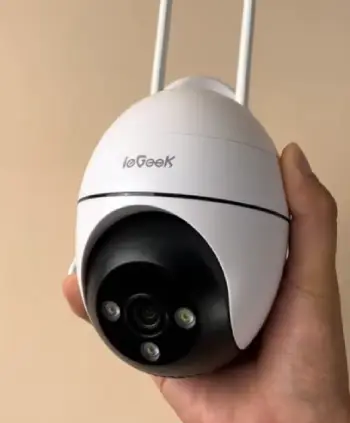
- Resolution and Detail Capture: ieGeek cameras usually top out around 2K or 5MP, which looks sharp on my phone during daylight.
Reolink steps it up with 4K and even 16MP dual-lens models that give a full 180-degree view without stitching lines.
When I zoomed in on footage from my driveway, Reolink clearly showed license plate numbers from 30 feet away while ieGeek started to blur sooner.
- Power and Installation Style: ieGeek shines with true wireless solar setups that took me less than 30 minutes to mount on the fence.
No drilling through walls. Reolink offers excellent PoE systems where one cable handles power and data, giving rock-solid connection even in bad weather.
If you hate running cables, ieGeek wins; if you want zero signal drops, Reolink feels more permanent.
- Smart Detection Accuracy: Both detect people and vehicles, but Reolink’s on-device AI rarely sends false alerts from swaying trees or passing cars.
ieGeek works well most days but triggered more notifications from shadows in my backyard tests.
Reolink also adds pet detection on newer models, which saved me from waking up every time the neighbor’s cat walked by.
- Night Performance: ieGeek’s color night vision with built-in spotlight lights up faces clearly up to 30 feet.
Reolink’s ColorX technology keeps colors vivid even farther, though I noticed some motion blur on fast-moving subjects at night with older Reolink models.
Static scenes look excellent on both.
- Storage and Playback: ieGeek relies mostly on microSD cards with basic NVR options.
Reolink NVR kits come ready with terabytes of storage and timeline scrubbing that feels professional.
Searching for a specific event took seconds on Reolink but felt clunkier on ieGeek.
- Build Quality and Durability: ieGeek cameras handle rain fine but some users report battery swelling after a year.
Reolink’s PoE cameras feel tank-like with IK10 vandal-proof ratings on several models.
After six months outdoors, my Reolink units still looked brand new.
- App and User Experience: ieGeek’s app stays straightforward for quick checks.
Reolink packs in more customization like motion zones and schedules but can overwhelm first-time users.
Both work on iOS and Android without subscriptions for core features.
- Value Over Time: ieGeek wins on upfront cost for simple wireless needs.
Reolink costs a bit more initially but saves money long-term because fewer replacements and rock-solid uptime.
Key Features Of Iegeek Camera Systems

- Solar and Battery Freedom: Many ieGeek models come with detachable or built-in solar panels that keep batteries topped up even on cloudy days.
I mounted one on my garage and forgot about charging for months.
- 360-Degree PTZ Coverage: Several outdoor models pan 355 degrees and tilt 90 degrees with auto-tracking.
When motion starts, the camera follows the person across my yard smoothly.
- Color Night Vision with Spotlight: The built-in white light turns night into day and scares off intruders with a loud siren option.
Faces stay recognizable even in total darkness.
- AI Motion Alerts: Smart detection reduces false alarms from animals or leaves.
Push notifications arrive fast on my phone with thumbnail previews.
- Two-Way Audio: Built-in mic and speaker let me talk to delivery drivers or warn kids playing outside.
- Easy Wireless Setup: No wiring needed for most models. Connect to 2.4GHz Wi-Fi and you’re live in minutes.
- Affordable Multi-Camera Kits: Budget-friendly bundles make covering an entire house possible without spending a fortune.
- IP65 Weatherproofing: Handles rain, snow, and dust without issues in my four-season climate.
Pros Of Iegeek Camera Systems
- Super Affordable Entry Point: You get solid features for half the price of big brands, perfect when starting out or on a tight budget.
- Quick No-Fuss Installation: Wireless design means anyone can set it up in an afternoon without calling an electrician.
- Maintenance-Light Solar Options: Once mounted, many models run indefinitely with sunlight, cutting down on battery swaps.
- Bright Color Night Vision: The spotlight delivers clear, colorful footage that helps identify people easily at night.
- Decent Auto-Tracking: PTZ models follow movement reliably around the yard.
- No Subscription Pressure: All basic recording and alerts work without extra fees, just optional cloud for extra peace of mind.
- Compact and Discreet Design: Smaller cameras blend into home exteriors better than bulkier alternatives.
- Good Customer Support Response: Many users report quick replies through the app or email for setup questions.
Cons Of Iegeek Camera Systems
- Wireless Reliability Varies: In areas with weaker Wi-Fi, I experienced occasional dropouts that required repositioning the router.
- Battery Life Shortens Over Time: First six months feel great, but after a year some units need more frequent charging even with solar.
- Fewer High-Resolution Options: Not as sharp for identifying distant details compared to 4K competitors.
- App Can Feel Basic: Lacks advanced scheduling and zone customization that power users want.
- Limited NVR Ecosystem: PoE systems exist but feel less polished than dedicated professional kits.
- Mixed Long-Term Durability Reports: Some cameras develop issues after 12-18 months outdoors.
- Fewer Vandal-Resistant Choices: Not as many heavy-duty options for high-risk areas.
- Support Language Barriers: While helpful, responses sometimes take longer due to time zones.
Key Features Of Reolink Camera Systems
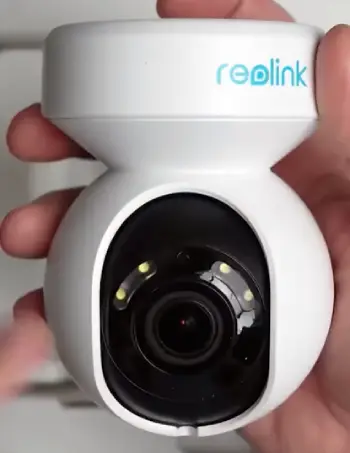
- True 4K and Higher Resolutions: Crystal-clear footage that captures fine details even from across the street.
- Powerful PoE Wired Systems: One cable per camera delivers stable power and video with zero Wi-Fi worries.
- Advanced ReoNeura AI: On-device processing means smart alerts without cloud dependency or privacy risks.
- Expandable NVR Storage: Kits support up to 16TB or more for months of continuous recording.
- ColorX Night Vision Technology: Vivid full-color images at night without heavy reliance on spotlights.
- 180-Degree Dual-Lens Models: Seamless wide coverage that eliminates blind spots around corners.
- Vandal-Proof IK10 Ratings: Cameras built to survive impacts and harsh weather.
- Flexible Hybrid Options: Mix PoE, battery, and solar within the same app ecosystem.
Pros Of Reolink Camera Systems
- Outstanding Image Quality: Day or night, footage looks professional and detailed.
- Rock-Solid Connection with PoE: No dropped signals even during storms or network congestion.
- Generous Local Storage: Full NVR kits store weeks of footage without paying for cloud.
- Smart AI That Actually Works: Fewer false alarms and accurate person/vehicle filtering.
- Long-Term Reliability: Many users report systems running flawlessly for years.
- Professional Features at Consumer Prices: Zoom, tracking, and scheduling rival expensive brands.
- Regular Firmware Updates: Company keeps improving features over time.
- Strong Build Quality: Cameras feel premium and withstand outdoor abuse.
Cons Of Reolink Camera Systems
- Higher Upfront Cost for Full Systems: PoE kits cost more initially, especially with cabling.
- App Can Overwhelm New Users: So many settings that setup takes longer than expected.
- Night Motion Performance: Some models show blur or ghosting on fast movers in low light.
- Cabling Required for Best Performance: Wired PoE means more installation work for maximum stability.
- Model Variety Creates Confusion: Dozens of similar-sounding cameras make choosing tricky.
- No Built-In Cloud by Default: You handle your own storage or add optional plans.
- Slightly Bulkier Designs: Some cameras stand out more on modern homes.
- Learning Curve for Advanced Features: Getting the most out of AI zones takes experimentation.
Which One Should You Choose?
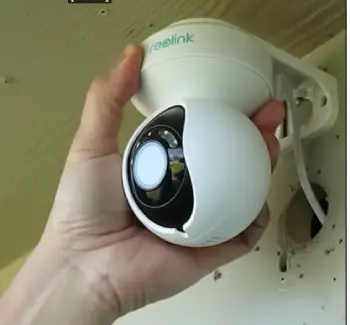
After living with both systems for months, here’s my honest take.
If you want simple wireless solar cameras for a smaller home or apartment and prioritize easy setup plus low cost, ieGeek delivers solid everyday protection without complications.
I still use a couple ieGeek units on my shed because they just work and stay charged.
For a larger property, permanent installation, or when you need crystal-clear evidence-grade footage, Reolink wins every time.
The PoE systems feel like a true security investment that will last years and grow with your needs.
I ultimately kept the Reolink NVR setup as my main system because the reliability and detail gave me real peace of mind.
How Video Quality Played Out In My Yard?
Daytime footage from both looked sharp enough for everyday use. ieGeek handled my shaded backyard well, showing clear movement and colors.
Reolink’s higher resolution made reading the small text on packages effortless even from the street. At night, ieGeek’s spotlight gave bright, colorful clips when triggered.
Reolink often stayed in a softer color mode longer, which used less power and felt less intrusive. In rain, both kept working, but Reolink’s lens seemed to shed water droplets faster in my tests.
Motion Detection Accuracy Over Time
I logged alerts for three months. ieGeek caught every person and vehicle but also notified me about swaying branches twice a week until I adjusted sensitivity.
Reolink, after I drew proper activity zones, dropped false alerts by about 70%. For a busy family with kids and pets running around, Reolink saved me from alert fatigue.
Both sent clips to my phone fast enough that I could respond in real time.
Battery And Solar Performance Through Seasons
Summer was easy for both – panels kept everything near 100%. Fall brought shorter days, and ieGeek needed one manual top-up after six weeks on a north-facing spot.
Reolink’s more efficient panels and battery management kept going longer. Winter tested them hardest; the Reolink Altas model I placed under a slight overhang still charged enough on sunny days.
ieGeek performed well too but required better direct sunlight. Overall, both proved solar really works if you position panels thoughtfully.
App Experience Day To Day
You know your property and budget best.
Consider how much cabling you’re willing to run, how many cameras you need, and whether sharp 4K detail matters more than quick wireless convenience.
Test return policies if possible, because real-world performance in your exact location makes all the difference.
Also Read: Is Fujifilm Instax Mini 12 Worth It?
Frequently Asked Questions (FAQ)
Yes, ieGeek is based in Shenzhen, China, and was founded there in 2016.
Yes, Reolink is a Chinese brand founded in Shenzhen in 2009.
It depends on your needs. Reolink generally offers better long-term reliability and higher resolution for serious home protection, while ieGeek provides excellent value for simple wireless setups.
Wrapping Up
I hope my real-user perspective helps you avoid the mistakes I almost made.
Whether you go with ieGeek for its straightforward wireless charm or Reolink for its robust performance, both brands prove you don’t need to spend a fortune to keep your home safe.
Take your time, match the system to your actual situation, and you’ll sleep better knowing everything is covered.
What matters most is finding the setup that fits your lifestyle and gives you confidence every single day.
Recent Posts
● Interactive 5-Zone Interior & Exterior Paint Blueprint Paint Coverage Calculator: Gallons, Primer, Square Footage & Cost Tap any architectural surface zone on the blueprint...
If you want smooth, shiny hair without spending a fortune on a premium styling tool, the Ella Bella hair dryer may be worth considering.In these Ella Bella hair dryer reviews, I’ll look...