
If you’re looking for a reliable webcam that punches above its weight without breaking the bank, grab the Logitech HD Pro Webcam C920 right now.
I’ve used it for years in video calls, streaming, and content creation, and it delivers crisp 1080p footage that makes you look professional every time.
At under $100, it’s a no-brainer investment for anyone upgrading from built-in laptop cams—trust me, you’ll wonder how you lived without it.
My First Experince With Logitech Hd Pro Webcam C920
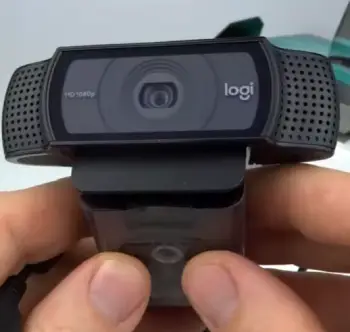
When I first unboxed the Logitech C920, I was skeptical.
I’d been relying on my laptop’s grainy built-in camera for Zoom meetings, and it always made me look like I was broadcasting from a foggy basement.
But plugging this thing in changed everything. It clips easily onto my monitor, and within seconds, I was up and running—no complicated setup or software downloads needed at first.
The first test call with a friend had them asking if I’d hired a lighting crew because the image was so clear and natural.
Over the next few weeks, I put it through its paces.
For work, it handled back-to-back video conferences flawlessly.
The autofocus kept me sharp even when I leaned in to emphasize a point or shifted around my desk.
Colors popped without looking oversaturated, and in mixed lighting—from my office lamp to natural window light—it adjusted smoothly, avoiding those harsh shadows that plague cheaper cams.
I even used it for a virtual family gathering, where the wide-angle lens captured everyone at the table without distortion, making it feel like we were all in the same room.
Streaming was where it really shone for me.
I started a small YouTube channel reviewing tech gadgets, and the C920’s 1080p at 30fps gave my videos a polished look.
Paired with decent room lighting, it handled motion well—no blurry artifacts when I gestured enthusiastically.
The built-in mics picked up my voice clearly, though I later added an external one for better audio depth.
One downside I noticed early was in dimmer settings; it could get a bit noisy, but tweaking the exposure in Logitech’s software fixed that mostly.
In everyday use, it’s become my go-to. I’ve taken it on trips, clipping it to hotel laptops for calls, and it’s sturdy enough to toss in a bag without worry.
After months, it still feels fresh—no wear on the clip or cable.
If you’re like me, juggling remote work and hobbies, this webcam adapts effortlessly.
It’s not perfect, but my experience convinced me it’s a staple for anyone serious about looking good on screen.
Pros Of Logitech Hd Pro Webcam C920
The Logitech C920 has a lot going for it, especially when you consider what you’re getting for the price.
I’ve tested plenty of webcams, and this one stands out in ways that make daily use a breeze.
Let me break it down for you.
- Exceptional Video Quality For The Price
You know that moment when you join a call and everyone comments on how sharp you look?
That’s the C920 in action. It shoots in full HD 1080p at 30 frames per second, which is more than enough for most people.
In my setup, the Carl Zeiss lens captures details like facial expressions and background elements with impressive clarity.
Compared to budget options, it avoids that washed-out look, and the colors feel true-to-life.
I remember recording a tutorial video, and viewers messaged me asking about my “pro setup”—it was just this webcam doing the heavy lifting.
- Reliable Autofocus And Light Adjustment
One thing I appreciate is how the autofocus works without fuss.
Whether I’m moving closer to show a document or sitting back relaxed, it locks in quickly and stays put. No more blurry faces mid-conversation. And in varying light?
It handles it better than you’d expect. I’ve used it in my home office with overhead lights and during evening calls with just a desk lamp, and the auto white balance keeps things balanced.
Sure, it’s not magic in total darkness, but for everyday scenarios, it’s spot-on.
You won’t spend time fiddling with settings every call.
- Built-In Stereo Microphones
Having mics right in the webcam simplifies things immensely.
The dual mics capture sound from both sides, giving a natural stereo effect that makes your voice sound fuller.
In my experience, it’s great for quick calls or podcasts without extra gear.
Background noise reduction is decent too—it filters out keyboard clacks or distant traffic, so you come across clear.
If you’re starting out, this means you can skip buying a separate mic initially, saving you cash and desk space.
- Versatile Mounting And Portability
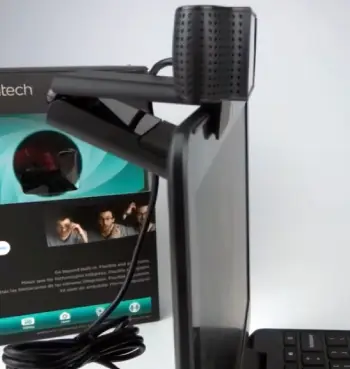
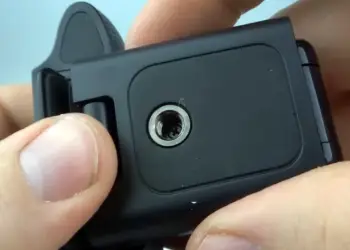
The clip design is genius. It grips monitors, laptops, or even tripods securely without slipping.
I’ve mounted it on everything from a thin ultrabook screen to a bulky desktop display, and it holds firm.
The 5-foot cable gives flexibility in placement, which is handy if your setup isn’t ideal.
Portability-wise, it’s lightweight and durable—I pack it for travel without a second thought.
You can take it to a coffee shop for a remote meeting, and it sets up in seconds.
- Easy Software Integration
Logitech’s G HUB software is straightforward, letting you tweak exposure, contrast, and more.
I customized presets for different lighting conditions, and it remembers them.
It works seamlessly with apps like Zoom, Teams, and OBS for streaming. No compatibility headaches on Windows or Mac.
For beginners, this means you get pro-level control without complexity.
- Long-Term Durability
After years of use, mine still performs like new.
The build feels solid—not flimsy plastic that cracks easily. It withstands daily adjustments and occasional drops.
In terms of value, it’s a winner; many users, including me, report it lasting through heavy use without degrading quality.
All in all, these pros make the C920 a smart choice if you want reliability without splurging.
I’ve relied on it for work and fun, and it rarely lets me down. If you’re upgrading, you’ll notice the difference immediately.
Cons Of logitech Hd pro webcam c920
No product is flawless, and the C920 has its quirks.
I’ve run into a few issues that might bug you depending on your needs.
Here’s what stands out.
- Average Low-Light Performance
In dim rooms, the image can get grainy.
I’ve had calls where evening light made things noisy, forcing me to add extra lamps.
It’s not terrible, but if your space isn’t well-lit, you might need to invest in lighting.
Compared to newer models, it shows its age here.
- Subpar Microphone Quality In Noisy Environments
The built-in mics are fine for quiet settings, but in busier spots, they pick up too much ambient sound.
During a call with construction outside, my voice got muddled.
You might want an external mic sooner than later for professional audio.
- Limited Frame Rate Options
Stuck at 30fps in 1080p, it feels dated for fast-motion content.
Streaming action games, I noticed slight lag in fluidity.
If smoothness is key, this might frustrate you.
- No Privacy Shutter In Base Model
The standard C920 lacks a built-in cover, so you have to manually unplug or cover it for privacy.
It’s a small annoyance, but in today’s world, you’d expect it standard.
- Occasional Software Glitches
Sometimes the G HUB app acts up, like not saving settings.
I’ve had to restart it a few times. Not a deal-breaker, but it disrupts flow.
These cons are manageable with workarounds, but they’re worth noting if you’re picky about features.
Maintenance Tips Logitech Hd Pro Webcam C920
Keeping your Logitech C920 in top shape isn’t rocket science, but a little care goes a long way.
I’ve learned this through trial and error, and sharing these tips might save you headaches.
Let’s get into how to maintain it properly.
- Regular Cleaning For Optimal Clarity
Dust and smudges are the enemy of any lens.
I make it a habit to wipe the glass gently with a microfiber cloth every week—never use paper towels or harsh chemicals, as they can scratch the surface.
For stubborn spots, a bit of lens cleaner spray works wonders.
Also, clean the microphones’ grilles with compressed air to prevent muffled sound.
You should do this after heavy use, like long streaming sessions, to keep everything crisp.
- Updating Drivers And Software
Outdated software can cause all sorts of issues, from focus problems to connectivity fails.
I check Logitech’s site or use G HUB monthly for updates.
It fixes bugs and improves performance.
If you’re on Windows, ensure USB drivers are current too—I’ve fixed stuttering by updating those.
Set reminders so you don’t forget; it’s quick and keeps your webcam running smoothly.
- Proper Storage And Handling
When not in use, store it in a cool, dry place away from direct sunlight to avoid lens warping.
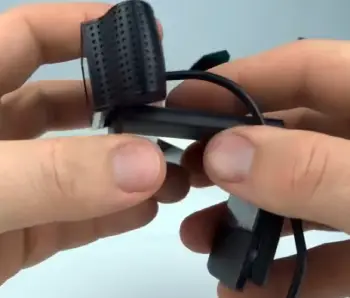
I wrap the cable loosely to prevent kinks—tight coils can damage wires over time.
If traveling, use a padded case. Handle the clip carefully; bending it too much weakens the grip.
These habits have kept mine durable for years.
- Troubleshooting Common Connectivity Issues
If it won’t turn on, try different USB ports—avoid hubs, as they can underpower it.
I’ve solved LED failures by switching to USB 2.0 instead of 3.0, which sometimes causes conflicts.
For stuttering video, lower resolution temporarily or close background apps eating bandwidth.
Restart your computer often; it’s a simple fix for many glitches.
- Adjusting Focus Manually if Needed
Autofocus can get finicky.
If it’s blurry at distances, you can disassemble the front (carefully, with a screwdriver) and tweak the lens ring.
I did this once for far-focus needs, following online guides— but only if you’re comfortable, as it voids warranty. Otherwise, reset settings in software first.
- Preventing Overheating and Wear
Extended use can warm it up, so give breaks during marathon sessions.
Position it away from heat sources like radiators. Monitor for cable fraying and replace if needed.
With these steps, your C920 will last longer than expected.
Following these tips, I’ve extended my webcam’s life significantly.
You invest once, maintain well, and it pays off in consistent performance.
Comparison Logitech Hd Pro Webcam C920 With Other Brands
When stacking the Logitech C920 against competitors, it’s clear where it excels and falls short.
I’ve compared it to a few popular options based on my tests and user feedback. Let’s see how it holds up.
- Logitech Hd Pro Webcam C920 Versus Razer Kiyo
The Razer Kiyo brings a built-in ring light, which is a game-changer for low-light setups—I tried it, and it evened out shadows nicely without extra gear.
However, the C920 edges it in natural color reproduction; the Kiyo’s light can make skin tones look artificial.
Price-wise, they’re similar, but if you already have lighting, the C920’s sharper autofocus makes it more versatile for calls.
The Kiyo’s mic is comparable, but its bulkier design feels less portable than the slim C920.
For gamers, the Kiyo’s 60fps at 720p is smoother, yet the C920’s overall reliability wins for mixed use.
- Logitech Hd Pro Webcam C920 Versus Microsoft Lifecam HD-3000
Microsoft’s LifeCam is cheaper, often under $50, making it tempting for basics.
I used one briefly, and its 720p resolution felt dated next to the C920’s 1080p—details were softer, especially in motion.
The LifeCam’s mic handles noise better in some cases, but its narrow field of view cramps group calls, unlike the C920’s wider angle. Build quality?
The LifeCam feels plasticky and less stable on mounts.
If budget is tight, it’s okay, but the C920’s superior video and software make it worth the extra spend for anyone beyond casual use.
- Logitech Hd Pro Webcam C920 Versus Elgato Facecam
Elgato’s Facecam steps up with uncompressed 1080p at 60fps, delivering buttery smooth footage—I noticed less noise in dim light compared to the C920.
No mic means you need audio, which adds cost but allows customization.
The Facecam’s app offers advanced controls separate like ISO tweaks, outpacing Logitech’s simpler interface.
However, at double the price, it’s overkill for everyday calls; the C920’s all-in-one design suits beginners better.
Portability is similar, but the Facecam’s lack of autofocus requires manual setup, which can be annoying versus the C920’s hands-off approach.
In these matchups, the C920 often comes out as the balanced pick—affordable, feature-packed, and user-friendly.
If specialized needs arise, like pro streaming, others might edge it, but for most, it’s hard to beat.
Also Read: Comparison Of Lumebox And Joovv
Frequently Asked Questions (FAQ)
Yes, it’s excellent for budget HD video with a privacy shutter for added security.
Focus glitches, connectivity issues, and audio sync problems occasionally arise.
The C922 offers 60fps at 720p and better low-light handling.
Yes, it includes built-in stereo mics.
wrapping up
The Logitech C920 is a must-buy for clear, hassle-free video.
Its quality and value outshine many rivals, making it ideal for your daily needs.
Don’t hesitate—pick one up and elevate your online presence today.
Recent Posts
I spent weeks testing and living with both Kirby and Shark vacuums in my own home because I needed a clear answer on which one actually delivers for everyday messes, pet hair, carpets, and hard...
Travelpro Vs. Samsonite: Which Luggage Brand Wins For Real Travelers?
I spent months testing Travelpro and Samsonite bags on real trips—business hops, family vacations, and long-haul flights—to settle which brand delivers better value for everyday travelers.My...