
When I needed to upgrade my cutting machine, choosing between the Silhouette Cameo 4 and the Silhouette Cameo 5 was tougher than expected. I wanted to see if the newer model actually justified the price jump. In this article, I compare everything from cutting precision and noise levels to software compatibility and new tool features, helping you decide which machine perfectly fits your crafting space.
A Brief Comparison Table
| Feature | Silhouette Cameo 4 | Silhouette Cameo 5 |
| Release Year | 2019 | 2023 |
| Cutting Force | Up to 5 kg (Carriage 2) | Up to 5 kg (Carriage 2) |
| Noise Level | Noticeably loud | Significantly quieter |
| Roll Feeder | Built-in tray | Attachable accessory |
| Electrostatic Mat | Not supported | Supported |
| Intelligent Path Technology | No | Yes |
| Power Tool Compatible | No | Yes (Heat pen, embossing) |
| Repeat Job Button | No | Yes |
| Price Range | ~$199 – $249 | ~$329 – $349 |
My Experience With Silhouette Cameo 4
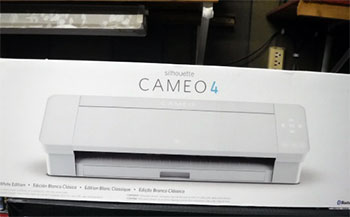
I bought the Silhouette Cameo 4 a few years ago, expecting a significant step up
from older craft plotters, and it absolutely delivered on raw power.
Right out of the box, the dual-carriage system and built-in roll feeder made it clear
this machine was designed for bulk vinyl projects and heavy-duty cutting tasks.
While it gets the job done efficiently, the mechanical noise is impossible to ignore,
especially when running intricate designs late at night.
Despite the volume, the cuts are consistently reliable, and the machine has held
up to years of demanding use without skipping a beat.
Read More: Comparison Of Olight Arkfeld Pro And Olight Arkfeld Ultra
Pros Of Silhouette Cameo 4
- Built-In Roll Feeder: The integrated roll feeder pulls out directly from the bottom of the machine, allowing you to easily load massive vinyl rolls. This built-in convenience saves you valuable desk space and makes cutting continuous, long decals incredibly straightforward without requiring any extra attachments or separate storage solutions.
- Incredible Cutting Force: Carriage two provides an impressive five kilograms of downward cutting force, enabling you to slice through tough materials like leather and balsa wood. This heavy-duty power expands your creative possibilities far beyond standard paper and vinyl, turning the device into a highly versatile tool for diverse crafting.
- Integrated Crosscutter Tool: A sliding crosscutter is neatly housed in the back of the unit, giving you a clean, straight edge after finishing a long vinyl cut. This ensures your expensive material rolls remain perfectly even for the next project, saving you time and preventing frustrating jagged edges during removal.
- Fast Cutting Speeds: This model operates at a surprisingly high speed, making it highly efficient when you are rushing to finish large batches of identical stickers. The rapid acceleration reduces your overall production time dramatically, which is a massive advantage if you are running a small online business from home.
- Retractable Sliding Lid: The compact sliding lid tucks neatly inside the machine when opened, meaning you do not need extra vertical clearance above the unit. This clever design choice allows you to store and operate the plotter on tight shelving units without constantly banging the cover against the upper cabinet.
- Affordable Entry Price: Because it is an older model, you can often find it heavily discounted, offering phenomenal value for budget-conscious creators entering the hobby. You receive professional-grade cutting capabilities without paying the premium early-adopter tax, freeing up your budget for extra materials, blades, and necessary weeding tools.
- Huge Accessory Ecosystem: Years on the market mean you have endless access to third-party blades, adapters, and replacement parts at very competitive price points. You will never struggle to find compatible accessories, and the community support is vast, ensuring you can quickly troubleshoot any minor mechanical issues you encounter.
- Dual Tool Carriage: The two-carriage design allows you to hold two distinct tools simultaneously, drastically speeding up complex, multi-step crafting projects. You can easily sketch an intricate design with a colored pen and immediately cut it out without ever pausing the machine to manually swap your tools back and forth.
Cons Of Silhouette Cameo 4
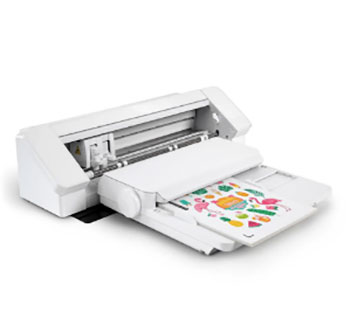
- Extremely Loud Operation: The motor generates a harsh, mechanical grinding noise that can be genuinely disruptive to anyone else working or relaxing nearby. If you share a living space or craft late at night, the sheer volume of the cutting process will quickly become a major annoyance for your household.
- Clunky Feeder Mechanism: While having an integrated roll feeder is nice, the plastic mechanism feels quite flimsy and can be frustrating to adjust properly. You often have to wrestle with the sizing guides to keep the vinyl perfectly straight, which sometimes leads to skewed cuts on particularly long decal projects.
- No Electrostatic Support: This model entirely lacks compatibility with the newer electrostatic mats, meaning you are stuck using traditional sticky adhesive mats for delicate materials. When working with ultra-thin paper or tissue, the standard sticky mats often cause tearing and curling, ruining your intricate designs during the final removal stage.
- Flimsy Roller Adjustments: Moving the pinch rollers to accommodate different material widths requires an uncomfortable amount of physical force and awkward maneuvering. The locking mechanism feels rigid and unresponsive, making rapid material changes far more tedious than they should be when switching between standard letter paper and wide vinyl rolls.
- Bluetooth Connection Drops: The wireless connectivity on this unit is notoriously inconsistent, occasionally dropping the signal right in the middle of a complex transmission. You will likely find yourself reverting to a hardwired USB connection to guarantee stability, entirely defeating the purpose of having a wireless setup on your desk.
- No Power Tool Features: The carriage lacks the specific electrical contacts required to run advanced heated pens or specialized power embossing tools. If you want to expand your crafting into foil stamping or detailed leather debossing, you will quickly find yourself limited by the older hardware architecture of this particular generation.
- Harsh Mat Loading: The machine grabs the cutting mat with an aggressive jerk, which sometimes causes the material to shift slightly before the job even starts. You have to hold everything perfectly steady and aligned during the initial feed, otherwise your entire design will cut completely off-center and waste material.
- Glossy Finish Scratches: The shiny plastic casing looks beautiful when freshly unboxed, but it attracts micro-scratches and messy fingerprints almost immediately upon daily use. You will find it incredibly difficult to keep the exterior looking pristine, as even wiping it down with a microfiber cloth tends to leave highly visible swirl marks.
My Experience With Silhouette Cameo 5
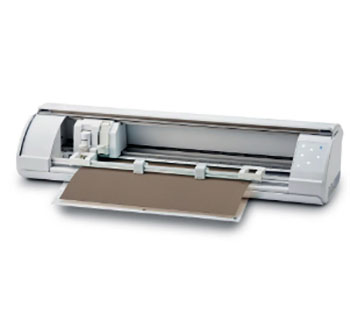
Upgrading to the Silhouette Cameo 5 felt like stepping into a completely new era
of crafting technology.
The very first thing I noticed was the silence; the harsh, grinding sounds of
previous generations are entirely gone, replaced by a smooth, quiet hum.
Working with delicate materials became incredibly easy thanks to the updated
cutting algorithms and the highly anticipated electrostatic mat support.
I spent weeks pushing it through detailed foil projects and massive vinyl rolls, and
the precision remained consistently flawless from start to finish.
Pros Of Silhouette Cameo 5
- Whisper Quiet Motor: The updated internal drive system drastically reduces operational noise, transforming your workspace into a peaceful environment even during intense crafting sessions. You can confidently run lengthy, intricate jobs while watching television or taking phone calls without the machine overpowering the room with obnoxious grinding and whirring sounds.
- Intelligent Path Technology: The new software integration optimizes the cutting sequence, allowing the blade to slice acute angles and delicate designs without tearing the corners. This advanced pathing completely changes how you approach intricate paper crafts, ensuring that tiny, detailed fonts and mandalas pop out perfectly without any frustrating snags.
- Electrostatic Mat Compatibility: This machine seamlessly pairs with the new electrostatic bed, allowing you to hold thin, delicate materials flat without using sticky adhesives. You avoid the dreaded curling and tearing associated with traditional mats, making tissue paper, vellum, and fragile foils incredibly easy to cut and remove without damage.
- Power Tool Expansion: The redesigned carriage includes powered contacts that support innovative accessories like the heated foil pen and the dedicated embossing tool. This opens up entirely new creative avenues, allowing you to seamlessly integrate gleaming metallic accents and deep textures into your cardstock projects without requiring a separate machine.
- Attachable Roll Feeder: Instead of a clunky built-in tray, this model uses a much sturdier, detachable roll feeder that provides superior tracking for large jobs. It keeps massive vinyl rolls perfectly aligned, preventing the material from drifting sideways and ruining your expensive supplies during long, continuous wall-decal production runs.
- Convenient Repeat Button: A physical repeat job button is conveniently located right on the front console, allowing you to duplicate your last cut instantly. You no longer have to walk back to your computer to initiate a second batch, massively streamlining your workflow when producing dozens of identical sticker sheets.
- Smooth Roller Adjustments: The newly engineered pinch rollers slide effortlessly across the bar, making material size adjustments quick, painless, and completely frustration-free. You can smoothly transition from twelve-inch vinyl to standard letter paper in mere seconds, securing your materials firmly without feeling like you are going to break the plastic.
- Matless Cutting Enhancements: The completely redesigned pinch roller system offers significantly better traction when you decide to run materials through without a cutting mat. You experience far fewer frustrating jams or misaligned cuts, ensuring your continuous vinyl decals and heat transfer projects process flawlessly from the very first inch to the last.
Cons Of Silhouette Cameo 5
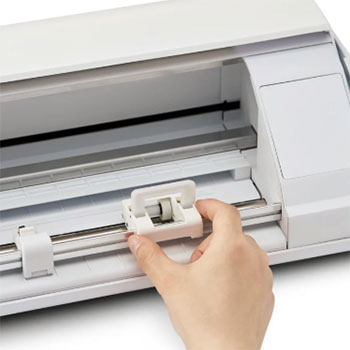
- High Initial Cost: Purchasing this newer generation requires a significantly larger upfront investment compared to older models, which might stretch your crafting budget tightly. The higher price tag is a major hurdle for hobbyists who only intend to use the machine occasionally for simple, low-volume holiday projects and basic decals.
- Mat Sold Separately: Despite being heavily marketed as a flagship feature, the highly desirable electrostatic mat is not included in the standard retail box. You have to purchase this expensive accessory completely separately, which feels a bit deceptive and adds a substantial hidden cost to your overall initial setup expense.
- Larger Desk Footprint: Because the roll feeder is now an attachable external piece rather than integrated, the machine requires significantly more depth on your desk. You need a dedicated, spacious workstation to accommodate the full setup, making it less ideal for crafters working in cramped apartments or shared living spaces.
- Software Update Bugs: Relying on the newest features requires the latest version of Silhouette Studio, which can occasionally be prone to frustrating crashes and bugs. You might find yourself troubleshooting software glitches during important projects as the developers continue to patch and stabilize the newer Intelligent Path Technology algorithms.
- Slower Maximum Speed: To achieve its whisper-quiet operation and enhanced cutting precision, this model actually runs slightly slower than its loud, aggressive predecessor. If you prioritize absolute speed over noise reduction when mass-producing simple geometric shapes, you might find the relaxed pacing of this newer unit slightly annoying over time.
- Different Blade Adapters: The machine utilizes a slightly different carriage housing, meaning some of your older, third-party blade adapters may no longer fit securely. You will likely need to invest in new adapters or exclusively purchase brand-name blades to ensure optimal performance, rendering parts of your existing tool collection temporarily obsolete.
- Lid Clearance Required: Unlike the previous compact sliding mechanism, the new lid flips upward and back, requiring a decent amount of vertical clearance above the unit. You cannot operate this model comfortably on a tight bookshelf or under low-hanging cabinets without constantly bumping the plastic cover against the overhead obstacles.
- Overwhelming Feature Set: The sheer amount of new technological additions and specialized tool settings can feel slightly intimidating for completely brand-new users. You might find the advanced menu options confusing at first, requiring you to watch several lengthy online tutorials before feeling fully comfortable running your very first complex crafting project.
Also Read: My Thoughts On InkSonic DTF Printer
Frequently Asked Questions (FAQ)
The Silhouette Cameo 5 is significantly quieter than the Cameo 4. The newer model utilizes an upgraded drive mechanism that eliminates the harsh, grinding noises associated with the older generation, making it ideal for shared spaces.
Yes, standard AutoBlades designed for the Cameo 4 will work in the Cameo 5. However, due to slight changes in the carriage design, some third-party adapters or specialty blades might fit tighter or require adjustments.
If you frequently cut delicate materials, want to use power tools like the heat pen, or desperately need a quieter workspace, the upgrade is entirely worth it. If you only cut standard vinyl occasionally, the Cameo 4 remains sufficient.
No, the Cameo 5 actually cuts slightly slower at its maximum setting compared to the Cameo 4. The newer model prioritizes precision, intelligent pathing, and reduced noise over absolute raw speed.
Conclusion
After extensively testing both machines, here is my final verdict. If you are a casual crafter on a strict budget who does not mind a bit of mechanical noise, the Silhouette Cameo 4 remains a powerful, highly capable workhorse. You get incredible cutting force and built-in roll feeding convenience at a fraction of the cost.
However, if you craft daily, work with delicate papers, or value a quiet workspace, the Silhouette Cameo 5 is the clear winner. The noise reduction alone changed my entire workflow, and the addition of the electrostatic mat support is a massive leap forward for intricate projects. Your choice ultimately depends on your budget and how much you value modern, quiet convenience in your craft room.
Recent Posts
● Interactive 5-Zone Interior & Exterior Paint Blueprint Paint Coverage Calculator: Gallons, Primer, Square Footage & Cost Tap any architectural surface zone on the blueprint...
If you want smooth, shiny hair without spending a fortune on a premium styling tool, the Ella Bella hair dryer may be worth considering.In these Ella Bella hair dryer reviews, I’ll look...