
If you want a gaming desktop that arrives ready to play without making you choose every component yourself, I think a Skytech gaming PC is worth considering.
I like the idea of getting a complete system with a dedicated graphics card, modern processor, fast storage, and enough memory to handle demanding games without spending weeks building a PC.
If you want straightforward performance and the convenience of a prebuilt system, I would consider buying a Skytech gaming PC.
My First Experience With A Skytech Gaming PC
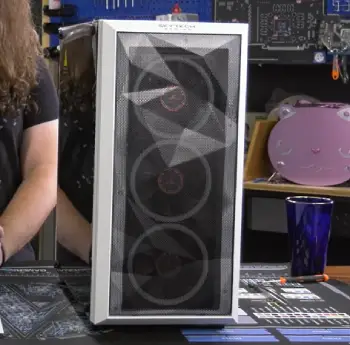
The first thing I noticed about a Skytech gaming PC was how different the experience felt compared with putting together a desktop from individual components.
I didn’t have to worry about whether the motherboard would support the processor, whether the power supply was adequate, or whether everything would physically fit inside the case.
The system was designed as a complete package, and that immediately made the setup feel less intimidating.
Once the PC was connected, getting started was fairly straightforward. I could focus on installing my favorite games and adjusting settings rather than spending hours troubleshooting hardware compatibility.
What I appreciate most about Skytech’s approach is that its gaming desktops are available across several performance levels.
You can find entry-level systems aimed at casual gaming as well as considerably more powerful machines built around higher-end processors and graphics cards.
That range matters because not everyone needs an expensive desktop capable of pushing ultra-high frame rates.
In everyday gaming, the graphics card is usually the component I pay the closest attention to. A capable GPU can make a huge difference in how smoothly modern games run, especially when you increase resolution or graphical quality.
Skytech systems commonly pair dedicated graphics cards with processors that are suitable for gaming, creating a balanced foundation.
I also like having an SSD rather than relying on an older mechanical hard drive. Game loading times, Windows startup, application launches, and general responsiveness all benefit from faster storage.
The overall impression I get from a Skytech gaming PC is that it is designed for people who want to play rather than spend their evenings assembling hardware.
You still need to understand what you’re buying, though. Skytech sells systems with different specifications, and two PCs carrying the same brand name can deliver very different performance.
That is why I would never judge the brand solely by its name. I would check the exact processor, graphics card, RAM capacity, storage, cooling arrangement, and power supply before making my decision.
Pros Of Skytech Gaming PC
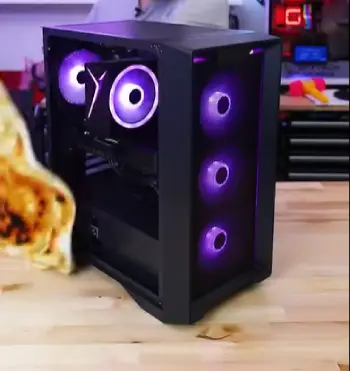
- Convenient Plug-and-Play Experience
One of the biggest advantages I see is convenience.
Building a gaming PC from scratch can be rewarding, but it also requires research, compatibility checks, assembly, cable management, BIOS configuration, and troubleshooting. A prebuilt Skytech system eliminates much of that work.
You can connect the machine, complete the operating system setup, install your games, and start playing.
For someone buying their first gaming desktop, that simplicity can be extremely valuable.
- Wide Range of Performance Options
I like that Skytech doesn’t focus on only one type of gamer.
A casual player doesn’t necessarily need an extremely expensive system, while someone who wants high-resolution gaming may need considerably more hardware.
Because the company’s lineup covers different performance levels, you can select a configuration that better matches your budget and gaming habits.
That flexibility is one of the reasons I would consider Skytech when shopping for a prebuilt desktop.
- Dedicated Graphics Hardware
Gaming laptops and inexpensive desktops sometimes compromise heavily on graphics performance.
A dedicated GPU gives a gaming desktop considerably more capability than basic integrated graphics. Depending on the model, you can target everything from everyday 1080p gaming to more demanding high-resolution experiences.
The graphics card also gives you flexibility when adjusting visual settings. If a game becomes demanding, you can lower certain settings to maintain smoother performance.
- Attractive Gaming Design
I can’t ignore the visual side of gaming hardware.
Skytech desktops often embrace the recognizable gaming aesthetic, including RGB lighting, transparent panels, and aggressive case designs.
If you want your gaming setup to look like a gaming setup, these machines can fit naturally into that environment.
- Upgrade Potential
A desktop has an important advantage over many laptops: you can usually upgrade individual components.
Depending on the exact Skytech model, you may be able to add RAM, install additional storage, replace the graphics card, or upgrade other components later.
That means you don’t necessarily have to replace the entire computer when your needs increase.
- Strong Out-of-the-Box Performance
Another advantage is that the major components are selected as part of a complete system.
Instead of spending weeks deciding which CPU, GPU, motherboard, memory kit, and power supply belong together, you receive a ready-made configuration.
For me, that makes the purchasing process much easier.
Cons Of Skytech Gaming PC
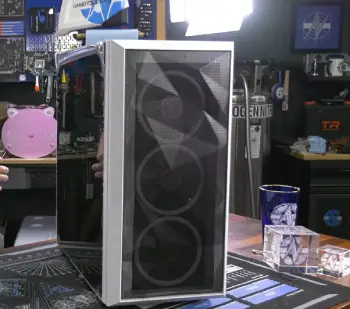
- Specifications Can Vary Significantly
The biggest thing I would warn buyers about is assuming that every Skytech PC performs the same.
It doesn’t.
The processor, graphics card, RAM, storage, motherboard, power supply, and cooling system can vary between models.
That’s why you should always examine the exact specification sheet before buying.
- Prebuilt Pricing
A prebuilt gaming PC includes more than individual components. You’re also paying for assembly, testing, configuration, support, and convenience.
If you are highly comfortable building PCs yourself, you may sometimes find that purchasing individual components gives you more control over the budget.
But I consider the convenience of a prebuilt system part of what you’re paying for.
- Limited Component Choice
When building my own computer, I can select practically every component.
With a prebuilt system, I have to accept the configuration provided by the manufacturer. Some buyers may not care, but hardware enthusiasts who want a very specific motherboard, cooling solution, or power supply may prefer a custom build.
- Cooling Depends on the Model
Cooling is another factor I wouldn’t overlook.
A powerful processor and graphics card can generate substantial heat under load. The case design, number of fans, CPU cooler, and airflow arrangement all influence temperatures.
I would therefore check the cooling setup of the specific Skytech PC rather than making assumptions based only on the brand.
Maintenance For A Skytech Gaming PC
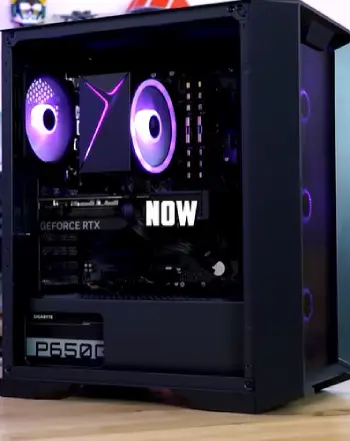
- Keep the Interior Dust-Free
Dust is one of the easiest ways to gradually hurt a gaming PC’s cooling performance.
I recommend checking the case periodically and removing accumulated dust from the intake areas, fans, filters, and vents.
You don’t need to obsess over it every few days. A sensible cleaning routine is enough for most users.
When cleaning, I would shut down the PC completely and disconnect the power before working around the internal components.
- Maintain Good Airflow
Don’t push your gaming PC into a cramped corner where its ventilation openings are blocked.
I prefer leaving enough space around the case for air to circulate properly.
Your desk setup can influence temperatures more than you might expect. A case surrounded by clutter has a harder time moving heat away.
- Monitor Temperatures
Temperature monitoring is useful because it gives you an early warning when something isn’t behaving normally.
If temperatures suddenly become much higher than usual, I would check for dust buildup, blocked vents, fan problems, or unusually demanding workloads.
You don’t need to constantly stare at temperature readings while gaming, but occasionally checking them can help identify problems early.
- Keep Drivers Updated
Graphics drivers can affect gaming performance, compatibility, and stability.
I recommend keeping your graphics driver and operating system reasonably current.
However, I wouldn’t install random driver utilities from questionable sources. Stick with legitimate update methods and avoid unnecessary software that promises dramatic performance improvements.
- Manage Storage
An SSD that becomes almost completely full can make your computer harder to manage.
I periodically remove games I no longer play, temporary files, and unnecessary applications.
Keeping sensible free space also makes it easier to install large game updates when they arrive.
- Don’t Block the Fans
This sounds obvious, but it is easy to overlook.
Make sure objects, cables, furniture, or walls aren’t obstructing the PC’s ventilation openings.
If the computer sits on the floor, keeping it away from heavy dust and carpet fibers can also help.
- Handle Upgrades Carefully
If you decide to upgrade RAM, storage, or the graphics card, take your time.
I would first verify compatibility, available power, physical clearance, and connector requirements.
A component that physically fits isn’t automatically guaranteed to be a good match for the rest of the system.
- Keep the Software Clean
Gaming PCs accumulate software surprisingly quickly.
Launchers, overlays, utilities, browser extensions, recording tools, and background applications can pile up.
I periodically remove software I don’t use. A clean system is easier to troubleshoot and manage.
Comparison Of Skytech Gaming PC With Other Gaming PC
- Skytech vs Alienware
Alienware has a long-standing reputation for distinctive gaming desktops and premium designs. Skytech takes a more straightforward prebuilt approach across a broad range of configurations.
When comparing the two, I would focus on the actual hardware rather than the badge on the case.
CPU, GPU, RAM, storage, cooling, upgradeability, warranty terms, and total price all matter.
If two similarly priced systems use different graphics cards, that difference can matter much more to my gaming experience than the brand name.
- Skytech vs CyberPowerPC
CyberPowerPC and Skytech both offer a wide selection of prebuilt gaming computers.
The main comparison I would make is between individual configurations.
I would examine the processor and GPU first, then look at RAM, storage, cooling, power supply, and upgrade options. If one configuration gives me a more suitable combination of components for my games, that specification matters more than simply choosing the more recognizable name.
- Skytech vs iBUYPOWER
iBUYPOWER is another established name in the prebuilt gaming desktop market.
Both brands offer systems across multiple performance levels, which means the comparison needs to happen model by model.
For me, the graphics card remains one of the most important factors. After that, I would consider processor performance, memory, storage, cooling, case design, and upgrade flexibility.
- Skytech vs Building Your Own PC
Building a PC gives you maximum control.
You choose the motherboard, processor, GPU, memory, storage, power supply, cooling system, case, and every other major component.
But that freedom comes with responsibility.
You need to research compatibility, assemble everything correctly, install software, troubleshoot potential problems, and deal with individual component warranties.
A Skytech PC trades some of that control for convenience.
If you enjoy building computers, a DIY system may be more satisfying. If you want to start gaming quickly without assembling the machine yourself, a prebuilt system can make considerably more sense.
Who Should Buy A Skytech Gaming PC?
I would consider a Skytech gaming PC particularly suitable for someone who wants a ready-to-use desktop without becoming an expert in PC assembly.
It can also make sense for someone upgrading from an older computer and wanting a significant performance improvement.
First-time PC gamers may appreciate the convenience, while experienced gamers can choose higher-performance configurations based on their requirements.
The key is to avoid buying based only on appearance or brand recognition.
Look at the specifications.
Think about the games you play.
Consider your monitor resolution and refresh rate.
Think about whether you plan to stream, edit videos, or use demanding applications.
Then choose the configuration that matches those needs.
Is Skytech Good For First-Time PC Gamers?
This is one area where I think a prebuilt system makes a lot of sense.
When you’re new to gaming PCs, there are already plenty of things to learn: graphics settings, frame rates, refresh rates, drivers, game launchers, peripherals, and system maintenance.
Building the computer yourself adds another layer of complexity.
A Skytech desktop gives you a functioning foundation so you can concentrate on actually using the computer.
You still need to understand basic maintenance, but you don’t have to start with a box full of components and an assembly guide.
How Long Can A Skytech Gaming PC Last?
The lifespan depends heavily on the components, workload, maintenance, and how quickly games become more demanding.
A well-maintained gaming desktop can remain useful for many years.
However, “lasting” doesn’t necessarily mean delivering maximum performance for its entire life.
As games become more demanding, you may eventually need to reduce graphical settings or upgrade components.
That is one reason I like the upgrade potential of desktop computers.
You can potentially extend the useful life of the machine by upgrading individual components instead of replacing the entire system.
Also Read: Is Viprtech Rebel 1.0 Gaming Pc Worth It?
Frequently Asked Questions (FAQ)
A well-maintained Skytech PC can remain useful for several years, although gaming performance will depend on its hardware and future game requirements.
There isn’t one universally trusted brand; reliability and support can vary by model, components, and individual experience.
Skytech Gaming is the company behind Skytech gaming computers and prebuilt gaming systems.
They take different approaches, so I would compare the exact specifications, pricing, cooling, upgradeability, and support for the models you’re considering.
Final Verdict
I see Skytech gaming PCs as a practical option for people who want gaming performance without the hassle of building a computer themselves.
I like the variety of configurations, dedicated graphics hardware, attractive designs, and upgrade potential.
If you want a ready-to-play desktop and choose the specifications carefully, I would recommend considering a Skytech gaming PC before buying.
Recent Posts
● Interactive 5-Zone Interior & Exterior Paint Blueprint Paint Coverage Calculator: Gallons, Primer, Square Footage & Cost Tap any architectural surface zone on the blueprint...
If you want smooth, shiny hair without spending a fortune on a premium styling tool, the Ella Bella hair dryer may be worth considering.In these Ella Bella hair dryer reviews, I’ll look...