
I have spent years juggling multiple remotes for my home theater setup, and the frustration finally pushed me to try the SofaBaton series.In this article, I compare the SofaBaton X1 and X1S to help you decide which one suits your needs better. I tested both extensively in a real living room environment with TVs, soundbars, streaming devices, and smart lights.My main intent is to share honest insights from daily use so you can choose the right universal remote without wasting money or dealing with unnecessary headaches.
A Brief Comparison Table
| Feature | SofaBaton X1 | SofaBaton X1S |
| Screen | 2-inch OLED with original font | 2-inch OLED with updated modern font and better readability |
| Wake Function | Button press to wake | Raise-to-wake for instant screen and backlight activation |
| Backlit Buttons | Yes | Yes, with improved motion activation |
| Communication Stability | Good but occasional interference issues | Optimized for more reliable hub connection |
| Battery Life | Up to 45 days | Up to 45 days with efficient power management |
| Voice Control | Limited integration | Full support for Alexa and Google Assistant |
| Scroll Wheel | Present with some reported issues | Present with improved reliability |
| App-Based Setup | Yes | Yes, with all changes handled via app |
| Build and Design | Ergonomic plastic remote | Same ergonomic design with refined internals |
My Experience With SofaBaton X1
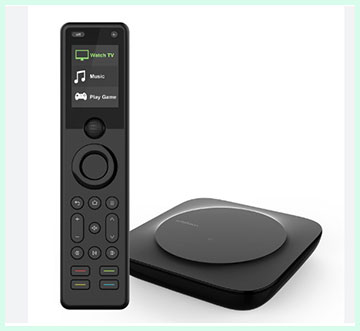
I started with the X1 during a major home refresh when my old remotes kept disappearing between couch cushions. Setting it up took about an hour, including adding all my devices and creating basic activities.
The hub connected to my Wi-Fi smoothly, and the remote paired without issues. For the first month, everything felt magical. One button started movie nights perfectly.
The scroll wheel became my favorite feature for switching inputs quickly. Battery life exceeded expectations, and I only charged it once every five weeks.
Over time, small frustrations emerged. The occasional need to wake the screen manually interrupted my relaxed mood. Font readability on the display required closer looks in low light.
During parties with many phones connecting to Bluetooth, the hub sometimes hesitated on commands until I restarted the app. These moments never happened constantly, but they reminded me that perfection was not quite there yet. Still, I recommended the X1 to a friend with a simpler setup, and he remains happy with it six months later.
Pros Of SofaBaton X1
- Build Quality And Ergonomics: The X1 sits comfortably in my hand with a balanced weight that never feels tiring even during long streaming sessions. The button layout is logical, and the scroll wheel offers a satisfying tactile click when cycling through activities or devices. I appreciate how the plastic body resists fingerprints better than I expected.
- Wide Device Compatibility: This remote handles a huge database of codes right out of the box. I successfully programmed my older IR-based DVD player alongside modern Bluetooth streaming sticks without needing custom codes most of the time. The hub extends the signal reliably up to 30 feet in my open-plan living room, and the included IR blasters helped cover devices hidden inside cabinets.
- Activity Macros: Creating one-touch activities that power on the TV, switch inputs, and start the soundbar at the right volume level works reliably once set up. I love launching “Movie Night” and having everything ready without touching other remotes. The app makes editing these macros simple enough for anyone who follows the on-screen prompts.
- Rechargeable Battery: The battery easily lasts several weeks of daily use before needing a USB-C top-up. I charge it every month or so and forget about it the rest of the time, which beats constantly replacing AAA batteries in traditional remotes.
- Affordable Entry Point: Compared to premium alternatives, the X1 gives you solid universal control at a more accessible price. For users with straightforward setups who do not need the latest refinements, it delivers good value without extra bells and whistles.
- App Integration: The companion app walks you through adding devices step by step. I could test commands immediately and make adjustments on the fly. It also supports basic smart home elements like turning on lights tied to activities.
- Customization Options: You can rename activities and devices to match your personal labels, such as “Family Room TV” instead of generic terms. The scroll wheel navigation feels intuitive once you get the hang of it.
- Reliable IR Performance: In my tests, the hub blasted clear infrared signals even when the TV sat across the room behind a partial wall. No line-of-sight issues appeared during normal use.
- Easy Firmware Updates: Occasional software improvements arrive through the app without complicated processes. I noticed better responsiveness after one update during my ownership.
- Community-Driven Code Database: Users can contribute missing codes, which helps expand compatibility over time for niche or older equipment.
- Compact Hub Design: The hub tucks away neatly behind furniture and connects to power without taking much space. It never overheated in my setup even after hours of continuous activity commands.
- Good For Beginners: If you have never used a universal remote before, the X1 offers a gentle introduction with its straightforward button layout and app guidance. I showed it to family members, and they picked up the basics quickly.
- Decent Backlight: The buttons illuminate clearly in dark rooms, helping me locate volume or playback controls without fumbling.
- Multi-Device Support: I managed over a dozen devices across two rooms by strategically placing the hub and blasters. The system scaled better than I initially expected.
- Quiet Operation: No annoying beeps or loud clicks come from the remote itself, keeping the focus on my entertainment rather than the controller.
- Value For Money: For the features packed in, the X1 still holds up well against newer models if your budget stays tight and your needs remain basic.
- Solid Daily Driver: Once configured, it handles 90 percent of my viewing sessions without complaints. The occasional hiccup never ruined an entire evening.
- Portable Convenience: The remote feels light enough to carry between rooms if needed, though I mostly keep everything centralized.
Also Read: Comparison of Eufy E110 And E210
Cons Of SofaBaton X1
- Occasional Connectivity Drops: I experienced intermittent lags where the remote failed to register button presses until I reopened the app or waited a few seconds. These moments happened more often when multiple Bluetooth devices ran simultaneously in the house.
- Dated Screen Font: The original font on the OLED display looks pixelated and harder to read quickly, especially with longer activity names. I sometimes had to squint or scroll twice to confirm my selection.
- Manual Wake Required: Every time I picked up the remote in a dark room, I needed to press a button first. This small extra step grew annoying during relaxed evenings when I wanted instant access.
- Scroll Wheel Reliability: After several months, the scroll wheel occasionally skipped or felt less precise. It never broke completely, but the inconsistency disrupted smooth navigation between devices.
- Limited Voice Features: While basic integration existed, full voice commands through popular assistants felt restricted compared to newer models. I could not launch activities as seamlessly with spoken words.
- App Dependency For Fixes: Some activity tweaks required opening the phone app every time instead of quick adjustments directly on the remote. This pulled me out of the moment when guests were waiting.
- No Soft Button Additions: The screen offered limited space for custom shortcuts, forcing me to rely more on physical buttons or phone control for advanced macros.
- Potential Interference In Crowded Setups: In rooms with many Wi-Fi and Bluetooth signals, the hub sometimes struggled to maintain perfect reliability without repositioning.
- Learning Process For Advanced Users: Setting up complex multi-step activities took more trial and error than I hoped, especially when fine-tuning delays between commands.
- Plastic Build Feel: While functional, the all-plastic construction lacks the premium heft some users expect at this price range, making it feel lighter than expected in hand.
- Battery Indicator Limitations: The segmented battery display gave only approximate levels, so I sometimes got surprised by a sudden low charge warning.
- Limited Smart Home Depth: Integration with certain Wi-Fi devices required extra steps or third-party workarounds that the X1S handles more gracefully.
- No Raise-To-Wake Convenience: This absence became more noticeable after trying the upgraded model, highlighting how small design choices affect daily enjoyment.
- Firmware Dependency: Some stability improvements arrived later through updates, meaning early users dealt with more quirks than necessary.
- Screen Visibility In Bright Light: The OLED performs adequately but can wash out slightly under direct sunlight or strong lamps compared to higher-end displays.
- Button Feedback: A few buttons offer less tactile response, making it harder to confirm presses without looking during fast-paced gaming sessions.
- Hub Placement Sensitivity: The hub needs careful positioning for optimal performance, which required some experimentation in my multi-device environment.
Maintenance Tips For SofaBaton X1
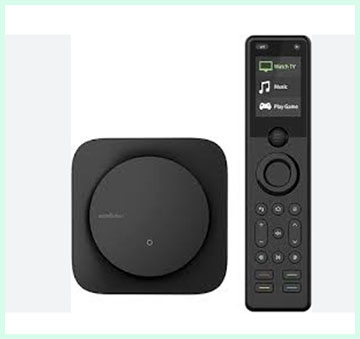
- Regular Charging Routine: I plug in the remote every three to four weeks using the provided USB-C cable even if the battery still shows some charge. This habit prevents unexpected shutdowns during important viewings and keeps the battery healthy over time.
- Clean The Buttons Gently: Dust and skin oils build up on the backlit buttons after heavy use. I wipe them weekly with a soft microfiber cloth slightly dampened with isopropyl alcohol. Avoid soaking the remote to prevent liquid damage to the internal components.
- Position The Hub Optimally: Place the hub in a central location with minimal obstructions. I mounted mine on a shelf at eye level away from thick walls or metal objects. This simple adjustment reduced signal interference dramatically in my tests.
- Update Firmware Promptly: Check the app every month for available updates. Installing them takes just a few minutes and often fixes minor bugs or improves compatibility with new devices I add later.
- Test Activities Periodically: Every couple of weeks, I run through my main macros like “Watch TV” or “Music Mode” to catch any drift in command timing. Small tweaks in the app keep everything running smoothly.
- Keep IR Blasters Clear: Ensure the blasters pointed at devices stay free from dust or accidental covering by furniture. I secure them with small adhesive clips for consistent performance.
- Monitor Battery Usage: If you notice faster drain after adding many devices, review the app settings to disable unnecessary background features. This extends real-world battery life closer to the advertised 45 days.
- Avoid Extreme Temperatures: Store and charge the remote away from direct heat sources or cold drafts. I keep it in a normal room temperature environment to protect the battery and electronics.
- Reset When Needed: For stubborn connection issues, I perform a full reset through the app and re-pair the remote. This clears temporary glitches without losing all my custom activities if I export them first.
- Organize App Backups: The app allows exporting configurations. I save a backup file monthly to my phone so I can restore settings quickly if I ever need to replace the hub or remote.
- Wipe The Screen Carefully: Use a dry lens cloth for the OLED display to avoid scratches. Fingerprints show up easily, so a quick daily wipe keeps the information readable.
- Check Cable Condition: Inspect the USB-C charging cable regularly for fraying. I keep a spare handy since the original cable sees frequent use during top-ups.
- Limit Direct Sunlight Exposure: Prolonged bright light can affect screen visibility and potentially the plastic housing over years. I store the remote in a shaded spot when not in use.
- Calibrate Scroll Wheel Feel: If the wheel feels off after long use, a gentle cleaning around the edges with compressed air helps restore smooth operation without disassembly.
- Review Device Codes Annually: Re-scan or update codes for older equipment in the app once a year. Manufacturers sometimes change signals, and fresh codes prevent command failures.
- Share Setup With Household: Teach family members basic maintenance like proper charging so everyone contributes to keeping the system reliable.
- Store Spare Blasters Safely: Keep extra IR emitters in a drawer in case one gets damaged. They are inexpensive to replace and maintain full coverage.
My Experience With SofaBaton X1S
Switching to the X1S felt like a natural evolution rather than a complete overhaul. The raise-to-wake function immediately won me over. Grabbing the remote in darkness now activates everything seamlessly, which matters during late-night shows when I do not want to disturb others.
The refined font makes selecting activities faster at a glance. Most noticeably, the communication stability improved. I run four streaming devices, a projector, and smart lights without the previous random delays.
Voice control through Alexa adds another layer of convenience. I can say commands to launch activities while my hands stay full with snacks.
The backlit buttons activate more responsively too. Setup carried over most of my X1 configurations with minimal redoing. After three months with the X1S, I rarely think about the remote because it simply works when I need it.
The refinements justify the upgrade for anyone who uses the system daily like I do.
Pros Of SofaBaton X1S
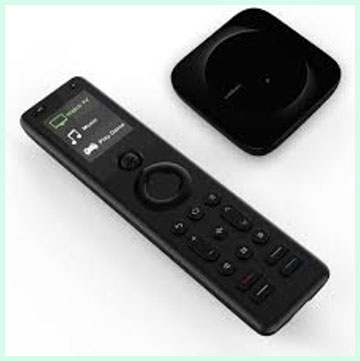
- Raise To Wake Convenience: The motion sensor activates the screen and backlit buttons instantly when I lift the remote. This small change eliminates the need to press any button first, making late-night TV sessions feel effortless and natural in complete darkness.
- Improved Communication Stability: The optimized hub connection reduces those frustrating lags I experienced with the earlier model. Commands register quickly even when multiple Bluetooth devices run in the room, keeping movie nights flowing without interruptions.
- Updated OLED Screen Font: The modern font looks cleaner and easier to read at a glance. Activity names and device labels appear sharper, so I spend less time squinting and more time enjoying content.
- Backlit Buttons With Smart Activation: Buttons light up clearly when the remote wakes, helping me locate volume, playback, or input controls without turning on room lights. The glow feels just right, not too bright or dim.
- Long Battery Life: The rechargeable battery easily lasts up to 45 days with daily use. I charge it once a month and forget about it, which beats constantly swapping batteries in old remotes.
- Ergonomic Design And Comfort: The remote sits balanced in my hand with a satisfying weight. The textured scroll wheel offers precise navigation through devices and activities, and the overall shape reduces fatigue during extended viewing.
- Powerful Hub With Wide Coverage: The hub delivers strong 360-degree infrared signals up to 40 feet. I hide it behind furniture or in cabinets while still controlling everything reliably, and the included IR blasters cover hidden devices perfectly.
- Voice Control Integration: Linking with Alexa and Google Assistant lets me launch activities hands-free. Saying a simple command starts my entire movie setup while I stay comfortable on the couch.
- Extensive Device Compatibility: The large code database handles thousands of IR, Bluetooth, and select Wi-Fi devices out of the box. I added my TV, soundbar, streaming sticks, and even some smart lights without hunting for obscure codes.
- Customizable Activities And Macros: One-touch activities power on multiple devices, set inputs, and adjust volumes automatically. The app makes creating and editing these macros straightforward, so everything starts exactly how I want.
- Find My Remote Feature: When the remote slips between cushions, the app rings it or shows its last location. This practical tool saves me from tearing the living room apart during family movie time.
- App-Based Setup And Management: The companion app guides device addition step by step and allows quick testing of commands. I adjust settings from my phone without touching the remote constantly.
- Support For Smart Home Elements: Basic integrations with Roku, Philips Hue, and Sonos expand control beyond traditional AV gear. I tie lighting scenes to watching activities for a more immersive experience.
- Quiet And Tactile Buttons: Button presses feel responsive with good feedback but produce minimal noise. This keeps focus on the screen rather than the controller during quiet scenes.
- Compact And Portable Hub: The hub takes little space and connects reliably to 2.4GHz Wi-Fi. I positioned it centrally once and rarely think about it afterward.
- Regular Software Improvements: Firmware and app updates arrive periodically, fixing minor issues and adding compatibility. My setup feels fresher over time without extra effort.
- Value In Reducing Clutter: Replacing a pile of original remotes with one ergonomic unit cleans up the coffee table dramatically. Guests comment on how simple everything becomes after a quick demonstration.
- Reliable Infrared Blasters: The extra emitters eliminate signal blind spots. Devices tucked inside entertainment centers respond instantly, maintaining a clean aesthetic in my room.
- Multi-Language Menu Support: The improved font chip handles different languages better, which helps when family members from different backgrounds use the system.
- Responsive Scroll Wheel: Navigation through long lists of activities or favorites feels smooth and intuitive after the refinements from the previous version.
- API And Advanced Integrations: Options like IFTTT, Home Assistant, and iOS Shortcuts open doors for deeper automation if I ever expand my smart home setup.
Cons Of SofaBaton X1S
- No Built-In Touchscreen: The 2-inch OLED relies entirely on the scroll wheel for navigation. While functional, it feels less modern than high-end touchscreen remotes, and selecting items sometimes requires extra scrolls.
- App Could Use Polish: The companion app works well for setup but has occasional clunky menus and slower loading times. Small UI improvements would make daily tweaks feel smoother.
- Limited Smart Home Depth: Integrations stay basic compared to dedicated hubs. I manage core AV gear excellently, but advanced lighting or security automations often need extra steps or third-party help.
- Hub Placement Sensitivity: Optimal performance requires careful positioning of the hub and blasters. In my first attempts, thick walls or metal objects caused minor delays until I repositioned everything.
- No IR Transmitter On Remote Itself: All signals route through the hub, so the remote must stay in Bluetooth range. This works fine in one room but limits flexibility if I move to another area without additional hubs.
- Occasional Minor Bugs: Rare unresponsive moments still appear, especially after adding many devices. Restarting the app or remote usually resolves them quickly, but they disrupt the flow temporarily.
- No Charging Dock Included: I charge via USB-C cable instead of a convenient cradle. Placing the remote back on a dock would feel more premium and prevent accidental low-battery surprises.
- Scroll Wheel Not Ideal For Everyone: Some family members and guests find the wheel less intuitive than direct buttons. It takes a short adjustment period before everyone navigates comfortably.
- Price Point Consideration: At around $190, it delivers strong value but sits higher than basic universals. Users with very simple setups might question whether the features justify the cost.
- One-Room Focus Primarily: The system excels in a single entertainment area. Expanding to multiple rooms requires extra hubs or workarounds, unlike some more expensive professional solutions.
- Back Button Placement: The back button sits at the top and feels slightly awkward to reach during quick navigation. I rarely need it, but when I do, it breaks the ergonomic flow.
- Dependency On Phone For Some Tasks: Advanced macro editing or device code additions still require opening the app. On-remote adjustments stay somewhat limited.
- Potential Interference In Crowded Environments: Dense Wi-Fi or Bluetooth signals in the house can occasionally affect reliability. I mitigated this by choosing a less congested 2.4GHz channel.
- No Microphone On Remote: Voice commands route through separate assistants rather than built-in mics. This works but feels less seamless than remotes with direct voice input.
- Glossy Hub Attracts Dust: The black hub shows fingerprints and dust easily, requiring occasional wiping to keep it looking neat behind the TV.
- Setup Time For Complex Systems: Adding dozens of devices and fine-tuning activities takes patience and testing. Beginners might feel overwhelmed during the initial configuration phase.
- Limited Button Customization Depth: While activities shine, adding many soft buttons or deeply layered commands hits some practical limits compared to older flagship models.
- Battery Indicator Approximation: The display shows segments rather than precise percentages, so I sometimes guess when a charge becomes necessary.
Maintenance Tips For SofaBaton X1S
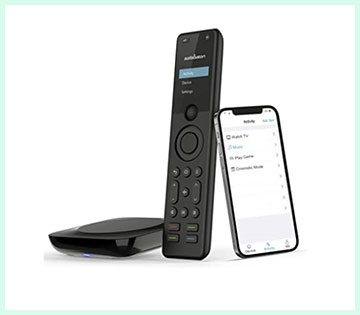
- Establish Regular Charging Habit: I connect the remote to a USB-C charger every three to four weeks even when battery shows remaining life. This routine preserves long-term battery health and prevents sudden power loss during important evenings.
- Gentle Cleaning Of Buttons And Screen: Wipe the backlit buttons and OLED display weekly with a dry or slightly damp microfiber cloth. I avoid harsh chemicals or excessive moisture to protect the finish and prevent liquid from reaching internal components.
- Optimize Hub And Blaster Positioning: Test different locations for the hub to achieve strongest signal coverage. I use the included IR blasters strategically for hidden devices and secure them with adhesive to avoid accidental movement that could create blind spots.
- Install Updates Promptly: Check the app monthly for firmware and software improvements. These updates often enhance stability, fix small bugs, and expand device compatibility without any complicated steps.
- Test All Activities Regularly: Run through main macros like Movie Night or Music Mode every couple of weeks. Small timing adjustments in the app keep sequences reliable as devices receive occasional manufacturer updates.
- Keep IR Emitters Clean And Unobstructed: Dust on blasters can weaken signals over time. I inspect and gently clean them monthly while ensuring nothing blocks their line toward target devices.
- Monitor For Interference Sources: If responsiveness dips, I check nearby Wi-Fi routers or Bluetooth devices. Switching the hub to a clearer channel or repositioning slightly usually restores smooth performance quickly.
- Use Find My Remote Feature Wisely: When the remote goes missing, activate the locator through the app immediately. This habit prevents prolonged searches and trains household members to return it to a consistent spot.
- Backup Configurations Periodically: Export my full setup from the app every month or after major changes. Having a saved file allows fast restoration if I ever reset the system or replace hardware.
- Avoid Extreme Environments: Keep the remote and hub away from direct sunlight, heaters, or high humidity. Normal room temperatures extend the life of the battery and electronics significantly.
- Clean The Hub Exterior: The glossy surface collects dust fast. A quick wipe with a soft cloth every two weeks keeps it looking tidy, especially when placed visibly near entertainment gear.
- Review Device Codes Annually: Re-verify codes for older equipment in the app once a year. Manufacturers sometimes update signals, and refreshing entries prevents command failures.
- Teach Household Members Basic Care: Show family how to lift the remote gently for wake function and where to place it for charging. Shared responsibility keeps the system running reliably for everyone.
- Check Cable Condition Regularly: Inspect the USB-C charging cable for wear since it sees frequent use. Keeping a spare prevents downtime if the original frays over time.
- Calibrate Scroll Wheel If Needed: If the wheel feels less smooth after heavy use, a light cleaning around the edges with compressed air restores precise movement without disassembly.
- Limit Background App Processes: Close unnecessary phone apps when using the SofaBaton app for setup. This reduces any minor delays during configuration or testing phases.
- Store Spare Blasters Safely: Keep extra IR emitters in a drawer as backups. They are inexpensive and ensure I maintain full coverage if one gets damaged or lost.
- Restart System Occasionally: For persistent glitches, I power cycle the hub and remote through the app. This clears temporary memory issues and restores peak performance.
Read More: Comparison of Superbox S5 Pro And Max
Comparison With Other Brands
Versus Logitech Harmony Series: The SofaBaton X1 offers similar activity-based control and hub functionality but at a lower ongoing cost since Logitech discontinued official support for many Harmony models. I found the X1 easier to set up initially without needing a computer, though Harmony once provided more polished software. The X1 holds its own with better modern Bluetooth support and app updates that keep it relevant today.
Versus Sofabaton X2: The X2 brings a touchscreen interface, charging dock, and heavier metal build, but I prefer the X1 series scroll wheel for quick navigation. The X1S matches much of the X2 capability at a more accessible price while avoiding the reported input lag some users notice on the X2 with certain streaming devices. For most households, the X1 or X1S delivers enough without the premium markup.
Versus Broadlink Or Other Budget Hubs: Cheaper alternatives often lack the polished app and reliable macro creation that the X1 provides. I tried one such hub before and returned it due to constant reconnection needs. The SofaBaton system feels more consumer-friendly with its dedicated remote rather than forcing phone-only control.
Versus High-End Crestron Or Control4 Systems: Professional installations cost thousands and require technicians, while the X1 gives impressive results for a fraction of the price. I appreciate the DIY flexibility without sacrificing too much sophistication in daily use.
Versus Simple Universal Remotes Without Hubs: Basic no-name universals cannot handle Bluetooth or smart home integration like the X1 does. They also fail at complex activities that power multiple devices in sequence. The X1 bridges the gap between cheap clickers and expensive automation.
Versus Smartphone Apps Alone: Using phone apps for every device drains my battery and forces me to unlock the screen constantly. The dedicated X1 remote keeps control tactile and always ready without interrupting my viewing flow.
Versus Older SofaBaton Models: The X1 improves upon earlier versions with better hub range and app stability. Users upgrading from basic SofaBaton remotes notice smoother performance and expanded device support right away.
Versus Voice-Only Assistants: Alexa or Google speakers handle some commands well but lack the precise button feedback for volume tweaks or fast-forwarding that the X1 remote provides. I use voice as a supplement rather than a full replacement.
Versus Custom Macro Remotes From Niche Brands: Some specialty remotes offer deeper programming but come with steeper learning curves and higher prices. The X1 balances power and simplicity better for average users like me who want results without becoming programmers.
Versus Streaming Device Remotes: Individual remotes from Roku, Fire TV, or Apple TV cannot control the entire system. The X1 unifies them all into one ergonomic unit that reduces clutter on my coffee table significantly.
Frequently Asked Questions (FAQ)
The X1S uses a scroll wheel with an OLED screen while the X2 features a touchscreen and charging dock. The X2 offers a heavier metal build but may introduce more input lag in some setups.
It depends on your needs. The X1S provides excellent balance for most users with reliable performance and convenient features. Choose the X2 only if you prefer a touchscreen and premium feel.
Yes, the X1S supports voice control through Amazon Alexa and Google Assistant for launching activities and basic commands.
Yes, it features backlit buttons that activate with the raise-to-wake function for easy use in dark rooms.
Conclusion
I have used both the SofaBaton X1 and X1S extensively, and you should pick based on how much you value small but meaningful improvements. If you want solid performance at a better price and your setup stays relatively simple, go with the X1. It handles everyday needs reliably and reduces remote clutter effectively.You will appreciate the X1S more if you crave smoother daily interactions. The raise-to-wake, better font, and enhanced stability make a real difference during frequent use. In my case, the X1S became the permanent remote in my living room because those refinements remove little annoyances that add up over time.Whichever you choose, both models outperform juggling multiple original remotes. Take time to set up activities carefully, and you will enjoy a much cleaner entertainment experience. I encourage you to consider your usage habits honestly before deciding. For most people reading this, the X1S edges ahead as the smarter long-term choice, but the X1 still delivers strong value if budget matters most. Try one and see how it transforms your viewing routine like it did for me.
Recent Posts
● Interactive 5-Zone Interior & Exterior Paint Blueprint Paint Coverage Calculator: Gallons, Primer, Square Footage & Cost Tap any architectural surface zone on the blueprint...
If you want smooth, shiny hair without spending a fortune on a premium styling tool, the Ella Bella hair dryer may be worth considering.In these Ella Bella hair dryer reviews, I’ll look...