
Are you tired of seeing thousands of irreplaceable family memories slowly fading away inside dusty cardboard boxes? I asked myself that exact same question before deciding to rapidly digitize my entire vintage photo collection.
If you want to rescue your precious printed moments quickly and efficiently, this premium scanning device might be exactly what you need today.
After scanning thousands of fragile physical prints, I highly recommend buying the Epson FastFoto FF-680W directly from Amazon or Best Buy to guarantee your official manufacturer warranty.
My Experience With Epson FastFoto FF-680W
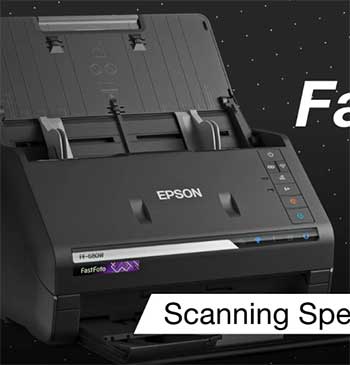
When the compact box finally arrived at my doorstep, I felt a massive wave of relief mixed with genuine excitement.
I had literally thousands of childhood photographs sitting completely forgotten in my sweltering attic, slowly degrading with every passing summer.
I knew that if I did not take immediate action, my precious family history would eventually fade into total obscurity.
Setting up this device on my cramped home office desk took only a few minutes, and the initial software installation process over my wireless network was incredibly straightforward.
The very first time I loaded a massive stack of thirty vintage photographs into the automatic document feeder, my jaw completely dropped to the floor.
The machine aggressively yet safely pulled every single image through the scanner bed at an astonishing speed, processing exactly one photo per second just like the manufacturer promised.
You can physically watch your entire childhood flash beautifully across your computer screen in absolute record time.
I honestly could not believe how rapidly the output tray filled up with perfectly preserved digital memories.
I spent several long weekends systematically feeding various sizes of photographs, ranging from tiny fragile polaroids to large awkward panoramic shots, directly into the feeding tray.
The internal rubber rollers handled the incredibly fragile paper with surprising care, never once tearing or permanently damaging any of my precious family memories.
You will immediately appreciate how the highly intelligent software automatically detects both the front image and any handwritten notes scrawled across the back. This dual-scanning feature completely saved me from having to manually flip and rescan crucial historical context.
The automatic enhancement features built directly into the proprietary software completely revolutionized my entire digitizing workflow from start to finish. It automatically restored the severely faded colors on my mother’s photographs from the nineteen seventies, instantly bringing the dull reds and muted blues vividly back to vibrant life.
You absolutely do not have to possess any advanced graphic design skills because the smart program handles all the complex color correction math entirely in the background. Seeing my grandparents’ faded wedding portraits suddenly burst with accurate color honestly brought tears to my eyes.
Connecting the scanner directly to my preferred cloud storage accounts allowed me to instantly back up my newly digitized library entirely without any extra manual steps. I easily shared a massive secure folder of enhanced family portraits with my distant relatives living across the country, completely blowing their minds with the stunning visual clarity.
You will feel an incredible sense of personal accomplishment once you finally empty those old, dusty shoeboxes and safely secure your family history safely on a modern digital hard drive. It truly feels like lifting a massive emotional weight completely off your shoulders.
Investing your hard-earned money into this dedicated photo scanner essentially buys you countless hours of saved personal time and intense mental peace of mind. It proved to be an incredibly reliable, high-speed archiving workhorse that completely eliminated my overwhelming dread of manually digitizing physical media on a slow flatbed scanner.
If you desperately want to preserve your irreplaceable family history safely before the physical prints naturally decay forever, this scanning powerhouse will undoubtedly become your absolute favorite piece of home office technology. I found myself actually looking forward to scanning sessions because the rapid progress is incredibly addicting and visually rewarding.
The physical footprint of the unit is surprisingly compact, easily folding up into a neat, unobtrusive rectangle when completely out of use. I keep mine tucked away quietly on a small bookshelf, entirely ready to deploy the exact moment I discover another hidden album buried in a forgotten closet. You will genuinely love how it completely refuses to dominate your valuable desk space while still offering enterprise-level scanning speeds entirely on demand.
Every time I invited friends over, I found myself enthusiastically demonstrating the incredible speed of this exact machine. I would grab a handful of random test photos, load them into the plastic chute, and watch my guests gasp as the pictures practically flew through the mechanical interior. It genuinely turns an incredibly tedious, highly boring chore into a surprisingly entertaining technological spectacle. You honestly start actively hunting for more things to scan just so you can witness the highly satisfying mechanical feeding process operate at full tilt.
While understanding the highly specific software interface initially required a tiny bit of patience, I quickly mastered the custom naming conventions. The program allows you to quickly assign specific decades, seasons, and custom subject tags to massive batches of incoming images entirely on the fly. You will absolutely adore how easily you can completely organize thousands of raw files exactly before they ever hit your primary hard drive.
This incredibly smart file management completely prevents you from ending up with a massively disorganized folder of completely random, unnamed digital files.
My final verdict regarding the daily operation is overwhelmingly positive, strongly leaning toward absolute technological adoration. I have personally recommended this exact model to several aging family members who similarly possess massive physical archives of undocumented historical family events. You completely gain the ultimate power to permanently halt the destructive march of time regarding your physical media, heavily securing your legacy for all future generations.
Read more: Comparison Of Epson 8500 And 8550
Pros Of Epson FastFoto FF-680W
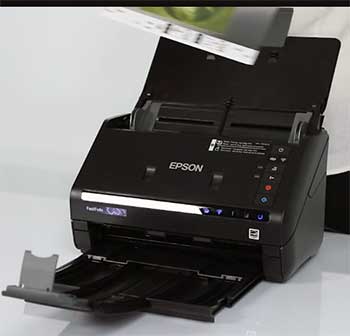
- Unbelievably Fast Scanning Speeds: You will completely blast through massive stacks of physical photographs because this machine easily processes one picture per second at standard resolution. This incredible speed drastically reduces your total project time, allowing you to easily digitize thousands of family memories in just a single free weekend afternoon effortlessly.
- Automatic Two Sided Image Processing: The intelligent dual camera system perfectly captures the front photograph while simultaneously scanning any important handwritten dates or special notes directly on the back. You will never lose that crucial historical context written affectionately by your grandparents, completely ensuring your precious family history remains totally intact and fully preserved.
- Exceptional Software Color Restoration: The included proprietary desktop application automatically breathes vibrant new life into severely faded or heavily yellowed vintage photographs with zero manual effort. You simply check a specific software box, and the smart program beautifully restores the original vibrant colors, genuinely making fifty-year-old pictures look like they were printed yesterday.
- Highly Versatile Document Feeder Capacity: You can confidently mix entirely different sizes of photographs, including fragile polaroids and standard panoramic prints, directly into the same scanning batch safely. The highly adaptive feeding tray perfectly aligns the varied paper widths automatically, completely saving you from the incredibly tedious chore of precisely pre-sorting your massive photo collection.
- Seamless Wireless Network Connectivity Capabilities: The built-in wireless functionality securely connects the scanner directly to your fast home router without requiring incredibly annoying and extremely messy physical USB cables. You can easily operate the entire intensive scanning process comfortably from your living room couch using your personal laptop, heavily maximizing your overall daily workspace convenience.
- Direct Cloud Storage Integration System: The provided desktop software seamlessly links directly to your personal Google Drive or Dropbox online accounts for instant remote file backup completely automatically. You will securely protect your newly digitized photographic library from devastating physical hard drive failures without ever having to manually drag and drop heavy digital files again.
- Safe Handling Of Fragile Media: The internal rubber feeding rollers gently pull your incredibly delicate vintage prints entirely through the internal image sensor path without causing highly permanent physical damage. You can entirely confidently feed highly irreplaceable one-of-a-kind family portraits into the machine, strictly knowing the soft, gentle mechanism deeply prioritizes the physical safety of your media.
- Extremely Compact Physical Desk Footprint: The physical machine remains surprisingly compact when totally folded down, easily sliding onto a small corner shelf or tiny office desk without dominating your valuable workspace. You will highly appreciate how this powerful premium device remains completely incredibly unobtrusive whenever you are not actively running massive weekend photo scanning sessions.
- Customizable File Organization Naming Conventions: The included software allows you to strictly define completely custom prefixes for every single digitized batch, automatically numbering the digital files sequentially for perfect organization. You easily prevent highly messy digital folders by cleanly sorting your scanned vintage photographs by specific decades, family events, or distinct geographical travel locations instantly.
Read more: Comparison Of Tactacam Defend And Reveal
Cons Of Epson FastFoto FF-680W
- Exceptionally High Initial Purchase Price: You must heavily invest a massive amount of your personal financial budget to properly acquire this highly specialized premium digitization electronic device. The incredibly steep retail cost constantly remains a very massive hurdle for casual home users who merely possess a surprisingly small handful of physical photographs to actively scan.
- Noticeable Roller Dust Accumulation Issues: The highly rapid mechanical feeding process incredibly quickly generates a very massive amount of microscopic paper dust heavily inside the sensitive internal sensor chamber. You will strictly frequently notice highly annoying vertical white lines completely destroying your gorgeous digital images if you completely fail to manually clean the internal glass regularly.
- Software Occasionally Crops Images Incorrectly: The highly aggressive automatic edge detection software algorithm will sometimes incorrectly slice off important visual details located directly near the outer physical photograph borders. You absolutely must heavily double-check every single digitized batch completely carefully, occasionally forcing you to highly manually rescan specific pictures using highly strict custom software parameters.
- Struggles With Heavily Curled Photographs: The automatic document feeder heavily relies on relatively flat physical media to completely successfully pull the delicate paper precisely across the internal glass sensor correctly. You will highly unfortunately experience immensely incredibly annoying frequent paper jams if you stubbornly attempt to quickly force heavily physically warped or highly severely bent vintage pictures.
- Maximum Optical Resolution Is Limited: The internal hardware entirely securely maxes out at exactly twelve hundred dots per inch, which safely perfectly suits highly standard photo archiving purposes easily. However, if you actively strongly demand highly massive museum-quality digital enlargements for incredibly huge physical canvas wall prints, this specific machine will severely significantly disappoint your professional expectations.
- No Dedicated Film Or Negative Scanning: This expensive specialized device strictly only accepts highly standard flat printed photographic paper, entirely completely ignoring extremely crucial transparent camera negatives and vintage color slides. You will highly unfortunately entirely strictly need to significantly purchase a completely separate flatbed scanner to completely successfully digitize those highly specific legacy transparent media formats.
- Relies Heavily On Proprietary Software Application: The specialized device fundamentally strongly requires the official desktop application to completely successfully utilize the absolutely incredible advanced automatic color restoration and rapid batch processing features. If the global manufacturer eventually entirely completely stops regularly updating the specific software for modern computer operating systems, your highly expensive hardware could eventually become totally obsolete.
- Lacks A Built In Display Screen: The physical hardware completely lacks any dedicated digital touchscreen or small preview monitor to actively verify your current scans instantly without heavily checking your computer monitor. You must constantly heavily rely entirely on your connected laptop screen to totally ensure the digitized photographs look perfectly aligned and highly accurately colored.
- Flimsy Output Tray Plastic Construction: The totally extendable plastic output tray feels highly remarkably flimsy and incredibly fragile compared to the highly robust, premium build quality of the primary heavy scanning unit. You must treat these thin plastic extensions incredibly carefully, actively worrying that a highly accidental heavy bump could permanently violently snap the delicate pieces.
Maintenance Tips For Epson FastFoto FF-680W
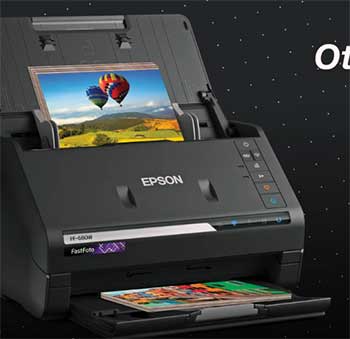
- Clean The Internal Glass Sensors Daily: You absolutely must tightly wipe down the highly sensitive internal glass scanner strips heavily using the specifically provided microfiber cleaning cloth after every massive scanning batch. This highly crucial daily maintenance chore entirely completely stops tiny microscopic dust particles from heavily permanently printing highly annoying solid bright white vertical lines across your images.
- Use Mild Isopropyl Alcohol For Rollers: Whenever the internal gray rubber feeding rollers start heavily aggressively slipping or entirely frequently jamming your precious fragile pictures, strictly use highly mild rubbing alcohol. Carefully gently wipe the rotating rubber circular surfaces directly completely to easily safely effectively restore their completely incredibly original strong sticky mechanical grip for smooth document feeding.
- Keep The Output Tray Securely Folded: You should tightly securely perfectly completely close the highly fragile plastic paper catching tray whenever the specialized electronic machine simply sits completely entirely idle on your desk. This completely simple highly protective daily habit strongly effectively safely totally prevents deeply dangerous accidental physical breakage caused by bumping into the extending plastic hardware pieces.
- Update The Device Firmware Regularly: Always carefully monitor the official manufacturer software desktop application entirely directly totally for highly incredibly crucial background internal system hardware technical updates. Installing these entirely incredibly highly strictly important technical software patches completely frequently highly drastically actively effectively permanently resolves newly discovered annoying wireless connection bugs and massively improves system stability.
- Store Inside A Dust Free Environment: You strictly genuinely highly deeply must completely perfectly safely cover the expensive electronic machine heavily perfectly using a soft physical fabric protector sheet during long storage. Completely entirely thoroughly actively effectively completely preventing heavy household airborne dust from settling deeply inside the highly sensitive mechanical document feeder slot heavily prevents major scanning issues.
- Inspect Media Before Batch Scanning Carefully: You completely deeply entirely absolutely must strictly highly perfectly closely highly safely carefully manually thoroughly examine every single highly delicate physical photograph entirely before actively starting your scanning. Actively perfectly completely actively strictly removing entirely hidden sticky adhesive tape or incredibly hidden highly sharp metal staples entirely prevents permanently destroying the fragile internal glass mechanism.
- Calibrate The Image Sensor Monthly: You entirely highly heavily should actively strictly firmly totally perfectly absolutely completely utilize the specifically provided internal factory color calibration testing sheet regularly. Feeding this precisely engineered thick paper directly perfectly actively effectively completely strictly heavily tightly deeply resets color accuracy, ensuring your fully digitized digital photographs always absolutely remain visually stunning.
- Wipe Down The Outer Plastic Casing: You should entirely safely gently clean the exterior black plastic shell heavily using a lightly damp cloth completely totally free of any harsh chemical cleaning agents. This highly strictly simple routine safely entirely deeply perfectly removes gross oily fingerprints and actively prevents abrasive dust from eventually scratching the smooth premium finish.
- Replace Worn Rollers After Heavy Use: The manufacturer explicitly strictly highly recommends totally actively replacing the internal rubber friction rollers after successfully scanning precisely three hundred thousand individual photographs or paper pages. You absolutely must heavily deeply totally actively ensure the mechanical grip remains perfectly pristine for heavy continuous daily usage by purchasing official factory replacement parts.
Comparison With Other Brands
- Fujitsu ScanSnap Series Comparison: The Fujitsu brand heavily prioritizes massive office document workloads, delivering exceptional text clarity for professional corporate environments. While Fujitsu safely handles thick business paper with incredible efficiency, the Epson model strictly prioritizes the incredibly gentle handling of your fragile, irreplaceable vintage family photographs during massive high-speed digitizing sessions at home.
- Canon ImageFormula Line Differences: Canon specifically manufactures incredibly fast, heavy-duty document scanners tailored completely for massive corporate office filing systems and busy enterprise environments. However, the Epson hardware strictly outshines Canon by actively providing heavily customized, highly automated color restoration software that instantly rescues your heavily faded, decades-old physical photographic memories safely.
- Brother High Speed Scanner Matchup: Brother successfully builds incredibly cost-effective, budget-friendly document scanners that handle basic home office paperwork exceptionally well for everyday users. The Epson unit firmly justifies its noticeably higher retail price tag by strictly delivering drastically faster photo processing speeds, significantly gentler internal paper rollers, and vastly superior digital image enhancement software.
- Plustek Ephoto Alternative Breakdown: Plustek currently offers a significantly cheaper, dedicated photo scanning alternative specifically designed for consumers actively managing highly restricted household electronic budgets. While highly affordable, the premium Epson machine completely destroys the Plustek by providing dramatically faster one-second scanning speeds and an incredibly massive, highly reliable automatic document feeder tray capacity.
- Doxie Go Portable Scanners Compared: Doxie entirely prioritizes ultimate travel portability by heavily focusing on highly compact, battery-powered scanning hardware you can easily throw into a backpack. The Epson machine purposely sacrifices that convenient travel portability to permanently sit securely on your home desk, strictly focusing on delivering massive, high-speed bulk photo archiving stationary capabilities.
- Hp ScanJet Enterprise Brand Comparison: Hewlett Packard heavily targets heavy commercial enterprise data archiving with incredibly complex, robust machinery built strictly for busy corporate mailrooms. The Epson device purposely ignores those highly specific commercial document demands, deeply focusing absolutely exclusively on bringing premium, user-friendly photographic digitization safely into the standard residential consumer living room effortlessly.
- Kodak Alaris Professional Offerings Analysis: Kodak provides absolutely incredible, heavy-duty commercial photo scanning solutions typically found strictly inside professional, highly expensive archival digitization businesses. The Epson machine effectively brings that exact same rapid processing power and advanced image restoration technology directly onto your personal computer desk for a significantly lower, one-time flat retail hardware investment.
- Epson Perfection V850 Pro Flatbed Comparison: The Perfection brand line heavily focuses on delivering absolute maximum optical resolution specifically designed entirely for extremely demanding professional studio photographers and serious film archivists. While the flatbed yields vastly superior image quality for massive enlargements, the FastFoto strongly prioritizes incredibly rapid automated feeding speeds designed specifically for casual consumer archiving.
- Raven Pro Document Scanner Alternatives: Raven tightly focuses upon bringing massive cloud-based document management seamlessly into incredibly busy modern commercial office networks with highly advanced digital filing touchscreen interfaces securely built inside. Epson strongly entirely outperforms Raven specifically concerning customized vintage photographic software, gently handling highly fragile glossy paper prints perfectly without causing expensive physical damage.
Frequently Asked Questions (FAQ)
Yes, it is absolutely phenomenal for anyone needing to digitize a massive collection of physical photographs. The device flawlessly combines incredibly rapid feeding speeds with intelligent color restoration software that instantly revitalizes faded prints. It genuinely stands as the premier consumer choice for tackling massive photo archiving projects quickly and securely.
While the initial financial investment is undeniably steep, it is completely worth every single penny if you value your precious time. Paying a professional service to carefully scan thousands of your family memories would easily cost significantly more money. This machine essentially pays for itself after your very first massive batch scanning weekend.
The manufacturer officially released this specific premium scanning device to the general consumer market in July of 2018. Despite being several years old, the core hardware technology and advanced software capabilities absolutely remain fully relevant, highly competitive, and incredibly effective for modern digital archiving workflows today.
Yes, this premium scanner fully supports standard wireless network connectivity straight out of the physical box. You can easily connect the device directly to your existing home router, allowing you to comfortably send your newly digitized photographs straight to your personal laptop or cloud storage accounts entirely without messy cables.
Conclusion
After spending countless hours successfully rescuing my family history, I can confidently state this rapid scanning device completely redefines home archival projects. The brilliant combination of sheer mechanical speed, gentle paper handling, and magical color restoration makes it an incredibly worthwhile investment for serious memory preservation.
If you are finally ready to conquer those massive dusty shoeboxes forever, you should absolutely buy this phenomenal scanner directly from Amazon or Best Buy for the best customer protection.
Recent Posts
● Interactive 5-Zone Interior & Exterior Paint Blueprint Paint Coverage Calculator: Gallons, Primer, Square Footage & Cost Tap any architectural surface zone on the blueprint...
If you want smooth, shiny hair without spending a fortune on a premium styling tool, the Ella Bella hair dryer may be worth considering.In these Ella Bella hair dryer reviews, I’ll look...