
Yes, you absolutely should buy this television if you are seeking a cinematic upgrade for your living room without emptying your wallet. The Vizio Quantum Pro offers an impressive blend of peak brightness, deep black levels, and gaming-ready features that rival significantly more expensive models. With its sleek design and vibrant 4K QLED display, this television transforms everyday viewing into a highly premium experience. If you want top-tier performance on a budget, this is exactly the display you need to purchase right now.
My Experience With Vizio Quantum Pro
I recently decided it was time to upgrade my primary living room television, and after heavily researching the market, I brought home the Vizio Quantum Pro. Setting it up was an eye-opening process that immediately set a positive tone. The unboxing experience was straightforward, and I immediately noticed the sturdy build quality of the chassis. The television comes with adjustable metal feet that can be set at two different heights, which I found incredibly useful because it allowed me to perfectly slide my soundbar right underneath the screen without blocking any of the display or the infrared remote sensor. It is a small physical design choice, but it shows that the manufacturer truly understands real-world home theater setups.
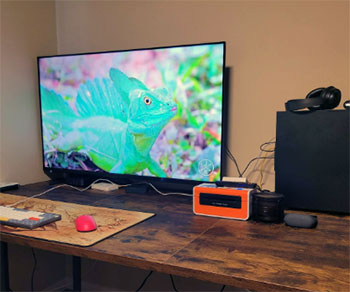
Once I turned it on, the Vizio OS interface loaded quickly, and I was greeted by the vibrant Home screen that aggregates various streaming apps.
Navigating through the menus to adjust the initial settings took a bit of time simply because there are so many picture adjustment options available.
However, once I dialed in the Calibrated Dark mode for movie watching, the results were absolutely stunning. I fired up an action movie mastered in Dolby Vision, and the sheer brightness of the display took me by surprise.
Vizio claims this model reaches up to 1,000 nits of peak brightness, and viewing it in person makes that specification entirely believable.
The specular highlights, like explosions or sunbeams reflecting off cars, were intensely bright and added a massive sense of realism to the scene. The contrast was genuinely impressive for an LCD panel in this specific price tier.
Gaming on the Vizio Quantum Pro has been an absolute joy from day one. I connected my PlayStation 5 to the designated HDMI 2.1 gaming port, and the television immediately recognized the console, switching into its optimized low-latency gaming mode. The 120Hz refresh rate combined with AMD FreeSync Premium Pro meant that my gameplay was exceptionally smooth.
I spent hours playing fast-paced shooters and graphically intense role-playing games, and there was zero noticeable input lag or screen tearing. The television even supports up to 240Hz if you drop the resolution to 1080p and connect a high-end gaming PC, which is a fantastic bonus for competitive gamers looking for every possible frame advantage.
However, my experience was not entirely perfect across all types of media. While watching older, standard-definition content or standard 1080p Blu-rays, I noticed that the upscaling engine is just average compared to industry leaders.
Film grain on older movies seemed a bit exaggerated, making scenes look slightly noisier than they do on higher-end televisions equipped with advanced AI upscaling processors. Additionally, because the television uses a full-array local dimming system with fairly large dimming zones, I occasionally spotted a bit of light blooming around bright objects set against pure black backgrounds, such as white text on a dark loading screen or starry night skies in sci-fi films.
Despite these minor picture quirks, the sheer color accuracy, mesmerizing peak brightness, and outstanding next-generation gaming performance make my daily experience with this television overwhelmingly positive. Every single time I sit down to watch a movie or play a game, I am thoroughly impressed by the value and visual punch it successfully delivers.
Read More: Comparison Of Vizio Quantum And Quantum Pro
Pros Of Vizio Quantum Pro
- Exceptional Peak Brightness For HDR Content: One of the most significant advantages of this television is its incredible ability to push up to 1,000 nits of peak brightness. This massive light output makes High Dynamic Range content look incredibly lifelike, as the television can accurately display blindingly bright elements like sun glare, blazing fires, or neon city lights without losing intricate detail. Whether you are watching movies in a pitch-black dedicated theater room or a brightly lit living area with large windows, the display cuts through ambient light effortlessly, ensuring the picture always remains vivid, punchy, and completely visible.
- Vibrant Quantum Dot Color Palette: Utilizing advanced QLED technology, this television delivers well over a billion distinct hues and shades. The colors are deeply saturated, rich, and incredibly accurate right out of the box without needing professional calibration. Skin tones look entirely natural, and vibrant landscapes appear lush and true to life. This drastically expanded color gamut ensures that animated movies, high-budget nature documentaries, and high-quality 4K streaming services pop off the screen with a level of striking vibrancy that standard LED televisions simply cannot match or replicate.
- Top Tier Gaming Features And Refresh Rates: Hardcore gamers will find immense value in the robust suite of high-end gaming enhancements included here. The television supports a native 4K resolution at a blazing fast 120Hz refresh rate, providing buttery-smooth motion for current-generation gaming consoles. Furthermore, the mandatory inclusion of AMD FreeSync Premium Pro completely eliminates screen tearing and visual stuttering during intense, fast-paced gameplay. PC gamers even have the unique option to push the refresh rate to an astonishing 240Hz at a 1080p resolution, offering esports-level responsiveness and a massive competitive edge.
- Effective Anti Glare Screen Coating: Distracting reflections can entirely ruin the cinematic viewing experience in rooms with multiple uncovered windows or bright overhead lighting fixtures. Vizio has smartly equipped this specific model with a highly effective anti-reflective film that drastically reduces the visual impact of external light sources. This means you absolutely do not have to draw the curtains or turn off every single light in the house just to watch a dark, moody scene in a thriller movie. The coating diffuses light excellently, maintaining the integrity and contrast of the picture regardless of the time of day.
- Versatile And Accommodating Stand Design: The physical industrial design of the television includes adjustable metal feet that offer genuine, practical utility for your living room setup. You can physically set the legs to a higher position during assembly, which provides slightly over three inches of vertical clearance beneath the bottom edge of the screen. This is the absolutely perfect amount of space to easily slide in a premium, bulky soundbar without obstructing the bottom edge of the picture or blocking the infrared remote sensor. It is a thoughtful design choice that saves you the massive hassle of wall-mounting.
- Extensive Free Entertainment Options: Straight out of the box, without needing to plug in any external streaming devices, the television offers the proprietary Vizio WatchFree+ platform, which delivers hundreds of free live television channels and thousands of on-demand movies and television shows. This is an incredible, cost-saving value addition for dedicated cord-cutters who want immediate access to endless entertainment without paying for multiple premium streaming subscription services. The user interface is snappy and intuitive, making it incredibly easy to discover exciting new content to watch immediately after plugging the television into the wall.
Cons Of Vizio Quantum Pro
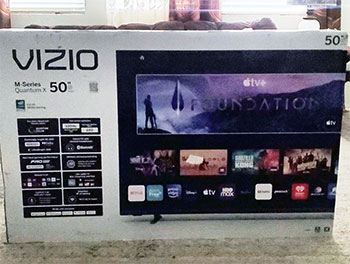
- Subpar Upscaling Of Lower Resolution Content: While native 4K video feeds look absolutely pristine and breathtaking, the television processor struggles slightly when tasked with upscaling older 720p or standard 1080p content. If you frequently watch older DVD collections, classic over-the-air cable television broadcasts, or heavily compressed streaming videos, you might notice that the image looks a bit softer and less detailed than it should. The internal processor tends to exaggerate natural film grain in older cinematic movies, creating a noisy, digital artifacting effect that can be highly distracting during focused cinematic viewings.
- Noticeable Light Blooming Around Bright Objects: The integrated full-array local dimming system is designed to drastically improve contrast, but because the physical dimming zones are relatively large in physical size, they cannot isolate light as precisely as a high-end Mini LED or OLED panel. When watching content with stark, intense contrast, such as bright white subtitles on a black cinematic letterbox bar or a bright glowing moon in a pitch-black night sky, you will absolutely notice a hazy halo of light bleeding into the surrounding dark areas. This blooming effect becomes especially prevalent and annoying when viewing the television from an off-center seating angle.
- Limited Availability Of Screen Sizes: If you are hoping to purchase this exact premium model for a small bedroom or a massive, dedicated custom home theater room, you might be heavily disappointed by the strict lack of sizing options. The manufacturer has strategically limited this specific product line to only large formats, strictly offering 65-inch and 75-inch physical configurations. This rigid sizing strategy forces interested consumers to look at entirely different television models or competing brands if they desperately need a 50-inch display for a tighter physical space or an 85-inch display for a massive viewing distance.
- Overly Complex Picture Settings Menu: While having granular control options is generally a positive trait for videophiles, the sheer volume of advanced picture adjustments hidden within the system settings menu can be incredibly overwhelming for the average everyday consumer. Trying to dial in the absolute perfect picture requires navigating through multiple confusing sub-menus for local dimming intensity, motion smoothing interpolation, gamma correction curves, and precise color space adjustments. Out of the box, finding the right visual balance takes a lot of frustrating trial and error, which might annoy users who just want to turn on the television and enjoy a great picture immediately.
- Only One Fully Capable HDMI Gaming Port: Despite featuring a generous four total HDMI ports on the rear panel, only a single one of them is designated specifically to handle the massive full bandwidth required for uncompressed 4K at 120Hz gaming. If you are a hardcore gamer who owns both an Xbox Series X and a PlayStation 5, you physically cannot have both advanced consoles taking full advantage of the highest framerates simultaneously without physically walking up to the television and swapping the heavy cables. This hardware limitation is a frustrating oversight for multi-console gamers who demand seamless, instant switching between their high-end gaming devices.
- Occasional Operating System Lag: While the proprietary smart platform offers a relatively clean visual interface and plenty of popular streaming apps, it is not always the most snappy or responsive operating system on the market. Users frequently report experiencing occasional visual stuttering or input lag when rapidly scrolling through heavy app carousels or switching quickly between highly demanding software applications. Sometimes the physical remote control button commands take a full second or two to actually register on the screen, which completely breaks the otherwise premium feel of the television and heavily tests your patience during rapid menu navigation.
Maintenance Tips For Vizio Quantum Pro
- Use Proper Screen Cleaning Techniques: The massive display features a highly delicate anti-reflective coating that can be incredibly easily scratched, permanently smudged, or chemically degraded by harsh household cleaning chemicals. You should absolutely never use glass cleaners, ammonia-based sprays, or rough abrasive paper towels directly on the screen surface. Instead, always use a perfectly clean, dry, high-quality microfiber cloth to gently wipe away accumulated household dust. If there are stubborn greasy smudges or sticky fingerprints, lightly dampen the microfiber cloth with pure distilled water and gently wipe the affected screen area in broad, sweeping circular motions until the display is perfectly crystal clear.
- Manage Your Cable Connections Carefully: The television features multiple sensitive HDMI connection ports on the back panel, and the heavy physical weight of thick, high-quality braided HDMI 2.1 cables can put immense physical stress on these delicate internal connections over time. To prevent permanent, costly port damage, strictly use plastic cable ties or reusable Velcro straps to tightly bundle your hanging cords and securely anchor them to the metal legs of the television stand or the back of your wooden media console. Relieving the harsh downward tension ensures the microscopic internal pins remain perfectly intact and completely prevents sudden video signal drops during your important movie nights.
- Keep The Firmware Consistently Updated: Modern smart televisions act and rely heavily on their complex internal software to expertly manage image picture processing algorithms, local dimming backlight coordination, and third-party streaming app compatibility. You should routinely navigate to the system settings menu and absolutely ensure that the automatic firmware auto-update feature is permanently toggled on. The manufacturer frequently and silently releases background software patches that drastically improve operating system navigation speed, heavily refine the local dimming contrast performance, and permanently resolve minor annoying software bugs. Staying constantly up to date guarantees you are getting the absolute best possible performance out of the expensive hardware.
- Ensure Adequate Ventilation Around The Unit: Because this specific television model can forcefully push up to an incredible 1,000 nits of peak brightness, the internal full-array LED backlight system naturally generates a highly significant amount of internal heat. You must rigorously ensure there is at least a few physical inches of open breathing clearance on the top, back panel, and both side bezels of the television to allow the trapped hot air to naturally dissipate. Shoving the massive display into a very tight, fully enclosed wooden entertainment center will trap the rising heat, which can prematurely degrade the fragile internal silicon components and drastically shorten the overall lifespan of the display.
- Utilize A High Quality Surge Protector: Modern 4K smart televisions are essentially massive, highly delicate personal computers, making them incredibly susceptible to invisible power grid fluctuations and sudden electrical voltage spikes. You should absolutely never plug this expensive piece of technology directly into a standard unprotected wall outlet. Instead, happily invest in a premium, heavy-duty surge protector that proudly offers a massively high joule rating and a dedicated, ironclad connected equipment financial warranty. This incredibly simple, low-cost maintenance step acts as a critical insurance policy against unpredictable lightning strikes or neighborhood power grid surges that could instantly fry the delicate motherboard.
- Perform Periodic Hard Reboots: Advanced smart television platforms can sometimes become heavily bogged down by bloated cached memory and invisible background software processes, directly leading to frustratingly sluggish menu navigation, frozen screens, or random streaming app crashes. To keep the built-in operating system running smoothly and effortlessly, you should proactively perform a complete hard power cycle every few consecutive months. Simply unplug the heavy television power cord straight from the wall outlet, patiently wait for a full five minutes to allow the internal electrical capacitors to drain completely, and then firmly plug it back in. This completely clears the volatile temporary memory and beautifully restores the interface to a snappy, highly responsive state.
Comparison With Other Brands
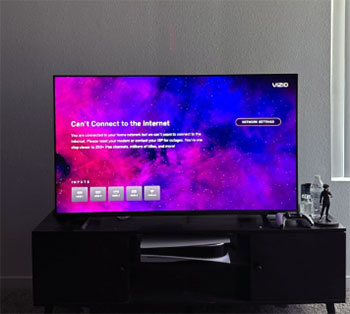
- Vizio Quantum Pro Vs Hisense U7K: When thoroughly pitting these two highly popular mid-range televisions against each other, the most significant and noticeable difference heavily lies in the underlying physical backlight technology. The Hisense U7K proudly utilizes a highly advanced Mini LED backlight system, which provides exponentially more microscopic dimming zones and significantly tighter control over annoying light blooming compared to the standard, larger full-array system utilized on the Vizio model. Consequently, the Hisense will typically display much deeper, inky blacks in completely dark viewing rooms. However, the Vizio often forcefully delivers noticeably punchier overall peak brightness in bright mixed scenes. Furthermore, the Vizio proprietary interface is slightly easier to navigate for beginners, but the Hisense technically offers a slightly more accurate out-of-the-box color picture in its dedicated Filmmaker mode, making it an incredibly tough battle for dedicated home theater purists.
- Vizio Quantum Pro Vs TCL Q7: The TCL Q7 stands as a massively direct and aggressive competitor in the highly contested budget-friendly gaming television space. Both massive televisions offer buttery smooth 120Hz native refresh rates, but the TCL Q7 takes a very slight edge for hardcore, multi-console gamers strictly because it intelligently separates its two high-bandwidth HDMI 2.1 gaming ports completely from its dedicated eARC audio output port. This critical design choice allows you to easily connect two next-generation gaming consoles and a premium Dolby Atmos soundbar simultaneously without sacrificing any advanced features, whereas the Vizio frustratingly limits your full-bandwidth gaming potential to a single, solitary port. On the pure visual front, however, the Vizio generally boasts significantly better overall color volume and deep saturation strictly thanks to its superior Quantum Dot layer implementation, while the TCL struggles slightly with out-of-the-box color accuracy, specifically regarding its slightly skewed white balance calibration.
- Vizio Quantum Pro Vs Roku Plus Series: The highly popular Roku Plus Series is globally renowned for its incredibly simple, user-friendly interface and highly solid financial value proposition. If you heavily prioritize absolute operational simplicity and desire a massive ecosystem of easily accessible streaming applications, the Roku television operating system is essentially unmatched in the current industry. However, when it comes down to raw hardware performance and visual fidelity, the Vizio completely and utterly outclasses the Roku television. The Vizio proudly offers a true, native 120Hz panel, whereas the Roku is strictly and permanently locked at a basic 60Hz refresh rate, making the Vizio vastly superior for competitive gaming and fast-paced live sports broadcasts. Additionally, the Vizio gets significantly brighter during HDR cinematic content, providing a much more dynamic, punchy, and theater-like viewing experience than the comparatively flatter and slightly dimmer Roku display panel.
- Vizio Quantum Pro Vs Samsung Q80C: Moving slightly up into a higher financial price bracket, the highly regarded Samsung Q80C offers a very refined, premium user experience. The advanced Samsung television provides significantly better and much more sophisticated upscaling processor capabilities; old scratched DVDs and basic 1080p cable television broadcasts look noticeably sharper, cleaner, and less noisy on the Samsung panel than they do on the Vizio display. The Samsung also generously features four completely full-bandwidth HDMI 2.1 ports across the entire board, making it an absolute dream scenario for wealthy multi-console owners. However, the Vizio holds its physical ground incredibly aggressively when strictly considering the overall price-to-performance ratio. The Vizio offers incredibly similar blinding peak brightness and brilliantly vibrant Quantum Dot colors for literally hundreds of dollars less, making it the significantly smarter financial choice if you are perfectly willing to overlook very minor upscaling processing deficiencies.
Also Read: Comparison of Sofabaton X1 And X1s
Frequently Asked Questions (FAQ)
Yes, this television fully supports native 120Hz gaming at a crisp 4K resolution on powerful next-generation consoles like the PlayStation 5 and Xbox Series X. It also features advanced AMD FreeSync Premium Pro technology and Variable Refresh Rate capabilities to ensure your gameplay remains fluid, highly responsive, and completely free of distracting screen tearing during graphically intense, fast-paced action moments. Gamers can expect a massive competitive advantage with this beautiful display.
This display is highly capable of reaching an impressive peak brightness of up to 1,000 nits. This incredibly high and powerful light output allows the television to handle High Dynamic Range content beautifully, displaying brilliant specular highlights and effortlessly cutting through harsh ambient glare in brightly lit living rooms without washing out the delicate image details. Your favorite movies will look incredibly vibrant and cinematic.
Yes, the manufacturer has purposefully applied a specialized, highly effective anti-reflective film directly to the television panel. This premium coating does an absolutely excellent job of diffusing harsh light from nearby open windows or bright overhead lamps, aggressively minimizing distracting reflections and ensuring the cinematic picture remains perfectly clear and highly visible regardless of the difficult lighting conditions in your specific viewing environment.
Absolutely, this specific television model features highly convenient built-in Bluetooth headphone capability directly out of the box. You can easily and quickly pair your absolute favorite wireless headphones or modern earbuds directly to the television through the audio settings menu, allowing you to thoroughly enjoy full-volume, immersive cinematic sound late at night without ever disturbing anyone else sleeping in your quiet household.
Conclusion
Vizio Quantum Pro Review: Is It Worth It? Concluding this extensive evaluation, it is abundantly clear that this television offers a remarkable amount of premium visual technology at a highly accessible price point. The stunning 1,000-nit peak brightness, deeply vibrant QLED color accuracy, and top-tier 120Hz next-generation gaming capabilities make it an absolute powerhouse for both dedicated cinephiles and avid competitive gamers. While it admittedly has minor flaws regarding lower-resolution upscaling and limited HDMI 2.1 ports, the overall breathtaking picture quality dramatically outshines its minor shortcomings. If you want a brilliant, feature-packed cinematic display without paying the massive premium brand markup, this is a phenomenal, highly recommended investment for your home entertainment setup.
Recent Posts
● Interactive 5-Zone Interior & Exterior Paint Blueprint Paint Coverage Calculator: Gallons, Primer, Square Footage & Cost Tap any architectural surface zone on the blueprint...
If you want smooth, shiny hair without spending a fortune on a premium styling tool, the Ella Bella hair dryer may be worth considering.In these Ella Bella hair dryer reviews, I’ll look...